Related Calculators
- Calendar Back Date Calculator
- Movie End Time Calculator
- 34-Hour Reset Clock Calculator
- Days To Go Calculator
- All Everyday Life and Education Calculators
- UTC Offset Time Converter
How 48 hours from now is calculated
Direct answer: 48 hours is exactly 172,800 elapsed seconds, or two 24-hour periods. It often lands two calendar dates later, but the local clock time can shift across a daylight-saving time change.
The calculator treats the starting date and time as an instant, adds or subtracts one fixed 48-hour interval, and then displays the result in the selected time zone. The result includes the weekday because “what day will it be?” is easier to answer from a complete date than from a date number alone.
48 hours after
target instant = start instant + 172,800 secondsThis is also 2,880 minutes or 172,800,000 milliseconds.
48 hours before
target instant = later instant − 172,800 secondsSubtracting the same interval gives the exact reverse calculation.
48 elapsed hours is not always two calendar days
On an ordinary week, adding 48 hours and adding two calendar days produce the same local date and clock time. They can differ when the time-zone offset changes. A fixed-hour calculation preserves elapsed duration. A calendar-day calculation normally tries to preserve the wall-clock time and can span 47 or 49 elapsed hours at a daylight-saving transition.
| Operation | Rule | What happens at a clock change |
|---|---|---|
| Add 48 hours | Add exactly 172,800 elapsed seconds. | The displayed local clock time may move by the size of the offset change. |
| Add 2 calendar days | Advance the local calendar date by two, usually keeping the wall-clock fields. | The elapsed duration may be 47 or 49 hours; a nonexistent or repeated result needs a policy. |
| Add 48 business hours | Count only hours inside a defined work schedule. | Weekends, holidays, working hours, and the business time zone must be specified. |
Time zones, locations, and local clock inputs
A time zone is part of the calculation whenever a local date and time is entered. The calculator starts with the browser’s detected zone, but a named IANA zone such as America/New_York, Europe/London, or Asia/Manila can be selected for another location. Named zones carry historical and seasonal offset rules; a label such as EST is only an abbreviation and may be ambiguous or wrong for part of the year.
Nonexistent local time
During a spring clock jump, some wall times never occur. In America/New_York, 2026-03-08 02:30 is in that gap. The calculator rejects it instead of silently moving it to another time.
Repeated local time
During a fall clock change, one wall time can occur twice. In New York, 2026-11-01 01:30 can mean UTC−04:00 or UTC−05:00. The calculator asks for the earlier or later occurrence and shows the chosen offset.
An HTML datetime-local value contains local date and clock fields but no time-zone identifier. Resolving those fields against the selected named zone is therefore essential. When sharing a result, include the full date, clock time, numeric UTC offset, and named zone where possible; that is clearer than a locale-dependent date alone.
Worked 48-hour examples
Each example below uses an exact elapsed interval. The month, year, and leap-day rows show that no special end-of-month rule is required: the time line advances by the same 172,800 seconds.
| Case | Start | Result after 48 hours | What it demonstrates |
|---|---|---|---|
| Normal week | Tuesday, August 11, 2026 at 12:00 UTC | Thursday, August 13, 2026 at 12:00 UTC | Two weekdays later at the same clock time when the offset does not change. |
| Month boundary | January 30, 2025 at 12:00 UTC | February 1, 2025 at 12:00 UTC | The result crosses into a shorter month normally. |
| Year boundary | December 31, 2025 at 23:00 UTC | January 2, 2026 at 23:00 UTC | The year is derived from the resulting instant. |
| Leap year | February 28, 2024 at 12:00 UTC | March 1, 2024 at 12:00 UTC | The 48-hour span includes February 29. |
| Spring DST | March 7, 2026 at 12:00, UTC−05:00, America/New_York | March 9, 2026 at 13:00, UTC−04:00 | Exactly 48 hours pass, while the local clock is one hour later. |
| Fall DST | October 31, 2026 at 12:00, UTC−04:00, America/New_York | November 2, 2026 at 11:00, UTC−05:00 | Exactly 48 hours pass, while the local clock is one hour earlier. |
| Reverse | Later instant: August 13, 2026 at 12:00 UTC | 48 hours before: August 11, 2026 at 12:00 UTC | Subtracting the fixed interval returns the original instant. |
The repeated New York time also produces two valid answers. The earlier 2026-11-01 01:30 UTC−04:00 occurrence plus 48 hours is 2026-11-03 00:30 UTC−05:00. The later 01:30 UTC−05:00 occurrence plus 48 hours is 2026-11-03 01:30 UTC−05:00. Choosing the occurrence prevents a hidden one-hour assumption.
Using now, a custom start, or 48 hours before
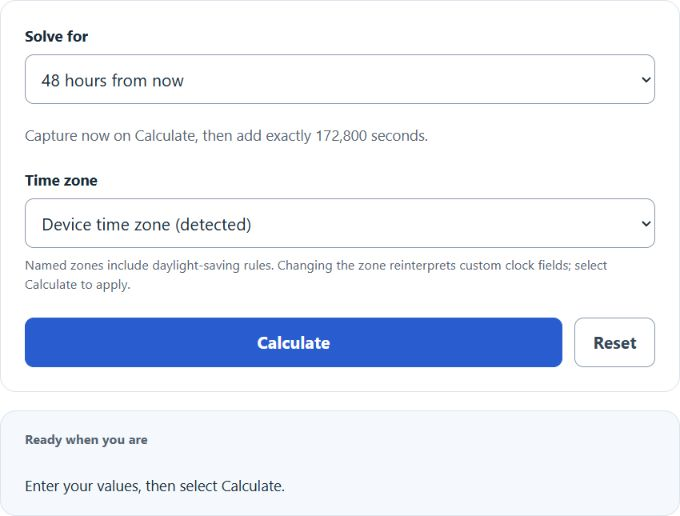
For “48 hours from now,” the starting instant is captured when the calculation runs. If a successful calculation is restored after the page’s intentional refresh, it keeps that captured instant; select Calculate again to capture a fresh “now.” For an arbitrary start—such as 7:00 PM on a particular date—choose the custom-time mode, enter the date and time, and select the location’s named zone. The result’s weekday answers day-of-week questions without assuming that “today” means the same date everywhere.
Use the before mode when the known date is the later endpoint. It subtracts 48 elapsed hours rather than trying to infer a calendar deadline. Deadline and schedule rules can define “day,” cutoffs, holidays, or governing zones differently, so verify the governing instructions or responsible authority.
Frequently asked questions
Is 48 hours exactly two days?
Yes, as an elapsed duration: 48 hours equals two periods of 24 hours, 2,880 minutes, or 172,800 seconds. “Two calendar days” can describe a different operation across a clock change.
Will 48 hours from now be the same clock time?
Usually, but not always. It stays the same when the selected zone’s UTC offset does not change. Across daylight-saving or another civil-time offset change, the displayed local clock time can move even though exactly 48 hours elapsed.
What day will it be in 48 hours?
It is often the weekday two calendar dates later, but the exact local date depends on the starting time and any offset change. Use the complete result because the starting location may already be on a different date, and civil-time rules can change the local clock display.
Which time zone does the calculation use?
The calculator selects the browser’s detected zone by default and allows another named IANA zone. Choose the zone of the event or requirement, not merely the viewer’s current location.
Can I calculate 48 hours from a specific time?
Yes. Use a custom starting date and time, select its named zone, and calculate after or before it. This covers arbitrary clock-time searches without assuming the current moment.
Does 48 hours include weekends?
Yes for elapsed time. This tool counts every hour. A business-hours result needs a separate work schedule, holiday calendar, and business time zone.
How are daylight-saving gaps and overlaps handled?
A local time that does not exist is rejected. If a local time occurs twice, the calculator asks whether the earlier or later offset is intended before it calculates.
How do I find 48 hours before a date?
Select the before mode and enter the known later date, time, and zone. The calculator subtracts 172,800 seconds and displays the earlier instant in that zone.
Method, limitations, and primary sources
Method and source review: August 11, 2026. The public calculation uses a fixed 172,800,000-millisecond interval and IANA time-zone rules available in the browser. Formatting can follow the viewer’s locale, but locale formatting does not change the instant. Future civil-time rules can be revised, so named-zone results depend on the installed time-zone database.
Web date-time APIs do not model a leap second as a 61st second. Leap-second insertion and provider-specific clock smearing are therefore outside this calculator’s civil-time contract; the tool is not a traceable atomic-time instrument.
- IANA Time Zone Database — current and historical civil-time rules for named regions.
- NIST daylight-saving time overview — U.S. transition rules and the distinction between local standard and daylight time.
- TC39 Temporal: ZonedDateTime — exact-time versus wall-clock arithmetic and explicit handling of ambiguous or nonexistent local times.
- WHATWG HTML local date and time input — the local input format without a time-zone identifier.
- ECMA-402 Internationalization API — locale- and time-zone-aware date formatting.
- RFC 9557 — timestamps that can carry both an offset and a named time-zone identifier.
- NIST leap-seconds FAQ — why leap seconds differ from ordinary civil-time offset changes.