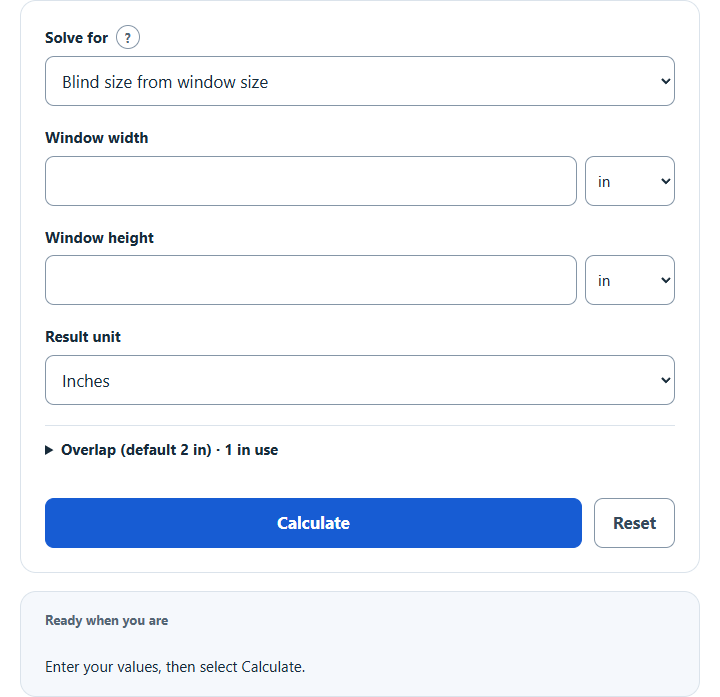
Calculate blind size from your window: enter the window width and height to get an outside-mount blind size, with adjustable overlap or inside mount.
Related Calculators
- Window Area Calculator
- Window-to-Wall Ratio Calculator
- Curtain Rod Length Calculator
- Wall Area Calculator
- Awning Cost Calculator
- All Construction Calculators
Blind Size Formula
This blind size calculator uses a simple outside-mount sizing rule: add 2 inches total to the window width and 2 inches total to the window height. If centered, that provides 1 inch at each edge. Product-specific overlap and mounting positions vary; follow the manufacturer’s measuring instructions before ordering.
When you enter the blind size instead of the window size, the calculator reverses the formula:
- WW = window width, in inches
- WH = window height, in inches
- BW = blind width, in inches
- BH = blind height, in inches
- 2 = total outside-mount allowance, in inches
Choose a task matching your known width and height measurements, then fill in the displayed fields. If you enter a window width, it calculates blind width by adding 2 inches. If you enter a blind width, it calculates window width by subtracting 2 inches. The same rule is used for height.
The calculator also supports inches, feet, centimeters, and meters. Internally, it converts measurements to inches, applies the 2-inch allowance, then converts the result back to the selected result unit.
Blind Measuring Approaches
The calculator uses a 2-inch total allowance for an outside mount by default; you can change it under Overlap. Actual recommendations can vary by blind type, window trim, and manufacturer instructions.
| Mount type | Width approach | Height approach | Notes |
|---|---|---|---|
| Outside mount | Window width + 2 in total | Window height + 2 in total | Matches this calculator’s rule. |
| Inside mount | Use exact inside opening width | Use exact inside opening height | Do not add the 2-inch outside allowance. |
| Greater light blocking | Product-specific side overlap | Product-specific headrail and lower edge positions | Follow the product measuring guide; there is no universal overlap for every blind. |
Unit Conversions Used for Blind Measurements
| Unit | Conversion to inches | Example |
|---|---|---|
| Inches | 1 in = 1 in | 36 in = 36 in |
| Feet | 1 ft = 12 in | 3 ft = 36 in |
| Centimeters | 1 cm = 0.3937 in | 100 cm = 39.37 in |
| Meters | 1 m = 39.3701 in | 1.5 m = 59.06 in |
Example Blind Size Calculations
Example 1: Calculate blind size from window size
You measure a window that is 34 inches wide and 58 inches high.
- Blind width = 34 + 2 = 36 inches
- Blind height = 58 + 2 = 60 inches
The estimated outside-mount blind size is 36 in by 60 in.
Example 2: Calculate window size from blind size
You have a blind that is 42 inches wide and 66 inches high, and you want to check the matching window size using the calculator’s rule.
- Window width = 42 – 2 = 40 inches
- Window height = 66 – 2 = 64 inches
Using the 2-inch outside-mount allowance, the matching window size is 40 in by 64 in.
FAQs
Does this calculator work for inside-mount blinds?
Yes: set the overlap to 0 under Overlap. By default the calculator uses an outside-mount rule that adds 2 inches total to the window width and height. For inside-mount blinds, you usually measure the inside of the window opening and do not add outside overlap. Many manufacturers make their own small deductions for inside mounts, so check the product instructions before ordering.
Is the 2-inch allowance added to each side or total?
By default the calculator adds 2 inches total, and you can change it under Overlap. For width, that means about 1 inch on the left and 1 inch on the right. For height, that means about 1 inch at the top and 1 inch at the bottom.
Why does the calculator reject some window and blind measurements entered together?
In “Check all four measurements,” window and blind measurements must match the calculator’s rule. For example, a 35-inch window width should pair with a 37-inch blind width. If either pair differs from the rule by more than 0.05 inch, the calculator asks you to correct the measurements. This checks the arithmetic relationship, not physical fit.