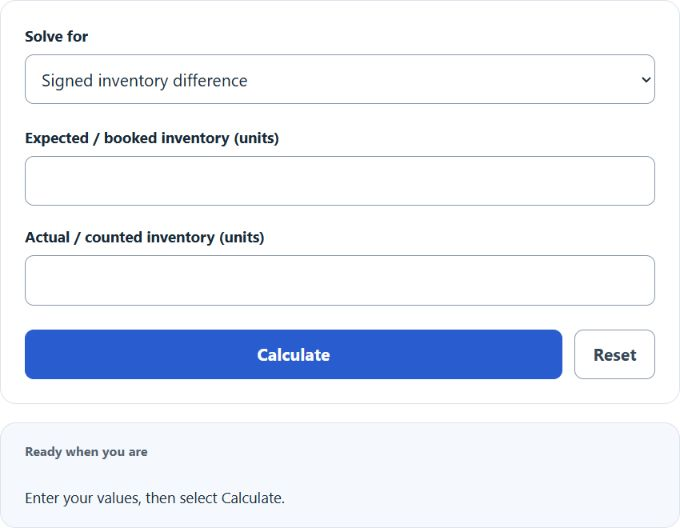
Choose signed inventory difference, expected or actual inventory, or an advanced shortage-rate or loss calculation. Enter the visible inputs and select Calculate. Difference is actual minus expected; shortage is booked minus counted, and each percentage mode names its denominator.
Related Calculators
- EOQ Calculator (Economic Order Quantity)
- Net Realizable Value Calculator
- Total Manufacturing Cost Calculator
- Conversion Cost Calculator
- All Business Calculators
Inventory Difference Formula
The inventory difference measures the gap between the quantity you expected to have in stock and the quantity you actually counted. This calculator returns a signed difference, which means the direction of the discrepancy matters as much as the size.
- ID
- Inventory difference in units.
- AI
- Actual inventory counted during a physical count, cycle count, or audit.
- EI
- Expected inventory based on your inventory records, ERP, POS, or stock ledger.
Because the formula subtracts expected inventory from actual inventory, the sign of the answer gives immediate meaning:
| Result | Interpretation | What it usually means |
|---|---|---|
| Positive | You counted more than expected | Possible receiving error, duplicate transaction, delayed write-off, or recordkeeping issue |
| Zero | No discrepancy | Your recorded inventory matches the physical count |
| Negative | You counted less than expected | Possible shrinkage, damage, theft, spoilage, breakage, mis-pick, or posting error |
Absolute Difference and Variance Percentage
In many audits, the direction is useful, but the size of the discrepancy is also important. You can evaluate the difference in two additional ways.
Absolute inventory difference ignores whether the result is positive or negative and focuses only on the number of units off.
Inventory variance percentage shows the discrepancy relative to expected inventory. This is helpful when comparing high-volume and low-volume items on the same report.
If expected inventory is zero, the percentage form is not meaningful because it would require division by zero. In that situation, use the unit difference instead.
How to Calculate Inventory Difference
- Determine the expected inventory from your records.
- Perform a physical count to find the actual inventory.
- Subtract expected inventory from actual inventory.
- Interpret the sign of the result to determine whether you have an overage or shortage.
For accurate results, make sure both numbers use the same unit of measure. For example, do not compare cases to individual units unless you first convert them to the same basis.
Quick Interpretation Guide
- Negative result: shortage relative to records.
- Positive result: overage relative to records.
- Larger absolute value: larger discrepancy requiring investigation.
- Repeated variance on the same SKU: often indicates a process problem rather than a one-time count issue.
Example
Suppose your inventory system shows that you should have 500 units, but your physical count finds only 485 units.
The inventory difference is -15 units. That means you are short by 15 units compared with your records.
If you also want to express the discrepancy as a percentage of expected inventory:
This tells you the count is 3% below the expected quantity.
Why Inventory Differences Matter
Inventory discrepancies affect more than the stockroom count. Even a small mismatch can cascade through purchasing, forecasting, accounting, fulfillment, and customer service.
- Reordering errors: inaccurate stock can trigger unnecessary purchases or delayed replenishment.
- Stockouts and oversells: customers may order items that are not truly available.
- Margin distortion: shrinkage and write-offs reduce profitability.
- Poor forecasting: historical demand and inventory trends become less reliable.
- Operational waste: staff spend time reconciling records instead of moving orders.
- Financial reporting issues: inventory valuation can become inaccurate if counts are not corrected.
Common Causes of Inventory Differences
| Cause | How it creates a discrepancy |
|---|---|
| Receiving errors | Items are received physically but not posted correctly, or recorded quantities are wrong. |
| Shipping mistakes | Extra units may be shipped, shorted, or posted against the wrong order. |
| Theft or shrinkage | Inventory leaves stock without a valid transaction. |
| Damage and spoilage | Unusable units remain in records even though they should be removed from available stock. |
| Misplaced inventory | Items exist physically but are stored in the wrong bin or warehouse location, or on the wrong shelf. |
| Unit-of-measure problems | Cases, packs, and individual units are mixed incorrectly in the system. |
| Timing issues | Transactions are posted before or after the physical count cutoff. |
| Counting errors | Cycle counts or full counts are performed incorrectly or incompletely. |
Best Practices for Reducing Inventory Variance
- Use regular cycle counting instead of relying only on annual physical counts.
- Standardize receiving, put-away, picking, and returns procedures.
- Lock transactions during physical counts to prevent timing mismatches.
- Train staff on unit conversions, SKU identification, and bin discipline.
- Investigate recurring negative differences by item, location, shift, or supplier.
- Separate damaged, returned, and quarantined stock from sellable inventory.
- Audit high-value and high-shrink items more frequently than low-risk items.
When to Use This Calculator
This calculator is useful any time you need to compare recorded stock with a physical count, including:
- cycle counts
- monthly inventory reviews
- warehouse reconciliations
- retail stock audits
- year-end inventory checks
- shrinkage investigations
- post-receiving and post-fulfillment quality control
Practical Notes
- The calculator works best when both inventory values are entered in the same unit.
- A negative result is not always theft; it may be a process or timing problem.
- A positive result is not always good news; it can indicate posting mistakes that distort planning data.
- For management reporting, pair the unit difference with variance percentage to compare discrepancies across SKUs.