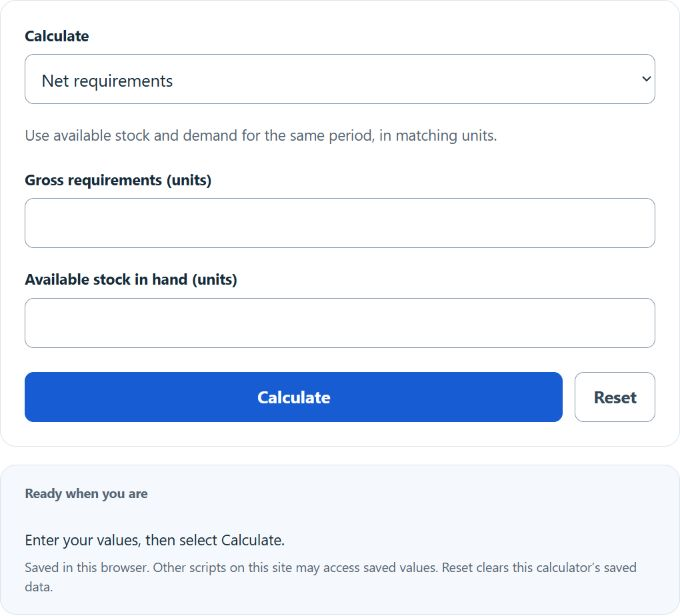
Calculate gross requirements, stock in hand, or net requirements from any two values in units with this net requirements calculator.
Understanding Net Requirements
Net requirements are the quantity still needed after available inventory has been applied against demand. In purchasing, production scheduling, inventory control, and material requirements planning (MRP), this value helps answer a simple question: how many more units do we actually need?
This calculator uses the basic netting relationship between total demand and stock already on hand from the end of the previous period:
- NR = net requirements, or the remaining units that must be supplied
- GR = gross requirements, or total units needed for the period before inventory is deducted
- SIH = stock in hand at the end of the previous period
Why Net Requirements Matter
Gross requirements show total demand, but they do not tell you whether that demand is already covered by inventory. Net requirements convert demand into an actionable replenishment figure. That makes the number useful for:
- purchase planning and supplier orders
- production order sizing
- component planning for assemblies and bills of materials
- shortage detection before a stockout happens
- quick inventory checks between planning cycles
How to Use the Calculator
Choose the value to calculate, then enter the other two values. This is helpful when you already know the shortage quantity, want to infer available stock, or need to estimate total demand from a known shortage.
The same relationship can be rearranged as follows:
How to Interpret the Result
| Result | Meaning | Typical Planning Action |
|---|---|---|
| NR > 0 | Demand exceeds available stock. | Plan to purchase, produce, or transfer additional units. |
| NR = 0 | Available stock exactly covers demand. | No additional replenishment is needed for that period. |
| NR < 0 | Available stock is greater than demand. | No shortage exists; excess inventory remains after demand is met. |
If your calculation produces a negative value, the shortage is effectively zero for the period. Many planners convert the replenishment quantity to a non-negative order amount:
Example Calculations
If gross requirements are 500 units and stock in hand is 300 units, then:
This means 200 additional units are required to satisfy expected demand.
If gross requirements are 120 units and stock in hand is 150 units, then:
That result indicates there is no shortage. Instead, inventory remains after demand is covered. The excess stock would be:
Simple Formula vs. Full MRP Netting
This calculator is best used as a fast baseline tool. In a full MRP environment, planners may also consider factors such as:
- scheduled receipts already due to arrive
- safety stock requirements
- allocated or committed inventory
- backorders and overdue demand
- minimum order quantities and lot-sizing rules
- lead times and release dates
So while the calculator is excellent for quick netting, a formal planning system may adjust the final order recommendation after applying those additional rules.
Best Practices for Accurate Results
- Use consistent units. All values should be in the same unit of measure, such as pieces, boxes, pounds, or kilograms.
- Use truly available stock. Do not include damaged, reserved, quarantined, or otherwise unavailable inventory.
- Plan by period. Net requirements are time-sensitive, so weekly demand should be compared with weekly available stock, monthly demand with monthly stock, and so on.
- Separate demand from inventory. Gross requirements should represent total demand before subtracting any stock.
- Treat negative results correctly. A negative value does not mean you should place a negative order; it means inventory is already sufficient.
Common Mistakes
- confusing gross requirements with the amount to order
- using ending inventory from the wrong period
- mixing units across the inputs
- forgetting that some inventory may already be committed elsewhere
- ignoring timing when demand and stock belong to different planning buckets
Frequently Asked Questions
What is the difference between gross and net requirements?
Gross requirements are total demand before inventory is considered. Net requirements are the remaining demand after available stock has been deducted.
Can net requirements be negative?
Yes. A negative result means current stock is more than enough to cover demand. In practice, the shortage is treated as zero and the extra inventory carries forward.
When is this calculator most useful?
It is especially useful for quick replenishment checks, inventory reviews, purchase planning, production scheduling, and validating whether current stock can support upcoming demand.
Is net requirements the same as reorder point?
No. A reorder point is a trigger level used to decide when to order. Net requirements calculate how much additional supply is needed after subtracting available stock from demand.
Quick Summary of the Process
- Determine the gross requirements for the period.
- Identify the stock in hand at the end of the previous period.
- Subtract available stock from total demand.
- Use the result to estimate the additional units that must be purchased, produced, or transferred.
For anyone managing inventory or planning material flow, net requirements provide a fast and practical way to translate demand into a clear replenishment need.