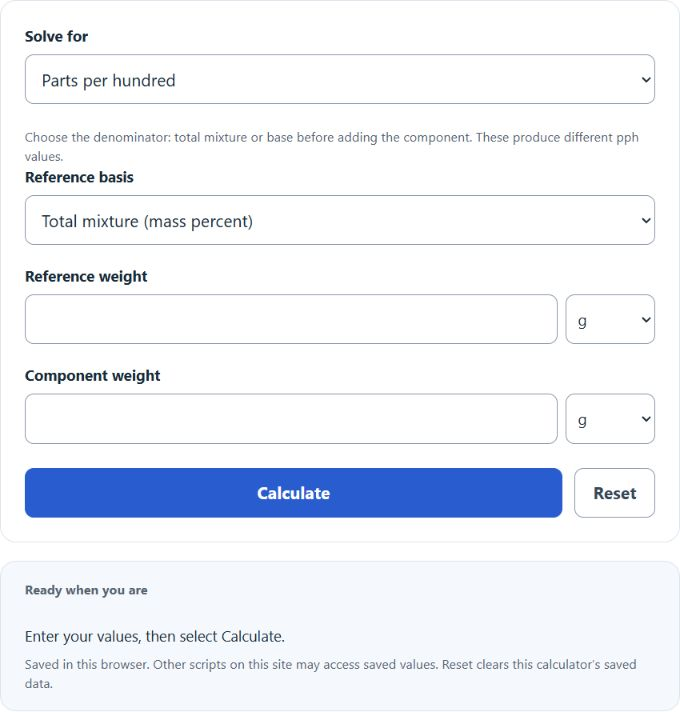
Calculate parts per hundred from component and reference weights, or find the missing batch weight and split a final mix by pph in g, kg, lb, or oz.
Parts Per Hundred Formula
Parts per hundred (pph) describes component mass per 100 parts of the selected reference. Select total mixture for mass percent, or base before adding the component for a formulation ratio. Because this calculator uses weight, the quantities are compared on a mass basis. Pph equals mass percentage only when the denominator is the total mixture. A base-relative pph ratio uses a different denominator.
Variable definitions:
- pph = parts per hundred
- CW = component weight
- TW = total weight of the mixture
If you know the target concentration and need to solve for one of the weights, the formula can be rearranged as follows:
How to Use the Parts Per Hundred Calculator
- Choose the solve mode and reference basis. Enter the two known quantities; use Split final batch when the combined mass is known.
- Select the units for each weight; g, kg, lb and oz are converted automatically.
- Make sure the values refer to the same batch and the same measurement basis.
- Select Calculate and review the result and calculation details. For a base-relative final split, base = final total / (1 + pph/100); component = base × pph/100.
This type of calculation is useful for formulas, ingredient blends, material mixtures, chemical batches, coatings, food recipes, and any process where one part of a mixture must be tracked relative to the total.
How to Interpret the Result
- 5 pph means the component makes up 5 parts out of every 100 parts of the total mixture.
- 25 pph means one quarter of the total mixture weight is the component.
- 50 pph means the component represents half of the total mixture weight.
- 100 pph means the component accounts for the entire mixture weight.
For a single component that is part of the total mixture, the result will normally fall between 0 and 100 pph. If you get a value above 100, it usually means the inputs were reversed or the values do not belong to the same total mixture.
Examples
If a mixture has a total weight of 200 g and one ingredient weighs 50 g:
The ingredient concentration is 25 pph.
If you need a component to be 15 pph in an 80 kg mixture:
You need 12 kg of that component.
If a component weighs 18 lb and that amount represents 30 pph of the total mixture:
The total mixture weight is 60 lb.
Common Input Tips
| Tip | Why It Matters |
|---|---|
| Use matching units | Total weight and component weight should be measured on the same basis. If the calculator allows different unit selections, confirm they refer to the same batch amount. |
| Use the total mixture weight | On the total-mixture basis, use the full mixture weight. On the base-before-addition basis, use the base mass excluding the component. |
| Keep the component inside the total | The component weight should be a part of the total mixture, not an unrelated value. |
| Check for realism | On the total-mixture basis, values above 100 pph are invalid. Base-relative ratios can exceed 100 pph. |
Parts Per Hundred vs. Other Concentration Units
| Unit | Best For | General Scale |
|---|---|---|
| Parts per hundred (pph) | Larger concentrations in mixtures and formulas | Directly understandable on a per-100 basis |
| Parts per thousand (ppt) | Moderate concentrations | Finer than pph |
| Parts per million (ppm) | Very small concentrations | Much smaller than pph |
| Parts per billion (ppb) | Trace-level concentrations | Used when amounts are extremely small |
When This Calculator Is Most Useful
- Determining the percentage contribution of one ingredient in a batch
- Designing mixtures to hit a target composition
- Checking formulation consistency in production or quality control
- Converting known weights into an easily interpreted concentration value
- Solving backward for the required component weight from a desired pph target
Frequently Asked Questions
Is pph the same as percent?
On the total-mixture basis, pph equals mass percent. On the base-before-addition basis it is a component-to-base ratio and is not the mass percentage.
Can pph be negative?
No. A negative result would indicate an invalid input.
Can pph be greater than 100?
Not on a total-mixture basis. On a base-before-addition basis, values above 100 are valid and mean the component exceeds the base mass.
What if I only know the desired pph and the total weight?
Use the rearranged formula for component weight to calculate how much of the ingredient is needed.
Does this work with grams, kilograms, pounds, or ounces?
Yes. Any weight unit can be used as long as the values describe the same mixture and are handled consistently.