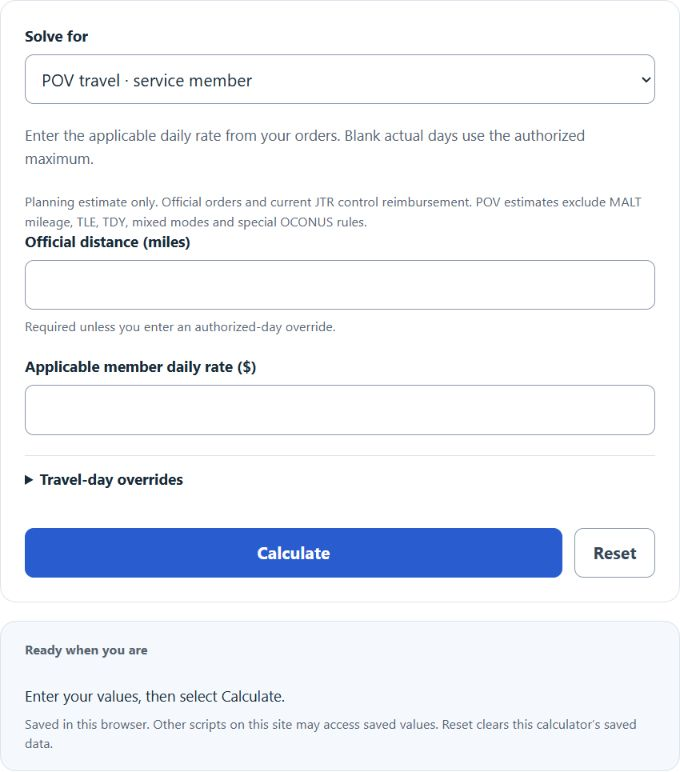
Estimate POV en route per diem for the selected traveling party, or use a flat-rate mode to solve for total, days or rate.
PCS Per Diem Formula
The flat-rate modes estimate total PCS per diem when one daily rate applies to all entered days. The POV modes additionally estimate authorized days and the selected dependent shares. PCS stands for Permanent Change of Station, and this simplified calculation is useful for quick budgeting, travel planning, and double-checking a manual estimate.
| Variable | Meaning |
|---|---|
| TPD | Total estimated per diem |
| D | Number of authorized travel days |
| R | Daily per diem rate |
If you know the total and want to solve for one of the other values, the same relationship can be rearranged.
What This Calculator Tells You
The result is a flat-rate estimate. It assumes:
- the same per diem rate is used for every travel day,
- all travel days are counted the same way, and
- no separate adjustments are needed for different travelers or travel segments.
Flat-rate arithmetic is useful for a quick estimate. The separate POV modes account for the displayed dependent categories and actual-day cap, but special rules, partial days and multiple rate periods can still change reimbursement.
How to Calculate PCS Per Diem
- Determine the number of authorized travel days.
- Identify the daily per diem rate that applies to the trip.
- Multiply the travel days by the daily rate.
- Use the result as your estimated total per diem.
In short, more travel days or a higher daily rate will increase the total estimate in a straight-line way.
Example
Suppose the trip includes 10 flat-rate days at the FY2027 standard CONUS reference of $181 per day.
The estimated PCS per diem is $1,810.
When This Simple Formula Works Best
- Pre-move budgeting
- Quick travel estimates
- Comparing multiple travel-day scenarios
- Checking whether a manual calculation is reasonable
- Estimating total per diem from a single published daily rate
When the Actual Amount May Be Different
The flat-rate modes intentionally keep the math simple. Actual PCS travel entitlements may differ when the trip includes any of the following:
- different rates for different days or locations,
- dependents traveling with the service member,
- age-based dependent adjustments,
- partial travel days or special proration rules,
- travel segments that should be calculated separately,
- order-specific limitations or reimbursement rules.
If your trip uses more than one daily rate, calculate each segment separately and add the results together.
| Situation | How to Handle It |
|---|---|
| Same rate for the entire trip | Use the calculator once with total days and one daily rate. |
| Different rates on different days | Split the trip into segments and total each segment separately. |
| Need to solve for days | Divide the total per diem by the daily rate. |
| Need to solve for rate | Divide the total per diem by the number of travel days. |
Tips for Using the Calculator Correctly
- Use the authorized number of travel days rather than an informal guess.
- Enter the daily rate, not a weekly or total amount.
- If your rate changes mid-trip, do not average it unless you intentionally want only a rough estimate.
- Double-check that the rate is in dollars per day.
- If you are estimating for multiple travelers, calculate each traveler category separately when needed.
Common Input Mistakes
- Using total lodging cost instead of a per-day rate
- Counting calendar days instead of authorized travel days
- Forgetting to split a trip with multiple rates
- Assuming every traveler receives the same amount
- Entering a rate without confirming whether it already includes all applicable components
Frequently Asked Questions
- Does this calculator provide an official entitlement amount?
- No. It provides a simplified estimate based on travel days multiplied by a daily rate.
- Can I use this calculator if the rate changes during the trip?
- Yes, but calculate each rate period separately and then add the subtotals together.
- Should travel days be whole numbers?
- In many cases they are entered as authorized days, but use the value that matches your travel computation or paperwork.
- What if I already know the total and daily rate?
- You can solve for the number of travel days by dividing the total by the rate.
Use this PCS per diem calculator when you need a fast, clear estimate from a simple days-times-rate model. It is especially helpful for planning, comparing scenarios, and understanding how sensitive your total is to either the daily rate or the number of travel days.
Rates checked October 20, 2026: GSA FY2027 standard CONUS amounts and current JTR. The POV modes use the applicable entered daily rate; they do not automatically choose FY2026 versus FY2027, destination rates, or special entitlements.