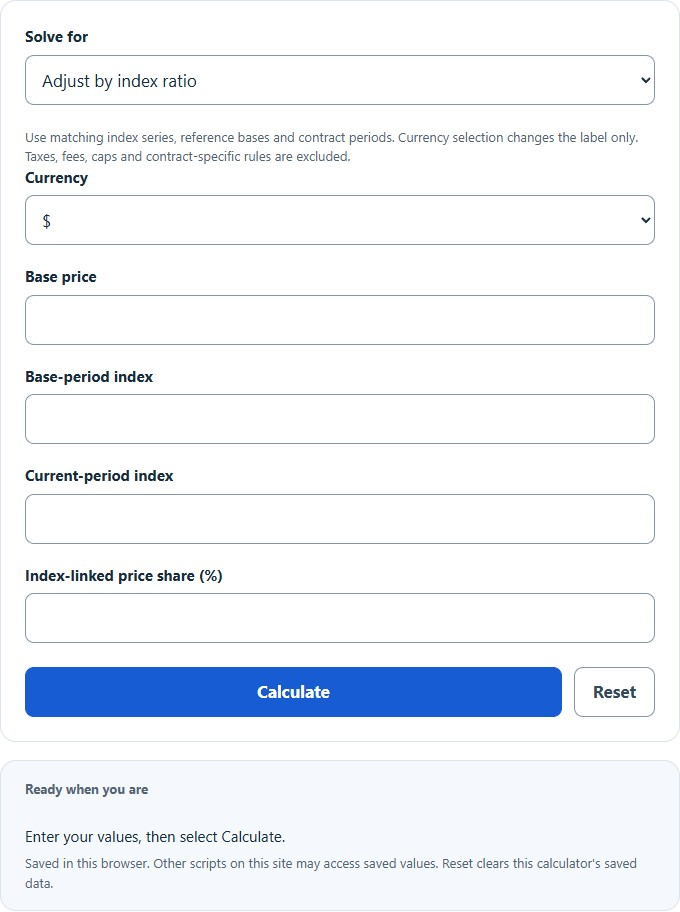
Adjust a price by CPI or another index with a weighted adjustable share, compound a periodic escalation rate, or reverse-solve the rate needed for a target price.
Related Calculators
- Suggested Retail Price (SRP) Calculator
- Gross Margin Calculator
- Total Cost Calculator
- Market Price Calculator
- All Business Calculators
Price Adjustment Formula
The calculator supports index-linked adjustment, compounded escalation and a reverse-solved periodic rate, plus the discount, markup and percent-change formulas below.
Index and periodic adjustment
Index-adjusted price = base price × [(1 − share) + share × (current index ÷ base index)], with share entered as a fraction from 0 to 1. Use the same index series and reference base for both periods. Compounded price = base price × (1 + periodic rate)periods; rate is a fraction and its period must match the period count. The reverse periodic rate = (target ÷ base)1/periods − 1, requiring a positive base and period count. Multiply a rate fraction by 100 to express percent.
Use contract-specified index values and adjustable share. The model applies decreases and does not infer caps, floors, publication lags, taxes, fees or legal terms. Currency selection changes display only. A zero target corresponds to a −100% rate; percent change from a zero base is undefined.
Discount price
Markup price
Percent change
- Original Price: The starting price before the adjustment.
- Sale Price: The price after a discount is applied.
- New Price: The price after a markup or increase is applied.
- Discount Percent: The percent taken off the original price.
- Increase Percent: The percent added to the original price.
- Percent Change: The increase or decrease from the original price to the new price.
Use the % Off option when you know the original price and the discount percentage. It returns the sale price and the amount saved.
Use the % Up option when you know the original price and the increase percentage. It returns the new price and the amount added.
Use the Find % option when you know the original price and the new price. It returns the percent increase or percent decrease.
Common Price Adjustment Multipliers
These multipliers show a quick way to estimate adjusted prices. Multiply the original price by the multiplier.
| Adjustment | Discount Multiplier | Markup Multiplier |
|---|---|---|
| 5% | 0.95 | 1.05 |
| 10% | 0.90 | 1.10 |
| 20% | 0.80 | 1.20 |
| 25% | 0.75 | 1.25 |
| 50% | 0.50 | 1.50 |
| 100% | 0.00 | 2.00 |
Interpreting Percent Change Results
| Result | Meaning | Example |
|---|---|---|
| Positive percent | The price increased. | $80 to $100 is +25%. |
| Negative percent | The price decreased. | $100 to $75 is -25%. |
| 0% | The price did not change. | $50 to $50 is 0%. |
Example Price Adjustment Calculations
Example 1: Find the sale price after a discount
A jacket costs $120 and is discounted by 25%.
The sale price is $90.00. You save $30.00.
Example 2: Find the percent change between two prices
A product changes from $100 to $75.
The price changed by -25%, which means it decreased by 25%.
Price Adjustment Calculator FAQ
What is the difference between a discount and a markup?
A discount subtracts a percentage from the original price. A markup adds a percentage to the original price. For example, 20% off $100 gives $80, while a 20% markup on $100 gives $120.
Why is a 50% discount followed by a 50% markup not the original price?
Percent changes are based on the current price at each step. If $100 is discounted by 50%, the price becomes $50. A 50% markup on $50 adds $25, making the price $75, not $100.
Can the percent change be negative?
Yes. A negative percent change means the new price is lower than the original price. A positive percent change means the new price is higher than the original price.