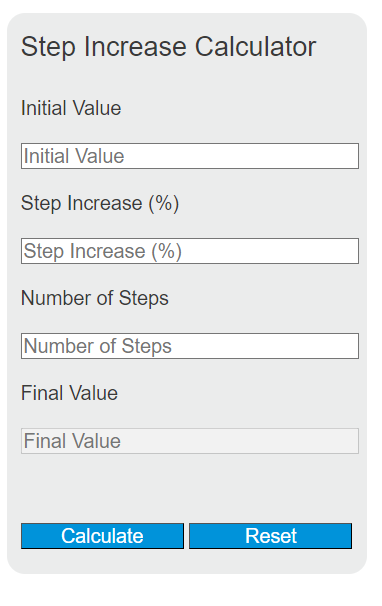
Calculate compounded percentage or fixed-amount step increases, reverse-solve the required rate or number of steps, and inspect a complete value schedule.
Step Increase Formula
A step increase models repeated percentage growth applied over a fixed number of steps. Each step increases the current value, not just the original value, so the result compounds over time.
Where:
- FV = final value after all increases
- IV = initial value
- SP = step increase percentage
- N = number of steps
This calculator is useful anytime a quantity grows by the same percentage at regular intervals, such as annual raises, recurring price increases, population growth, subscription costs, inventory growth, or compounded project estimates.
How the Step Increase Works
Each step multiplies the current value by the same growth factor. That factor is:
For example:
- 5% per step uses a multiplier of 1.05
- 12% per step uses a multiplier of 1.12
- -3% per step uses a multiplier of 0.97
Because the same multiplier is applied repeatedly, the number of steps becomes an exponent.
Solving for Any Variable
If you know any three variables, you can solve for the fourth.
Final value:
Initial value:
Step increase percentage:
Number of steps:
How to Use the Calculator
- Enter the initial value.
- Enter the step increase percentage.
- Enter the number of steps.
- Calculate to find the final value.
If instead you need to find the starting amount, the rate, or the number of steps, enter the other three values and let the calculator solve for the missing one.
Example 1: Repeated 5% Increases
If a value starts at 100, increases by 5% each step, and there are 3 steps:
The final value is 115.7625.
Example 2: Finding the Required Rate
If a value grows from 250 to 400 in 4 steps, the step increase percentage is:
So the value must increase by about 12.49% per step.
Step Increase vs. Simple Increase
A step increase is compound growth. That is different from adding the same percentage of the original amount each time.
Simple repeated increase:
Compound step increase:
When there is more than one step, compound growth will usually be larger than simple growth for positive rates.
Common Growth Multipliers
| Step Increase | Multiplier Per Step |
|---|---|
| 1% | 1.01 |
| 2% | 1.02 |
| 5% | 1.05 |
| 10% | 1.10 |
| 15% | 1.15 |
| 25% | 1.25 |
| -5% | 0.95 |
| -10% | 0.90 |
Typical Applications
- Salary planning: estimating pay after multiple raises
- Pricing: projecting price changes across periods
- Investments: modeling fixed-rate growth
- Budgets: forecasting recurring cost escalation
- Operations: estimating production or capacity growth
- Population or demand: projecting repeated percentage changes
Important Notes
- SP = 0% means the value never changes, so FV = IV.
- Negative step percentages represent repeated decreases.
- SP must be greater than -100% for a meaningful positive multiplier.
- N = 0 means no steps occurred, so the final value equals the initial value.
- The formula assumes the same percentage change every step.
Common Mistakes
- Using 5 instead of 5% conceptually without converting to 0.05 inside the formula
- Adding the percentage repeatedly instead of compounding it
- Mixing units for the steps, such as using months in one input and years in another
- Forgetting that negative percentages are decreases, not increases
Quick Interpretation Guide
If your result seems larger than expected, it is usually because each increase is being applied to an already larger value. That is the defining feature of step-based percentage growth.
If you want to estimate how fast something grows over several equal intervals, this calculator gives a fast way to move between starting value, ending value, rate per step, and number of steps.