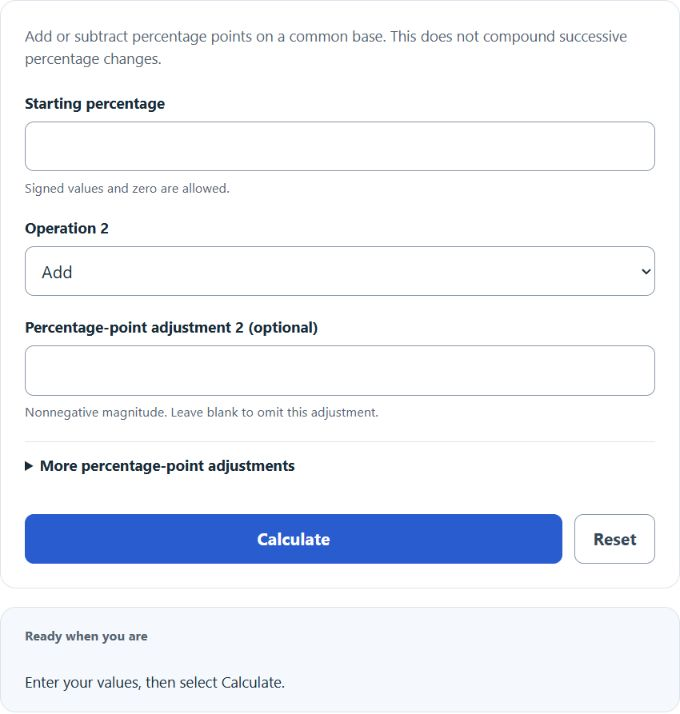
Add or subtract up to five percentage-point values by choosing an operation for each optional amount.
Adding signed percentages in this calculator means percentage-point arithmetic. It does not automatically model successive increases, discounts, or percentage changes applied to a starting amount.
How to Use This Calculator
- Enter the starting percentage.
- Choose Add or Subtract for each additional value. Open More percentage-point adjustments for values three through five.
- Leave unused optional fields blank.
- Calculate the signed percentage-point total.
After a successful calculation, the inputs and result remain saved in this browser. Select Reset to clear the stored values and restore the calculator defaults.
How the Adding and Subtracting Percentages Calculator Works
A rate moving from 20% to 15% falls by 5 percentage points but decreases by 25% relative to its original rate. The distinction matters in finance, surveys, and performance reporting.
The primary relationship is Total percentage points = p₁ ± p₂ ± p₃ ± p₄ ± p₅. Calculations retain full available precision internally; displayed values are rounded for readability.
Formula Variables and Input Guide
Enter a starting percentage, then choose Add or Subtract and enter a non-negative amount for each additional percentage. Leave unused rows blank.
| Variable or term | Meaning | Unit or note |
|---|---|---|
| p₁…p₅ | Signed percentage-point values | percent |
| Σp | Arithmetic total | percentage points |
| Relative change | 100 × (new − old) ÷ old | percent |
| Compound change | Multiply growth factors | percent |
Choosing the Right Inputs
Enter the starting percentage, then choose Add or Subtract for each optional adjustment and enter the adjustment as a nonnegative magnitude. For example, select Subtract and enter 5 to remove five percentage points; do not enter −5 with Subtract because that would apply two negative signs. Leave unused rows blank.
All entries must share a common base or be intended as percentage-point adjustments. A tax rate moving from 8% to 7% is a one-point subtraction, but a price rising 8% and then falling 7% is a compound operation on changing amounts. Use this calculator for the first situation, not for successive growth factors, discounts, or investment returns.
Practical Uses
- Combining survey or rate changes expressed as points.
- Checking a signed list of percentage adjustments.
- Distinguishing point changes from compound changes.
- Explaining why successive discounts should not be added.
Different percentage operations
| Statement | Correct result |
|---|---|
| 10% + 5% as points | 15 percentage points |
| $100 up 10%, then 5% | $115.50; 15.5% total |
| Rate from 20% to 15% | −5 points; −25% relative |
| Two 20% discounts | 36% combined reduction |
Understanding Your Results
The arithmetic total and the signed expression are displayed.
Use the arithmetic total only when all entries share the same base or are explicitly described as percentage points. Use a compound-change calculator when each change applies to the updated amount.
Worked Example
10% + 5% − 3% = 12 percentage points.
A 20% increase followed by a 20% decrease does not return to the start: $100 becomes $120 and then $96, a net 4% decrease.
Checking the Result by Hand
Write the displayed operation as an ordinary signed expression and evaluate it from left to right. A starting 10%, followed by Add 3 and Subtract 2, should give 10 + 3 − 2 = 11 percentage points. Optional blank rows contribute nothing.
Compare the output expression with the selected controls and use positive magnitudes for the adjustment fields. If the calculation describes changes applied successively to an amount, verify it with multiplication of growth factors instead; that compound result will generally differ from this percentage-point sum.
Common Mistakes to Avoid
- Adding successive discounts as though they shared one base.
- Using “percent” and “percentage points” interchangeably.
- Assuming equal increases and decreases cancel.
- Entering a negative adjustment magnitude while also choosing Subtract.
Assumptions and Limitations
This performs percentage-point arithmetic. Successive percentage changes on a starting value compound instead of simply adding; use a percentage change calculator for that situation.
Frequently Asked Questions
Can discounts simply be added?
Usually no. Successive discounts multiply remaining-price factors.
What is a percentage point?
It is the arithmetic difference between two percentages.
Why do a 20% rise and fall not cancel?
The decrease applies to the larger post-increase value.
Can the total exceed 100%?
A point total can, but its meaning depends on the context and common base.
Sources