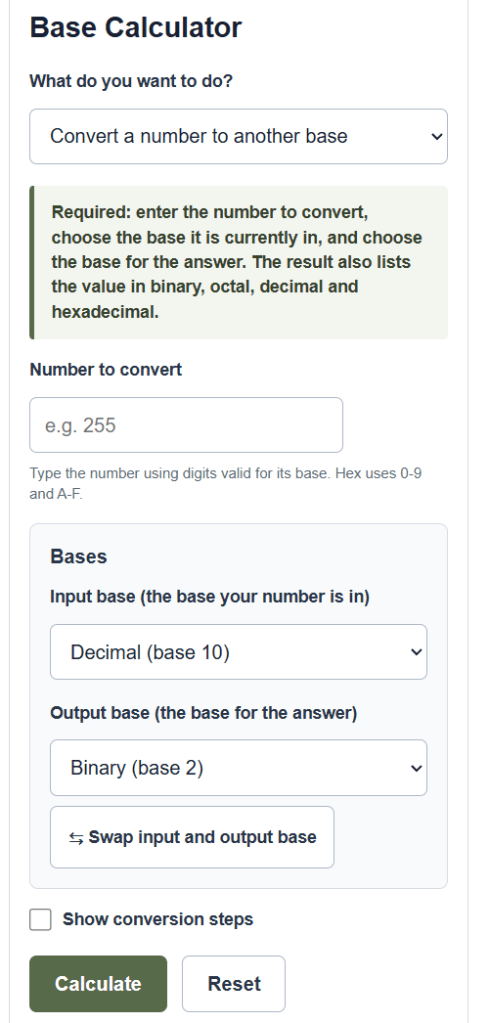
Convert any number between bases 2 to 36, or add, subtract, multiply, and divide values in binary, octal, decimal, and hexadecimal.
Base Calculator Formula
To read a number written in any base, multiply each digit by the base raised to the power of its position and add the results. Position counting starts at 0 on the right.
V = d_n*b^n + ... + d_2*b^2 + d_1*b^1 + d_0*b^0
- V = the value of the number expressed in base 10 (decimal)
- b = the base the number is written in (any whole number from 2 to 36)
- d_i = the digit in position i, where the rightmost digit is position 0
- n = the position of the leftmost digit
To go the other way and write a decimal value in a target base, divide by the base repeatedly. Each remainder is a digit, read from last to first.
d_i = Q_i mod b , Q_(i+1) = floor(Q_i / b)
- Q_0 = the starting decimal value
- Q_i = the running quotient at step i
- d_i = the remainder at step i, which becomes a digit of the result
- b = the target base
The convert mode uses both steps: it reads your number from the input base into a decimal value, then writes that value out in the output base. The arithmetic mode does the same on two numbers, runs the operation in decimal, then converts the answer to the output base.
Result = convert( op( decimal(A), decimal(B) ), output base )
- A, B = the two numbers you enter, each read from the input base
- op = the chosen operation: add, subtract, multiply, or divide
- output base = the base the result is written in
Digits above 9 use letters: A stands for 10, B for 11, and so on up to Z for 35. That is why a base can go as high as 36, since there are 10 digits plus 26 letters available.
Number Base Reference and Equivalents
The first table lists the bases the calculator works with most often and the digit set each one uses. The second table shows how the same decimal value looks in binary, octal, and hexadecimal.
| Base | Name | Digits used |
|---|---|---|
| 2 | Binary | 0 1 |
| 8 | Octal | 0 to 7 |
| 10 | Decimal | 0 to 9 |
| 16 | Hexadecimal | 0 to 9, A to F |
| 36 | Base 36 | 0 to 9, A to Z |
| Decimal | Binary | Octal | Hex |
|---|---|---|---|
| 0 | 0 | 0 | 0 |
| 2 | 10 | 2 | 2 |
| 8 | 1000 | 10 | 8 |
| 10 | 1010 | 12 | A |
| 15 | 1111 | 17 | F |
| 16 | 10000 | 20 | 10 |
| 255 | 11111111 | 377 | FF |
Example Problems
Example 1. Convert the decimal number 156 to hexadecimal (base 16). Divide 156 by 16 to get a quotient of 9 with a remainder of 12. The digit 12 is written as C. The quotient 9 is less than 16, so it becomes the next digit. Reading the digits from last to first gives 9C. So 156 in decimal equals 9C in hexadecimal.
Example 2. Add the binary numbers 1011 and 110 and give the answer in binary. Read each into decimal: 1011 is 8 + 0 + 2 + 1 = 11, and 110 is 4 + 2 + 0 = 6. Add them to get 17. Convert 17 back to binary: 16 + 1 gives 10001. So 1011 plus 110 equals 10001 in binary.
Frequently Asked Questions
What is a number base? A base is the number of distinct digits a counting system uses before it rolls over into a new place value. Decimal is base 10 because it uses ten digits, 0 through 9. Binary is base 2 because it uses only 0 and 1. The value of each place is the base raised to a power, increasing by one for each step to the left.
What is the largest base this calculator supports? It handles any base from 2 to 36. The upper limit is 36 because a single character can represent at most 36 values using the ten digits 0 through 9 plus the twenty-six letters A through Z. Set a custom base to work with values such as base 5, base 12, or base 32.
How do you convert between two bases when neither one is decimal? You go through decimal as a middle step. First read the number from its input base into a decimal value by adding up each digit times the base to its position power. Then divide that decimal value repeatedly by the output base, collecting the remainders as the new digits. The calculator does both steps for you when you set different input and output bases.