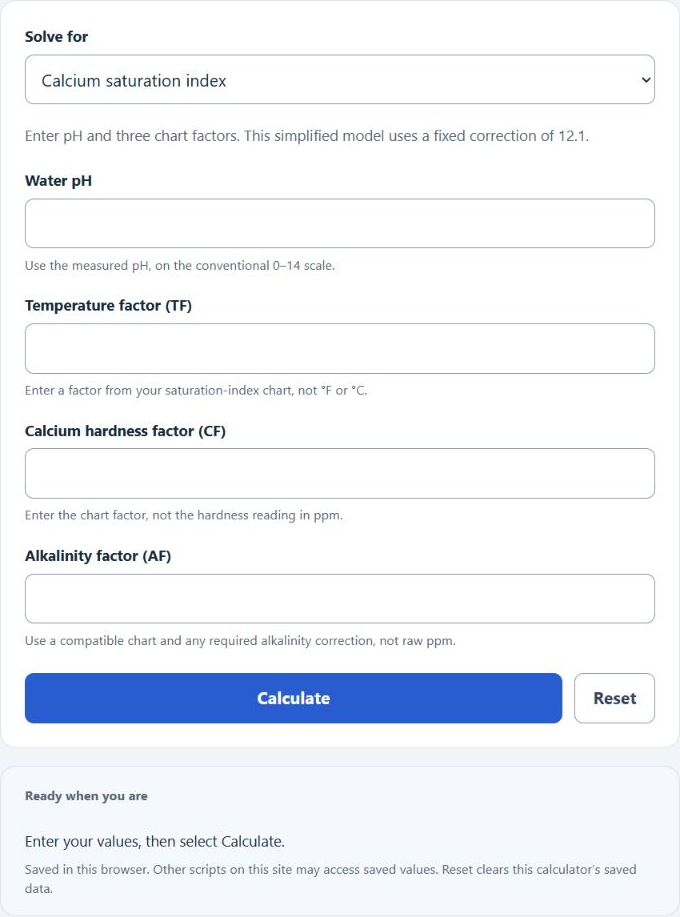
Choose the value to solve for, then enter the four shown values. This simplified calculator uses pH and chart factors with a fixed 12.1 correction.
- All Chemistry Calculators
- Water Softener Hardness Calculator
- Pool Chlorine Calculator
- Acid Demand Calculator
- PPM Calculator
- Salinity Calculator
Calcium Saturation Index Formula
The calcium saturation index calculator uses the relationship between pH, temperature factor, calcium hardness factor, and alkalinity factor to estimate calcium-carbonate balance, scaling tendency, or calcium-carbonate dissolution tendency.
If one value is missing, the calculator rearranges the same formula:
- CSI = calcium saturation index
- pH = measured pH of the water
- TF = temperature factor
- CF = calcium hardness factor
- AF = alkalinity factor
- 12.1 = fixed average dissolved-solids correction used in this simplified model; it does not adjust to your actual TDS
Select Calcium saturation index to enter pH and the three factors. To find an input instead, select it in Solve for and enter the four shown values. The answer appears below Calculate and Reset.
CSI Balance Ranges and Common Factor Values
CSI is usually interpreted as a balance range rather than a single perfect number. Values near zero indicate water that is closer to calcium carbonate equilibrium.
| CSI Result | General Meaning | Typical Concern |
|---|---|---|
| Below -0.30 | Undersaturated | Water may dissolve calcium carbonate from plaster, grout, or other calcium-based surfaces. CSI does not directly measure metal corrosivity. |
| -0.30 to +0.30 | Generally balanced | This is the usual target range for many pool and spa applications. |
| Above +0.30 | Oversaturated | Water may deposit calcium scale on surfaces, heaters, salt cells, and plumbing. |
These common factor examples can help you check whether entered values are reasonable. Exact factor charts may vary slightly by reference source. Use one compatible reference consistently and apply any required cyanurate or borate correction to alkalinity. See Taylor’s explanation of saturation-index factors and interpretation. This index alone does not establish safe swimming water or specify a chemical dose.
| Input Type | Example Reading | Common Factor |
|---|---|---|
| Temperature | 76°F | TF ≈ 0.6 |
| Temperature | 84°F | TF ≈ 0.7 |
| Calcium hardness | 200 ppm | CF ≈ 1.9 |
| Calcium hardness | 400 ppm | CF ≈ 2.2 |
| Total alkalinity | 80 ppm | AF ≈ 1.9 |
| Total alkalinity | 125 ppm | AF ≈ 2.1 |
Example Calculations
Example 1: Calculate CSI
Suppose the water has a pH of 7.6, a temperature factor of 0.7, a calcium hardness factor of 2.0, and an alkalinity factor of 1.9.
The CSI is 0.10, which is generally within the balanced range.
Example 2: Calculate pH
Suppose your target CSI is 0.0, with TF = 0.7, CF = 2.1, and AF = 2.0.
A pH of 7.3 would give a CSI of about 0.00 with those factor values.
FAQ
What is a good calcium saturation index?
A common target range is about -0.30 to +0.30. A result near 0 means the water is closer to calcium carbonate balance. Below the range, the water may be aggressive. Above the range, the water may be more likely to form calcium scale.
Why does the calculator use factors instead of raw temperature, hardness, and alkalinity?
The CSI formula uses adjusted factor values, not the raw readings directly. Temperature, calcium hardness, and alkalinity are converted into factor values before being added to the formula. If you enter raw ppm or temperature readings into the factor fields, the CSI result will not be correct.
Does a negative CSI always mean there is a problem?
Not always. A slightly negative CSI can be acceptable in some situations, but a strongly negative value can indicate water that may dissolve calcium from plaster, grout, or other calcium-containing surfaces. The farther the result is from zero, the more attention the water balance usually needs.