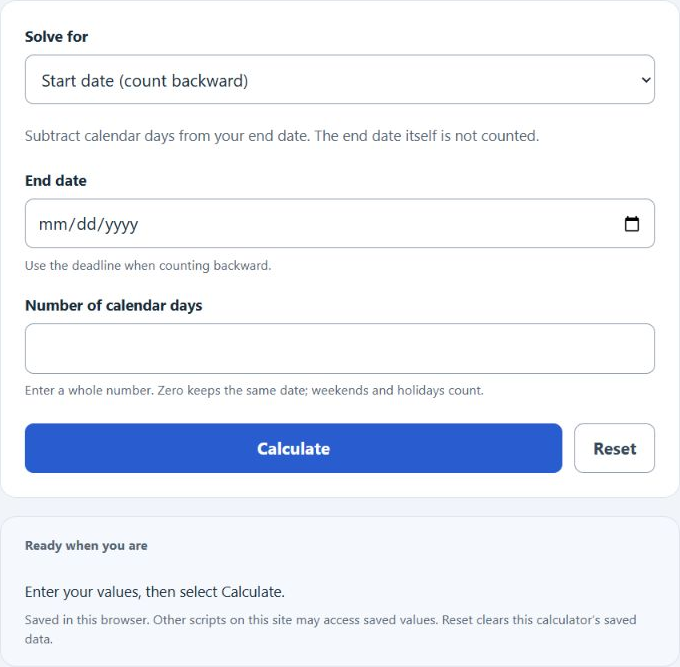
Choose Start date, End date, or Days between dates, then enter the two shown values.
Related Calculators
- Assignment Due Date Calculator
- Length of Employment Calculator
- Days Of School Left Calculator
- How Many Days Have I Been Alive? + Day of Week Born
- All Everyday Life and Education Calculators
Calendar Back Date Formula
The calendar back date calculation uses calendar-day addition and subtraction. Choose the value to solve for: start date, end date, or number of days. The answer is calculated from the two shown inputs.
- StartDate: the beginning date in the date range.
- EndDate: the ending date in the date range.
- Days: the number of calendar days between the two dates.
- CalendarDay: a date’s position in the Gregorian calendar, independent of time zones and daylight-saving changes.
- abs: absolute value, used so the day count is nonnegative even if the dates are entered in reverse order.
- The number of days is an exact whole calendar-day interval; no rounding up is needed.
Choose Start date to subtract days from the end date. Choose End date to add days to the start date. Choose Days between dates to find the nonnegative elapsed interval, even when the dates are entered in reverse order.
Common Calendar Day Intervals
| Interval | Number of Days | Common Use |
|---|---|---|
| 1 week | 7 | Short deadlines, weekly reminders |
| 2 weeks | 14 | Biweekly schedules |
| 30 days | 30 | 30-day planning or notice periods |
| 60 days | 60 | Longer review periods |
| 90 days | 90 | 90-day planning or deadlines |
| 1 year | 365 or 366 | Annual lookback periods |
How Calendar Day Counting Works
| Situation | Result |
|---|---|
| Start date plus 0 days | Same date |
| Start date plus 1 day | The next calendar date |
| End date minus 1 day | The previous calendar date |
| Date range from January 1 to January 2 | 1 day |
| Date crosses a month or year | Month length and year change are handled automatically |
Example Calculations
Example 1: Find the start date
You have an end date of 2026-05-15 and a duration of 10 days.
The start date is 2026-05-05.
Example 2: Find the number of days
You have a start date of 2026-01-10 and an end date of 2026-02-04.
The number of days is 25.
FAQ
Does the day count include the start date?
The calculator counts elapsed calendar days, not inclusive date labels. For example, January 1 to January 2 is 1 day. If you need an inclusive count where both the start and end dates are counted, add 1 to the elapsed day count.
Does the calculator handle leap years and different month lengths?
Yes. The calculator uses the proleptic Gregorian calendar for years 0001–9999. February, leap years, month-end changes, and year changes are handled automatically.
Can you use this to count backward from a deadline?
Yes. Choose Start date, enter the deadline as the end date, and enter a nonnegative whole number of days. The calculator subtracts those calendar days. Check the applicable counting rules for legal or contractual deadlines.