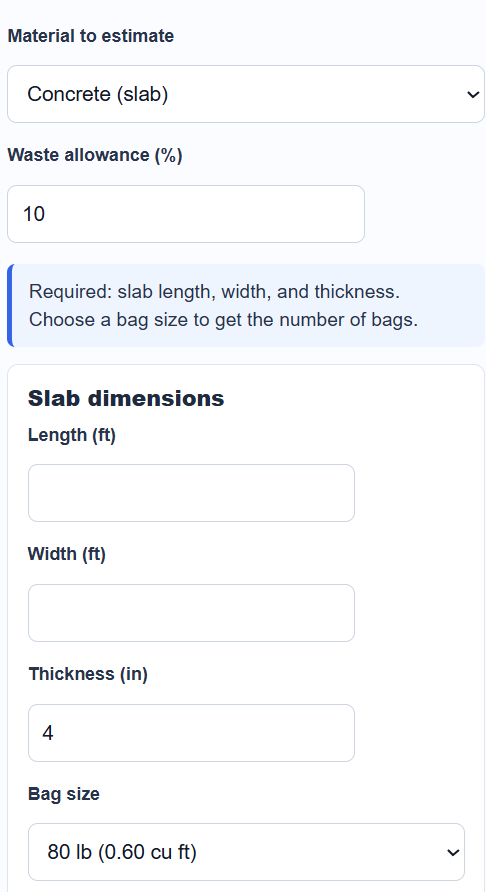
Calculate how much concrete, drywall, paint, flooring, or brick a project needs, including a waste allowance, with the construction material estimator calculator.
Construction Material Estimator Formula
The estimator works in five modes. The material you choose decides which inputs appear and which quantity is returned. Every mode turns dimensions into an area or volume, adds a waste allowance, and then divides by the size of the unit you buy.
Concrete finds the volume of the pour, adds waste, then splits it into bags.
Volume (cu ft) = L * W * (T / 12)
 With waste = Volume * (1 + waste/100)
 Cubic yards = With waste / 27
 Bags = ceil(With waste / bag yield)
- L, W = slab length and width in feet
- T = slab thickness in inches
- bag yield = cubic feet produced by one bag (0.60 for an 80 lb bag)
- waste = extra percent added for spillage and uneven subgrade
Drywall takes the wall area, subtracts openings, adds waste, then divides by the sheet size.
Net area = (L * H) - openings
 Sheets = ceil(Net area * (1 + waste/100) / sheet size)
- L = total run length in feet
- H = wall or ceiling height in feet
- openings = area of doors and windows in square feet
- sheet size = coverage of one sheet (32 sq ft for a 4 by 8 sheet)
Paint multiplies the wall area by the number of coats, adds waste, then divides by the spread rate.
Area to cover = (L * H - openings) * coats
 Gallons = ceil(Area to cover * (1 + waste/100) / coverage)
- coats = number of coats you plan to apply
- coverage = square feet one gallon covers (about 350 for one coat)
Flooring and tile use the room area plus waste, divided by the coverage printed on each box.
Boxes = ceil(L * W * (1 + waste/100) / box coverage)
- L, W = room length and width in feet
- box coverage = square feet in one box
Brick and block multiply the wall area by a units-per-square-foot rate, then add waste.
Units = ceil(L * H * rate * (1 + waste/100))
- rate = units per square foot for the chosen brick or block
Each whole-unit result is rounded up because you cannot buy a partial bag, sheet, box, or block. The waste allowance is the single setting that protects you from running short.
Material Coverage and Waste Reference
These values match the defaults the calculator uses. Use them to check a result or to fill in a coverage figure you do not have on hand.
| Material | Unit | Typical coverage or yield |
|---|---|---|
| Concrete (80 lb bag) | Bag | 0.60 cu ft (45 bags per cu yd) |
| Drywall (4 by 8 sheet) | Sheet | 32 sq ft |
| Paint | Gallon | 350 sq ft per coat |
| Modular brick | Brick | 6.86 per sq ft of wall |
| 8 in concrete block | Block | 1.125 per sq ft of wall |
| Job type | Common waste allowance |
|---|---|
| Concrete pour | 5 to 10 percent |
| Drywall and paint | 10 to 15 percent |
| Straight-lay flooring | 5 to 10 percent |
| Diagonal or patterned flooring | 15 to 20 percent |
| Brick and block | 5 to 10 percent |
Examples
Drywall for a room. A room has 40 feet of wall at 8 feet high, which is 320 square feet. You subtract 21 square feet for a door and a window, leaving 299 square feet. With a 10 percent waste allowance that becomes 328.9 square feet. Dividing by 32 square feet per 4 by 8 sheet gives 10.3, so you round up to 11 sheets.
Paint for the same room. The 320 square foot wall area gets two coats, so the area to cover is 640 square feet. Adding 10 percent waste gives 704 square feet. At 350 square feet per gallon that is 2.01 gallons, which rounds up to 3 one-gallon cans.
FAQ
How much waste allowance should I add? For most jobs 10 percent is a safe starting point. Use 5 percent for simple straight pours and runs, and raise it to 15 or 20 percent for tile or plank laid on a diagonal or in a pattern, where cuts create more offcuts. The allowance covers breakage, miscuts, and the few extra pieces you want on hand for future repairs.
Why does the calculator round bags, sheets, and boxes up? You can only buy whole units, so the calculator divides the total quantity by the size of one unit and rounds up. Rounding down would leave you short partway through the job. The unrounded figures are also shown so you can see how close you are to the next whole unit.
Can I estimate cost at the same time? Yes. Each mode has an optional price field. Enter the price per bag, sheet, gallon, box, or unit and the calculator multiplies it by the rounded quantity to show an estimated material cost. Leave the field blank if you only want the quantity.