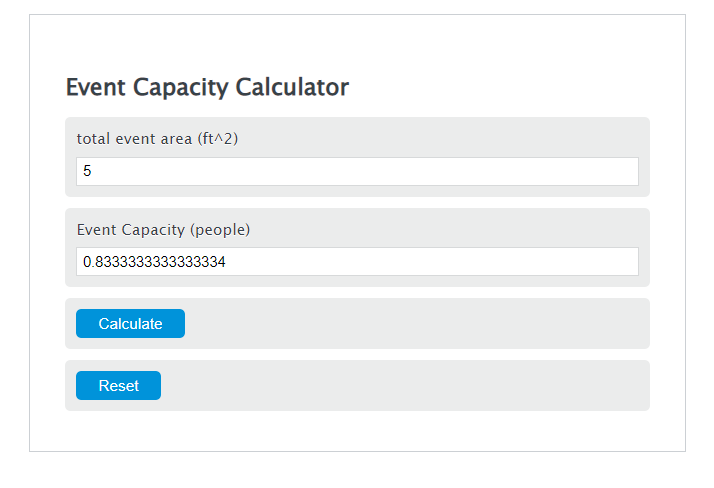
Estimate event capacity from usable floor area and an occupancy factor, reverse-plan required area, or audit fixed seating and an approved limit.
Event Capacity Formula
The event capacity calculator uses two main formulas, depending on which tab you choose.
How many people fit?
- Capacity = maximum whole number of people who fit
- Area = total usable venue area
- AreaPerPerson = square feet needed per person for the selected event type
- floor = round down to the nearest whole person
How much space do I need?
- Area = total space needed
- Guests = number of people attending
- AreaPerPerson = square feet needed per person for the selected event type
Unit conversions
- ft² = square feet
- m² = square meters
The people-fit mode divides your venue area by the selected square feet per person, then rounds down because you cannot fit a fraction of a person. The space-needed mode multiplies your guest count by the selected square feet per person. If you enter a custom area per person in square meters, it is converted to square feet before the calculation.
Typical Space per Person by Event Layout
| Event type | Typical space | Best used for |
|---|---|---|
| Cocktail / standing reception | 6 ft²/person | Standing mixers, short receptions |
| Seated dinner, round tables | 12 ft²/person | Weddings, banquets, plated meals |
| Theater / ceremony seating | 8 ft²/person | Ceremonies, lectures, presentations |
| Classroom seating | 15 ft²/person | Training sessions with tables |
| Conference / boardroom | 25 ft²/person | Meetings with larger tables and more circulation space |
| Trade show exhibit | 20 ft²/person | Booths, displays, browsing space |
| Dance floor | 4.5 ft²/person | Active dancing area only |
Example Calculations
Example 1: Find how many people fit
You have a 2,000 ft² room and choose theater seating at 8 ft² per person.
The event capacity is 250 people.
Example 2: Find how much space you need
You are planning a seated dinner for 150 guests. Seated dinner uses 12 ft² per person.
You need about 1,800 ft² of usable event space.
FAQ
Does event capacity mean the legal occupancy limit?
No. This calculation estimates capacity based on layout space per person. A venue’s legal occupancy limit may be lower because of fire code, exits, room use, furniture, stages, bars, buffet lines, or local rules. Use the lower number when planning an event.
Should I use total venue area or usable event area?
Use usable event area. Do not include spaces guests cannot occupy, such as storage rooms, kitchens, fixed stages, backstage areas, blocked-off sections, or wide service zones. If the room needs aisles, a registration table, buffet stations, a bar, or a dance floor, subtract those areas first or use a larger square-feet-per-person value.
Why does the calculator round capacity down?
Capacity is rounded down because the result must be a whole number of people. For example, if a room calculates to 83.7 people, the practical capacity is 83 people, not 84.