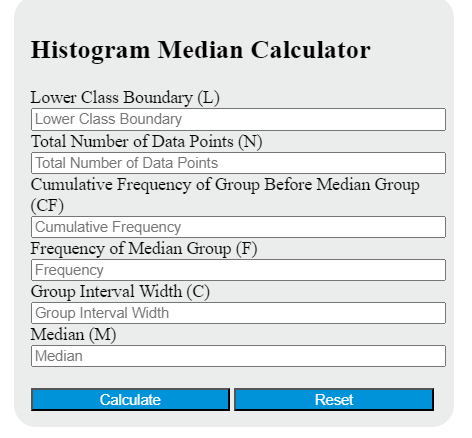
Calculate an estimated histogram median from class intervals with frequencies or frequency densities, including the median class and interpolation steps.
Related Calculators
- Expected Frequency Calculator
- Midrange Calculator
- Modified Z Score Calculator
- Index of Dispersion Calculator
- Outlier Calculator
- Median Calculator
- All Statistics Calculators
Histogram Median Formula
The histogram median is an estimate of the middle value of a grouped data set. It is found by locating the class interval that contains the midpoint of the distribution and then interpolating within that class. This makes the calculator especially useful when you have a histogram or grouped frequency table, but not the original raw data.
This formula estimates where the median falls inside the median class rather than assuming the median is exactly at the class midpoint. That usually gives a better central estimate for grouped data.
What Each Calculator Input Means
| Calculator Input | Meaning | How to Choose It |
|---|---|---|
| Lower Class Boundary | The starting boundary of the class interval that contains the median. | Use the lower boundary of the median class, not the midpoint and not the previous class. |
| Total Number of Data Points | The full number of observations in the distribution. | Add all class frequencies together. |
| Cumulative Frequency of Group Before Median Group | The running total of all observations before the median class begins. | Stop the cumulative count at the class immediately before the median class. |
| Frequency of Median Group | The number of observations inside the median class. | Use the frequency of the class that contains the midpoint of the distribution. |
| Group Interval Width | The size of the median class interval. | Use the actual class width for the median class. |
How to Identify the Median Class
Before using the formula, you must determine which histogram bar or grouped interval contains the median.
- Find the total number of observations by summing all frequencies.
- Find half of the total number of observations.
- Read the cumulative frequencies from left to right.
- The first class whose cumulative frequency reaches or passes the halfway point is the median class.
- Once that class is known, use its lower boundary, its frequency, and its interval width in the calculator. Then use the cumulative frequency from the class immediately before it.
If the grouped data contain 100 observations, the median is located at the 50th observation in the ordered distribution. The class containing that observation is the median class.
How the Formula Works
The formula starts at the lower boundary of the median class and then moves forward by a fraction of that class width. That fraction depends on how far into the class the median position occurs. In effect, the method assumes the observations inside the median class are spread evenly across the interval, which is why the result is an estimate rather than an exact raw-data median.
Example Calculation
Suppose the grouped data provide the following values:
- Lower Class Boundary = 20
- Total Number of Data Points = 100
- Cumulative Frequency Before Median Group = 40
- Frequency of Median Group = 10
- Group Interval Width = 5
First, find the midpoint position in the data set:
The 50th observation falls in the median class. Now substitute the values into the formula:
The estimated histogram median is 25. This means about half of the observations lie below 25 and about half lie above 25, based on the grouped distribution.
When This Calculator Is Useful
- Age distributions grouped into ranges
- Test scores binned into intervals
- Income data summarized by class ranges
- Production times or waiting times grouped by duration
- Any histogram where the raw list of values is unavailable
Why Use the Median Instead of the Mean?
The median is often preferred when data are skewed or contain extreme values. A few unusually large or unusually small observations can pull the mean away from the center, while the median stays focused on the middle position of the distribution. For grouped business, financial, educational, and demographic data, this can make the median a more stable summary of central tendency.
Important Notes
- The histogram median is a grouped-data estimate, not the exact median of the raw observations.
- Use class boundaries consistently. If your classes are written as whole-number limits, the true boundaries may differ slightly from the printed limits.
- The cumulative frequency entered in the calculator must be the value before the median class, not the cumulative frequency of the median class itself.
- The interval width should match the median class. Do not use a different class width by accident.
- Narrower class intervals generally produce a more precise median estimate than very wide intervals.
Common Mistakes
- Using the midpoint of the class instead of the lower class boundary
- Using the wrong class as the median class
- Entering cumulative frequency for the median class instead of the class before it
- Using total cumulative frequency rather than the class frequency for the median class
- Forgetting that the answer is an estimate derived from grouped data
Quick Answers
- Is the histogram median exact?
- No. It is an estimate because the individual values inside each class interval are not known.
- Can this be used with a grouped frequency table?
- Yes. The same method works for grouped frequency tables and histograms because both summarize data by class intervals.
- What if the histogram has unequal class widths?
- Use the actual width of the median class entered in the calculator.
- What does the result represent?
- It represents the estimated central position of the grouped distribution, where roughly half the observations are below the value and half are above it.