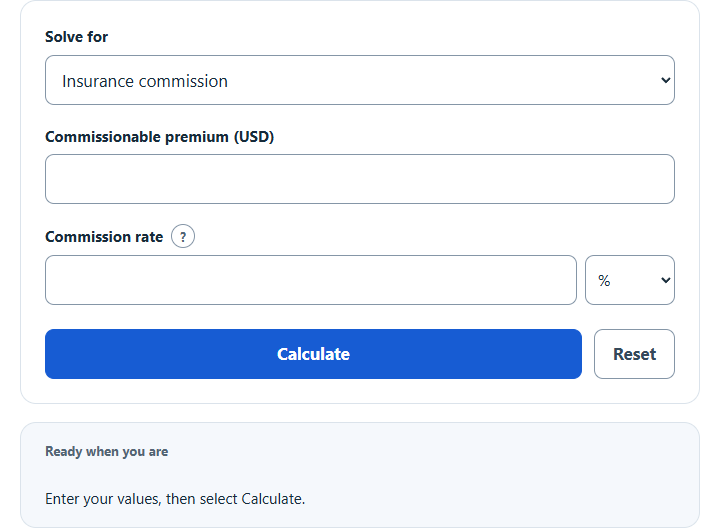
Calculate insurance commission from the premium and commission rate, or solve for the premium or the rate, for life, health, auto or other policies.
Insurance Commission Formula
Insurance commission is the amount earned from a policy premium based on an agreed commission rate. This calculator is useful when you want to find the commission directly, or solve backward for the premium amount or commission rate when the other two values are known.
Where:
- IC = insurance commission
- P = premium amount
- R = commission rate in decimal form
If you know the commission and need to solve for one of the other variables, use these rearranged forms:
How to Use the Insurance Commission Calculator
- Enter the premium amount.
- Enter the commission rate and select decimal or percent.
- Click calculate to find the commission earned.
- For an inverse calculation, select the value to solve for and enter the two known values.
Match the rate to its selected unit: enter 0.10 with decimal or 10 with percent for a 10% rate.
Quick Rate Conversion Table
| Percent Rate | Equivalent Decimal |
|---|---|
| 5% | 0.05 |
| 7.5% | 0.075 |
| 10% | 0.10 |
| 12% | 0.12 |
| 15% | 0.15 |
| 20% | 0.20 |
Example
If a policy has a premium of $500 and the commission rate is 15%, first convert the rate to decimal form and then multiply.
In this case, the insurance commission is $75.
Life Insurance Commission Schedule
Select Life policy schedule to estimate first-year and renewal commissions. Enter the annual premium eligible for commission, the first-year rate, the number of renewal years after year 1, and the renewal rate. Enter 0 renewal years for a first-year-only estimate. If you share the commission with an agency or another producer, enter the percentage you keep under Optional settings.
- First-year commission = annual commissionable premium × first-year rate × agent share.
- Commission per renewal year = annual commissionable premium × renewal rate × agent share.
- Total commission = first-year commission + (commission per renewal year × renewal years).
Use rates and shares in decimal form in the formulas. For example, 5% is 0.05. If you leave the agent share blank, the calculation uses 100%. Expand Calculation details to see the estimate for each policy year.
For example, suppose your agreement pays 60% in year 1 and 5% in each of the next three years on a $1,200 annual commissionable premium. If your share is 75%, the estimate is $540 in year 1 and $45 in each renewal year. The four-year total is $675.
Use the rates and premium basis in your agreement. This schedule assumes the policy stays in force and the same commissionable premium is paid each year. If the premium, renewal rate or split changes, calculate each year separately and add the amounts. The estimate excludes fees, taxes, bonuses, advances and chargebacks.
How to Interpret the Result
In the Insurance commission mode, the calculator returns the gross commission amount based on the premium and rate entered. That figure is not necessarily the same as final take-home earnings. In practice, actual compensation may be affected by:
- agency splits or producer splits
- new business vs. renewal commission schedules
- broker fees or service fees handled separately
- chargebacks from cancellations or premium adjustments
- bonuses, overrides, or performance incentives
Because of that, this calculator is best used as a fast estimate of commission tied directly to premium volume.
Common Insurance Commission Scenarios
| Known Values | What You Can Solve For | Formula |
|---|---|---|
| Premium and rate | Commission | IC = P × R |
| Commission and rate | Premium | P = IC / R |
| Commission and premium | Rate | R = IC / P |
Tips for Accurate Calculations
- Use the premium value that your commission agreement is actually based on.
- Choose decimal or percent and enter the rate with the correct precision.
- Double-check whether the commission applies to the full premium or only a portion of it.
- If comparing multiple policies, calculate each commission separately before adding totals.
- Round only at the end if you need a currency result to the nearest cent.
Frequently Asked Questions
Is commission always based on total premium?
Not always. Some agreements calculate commission on written premium, some on paid premium, and some use different structures for new policies and renewals. The calculator assumes the premium entered is the commissionable amount.
Can this calculator be used in reverse?
Yes. If you know the commission earned and the rate, you can solve for the premium. If you know the commission and premium, you can solve for the rate.
What happens if the rate is entered as a whole number?
With decimal selected, a 12% rate is 0.12; entering 12 makes the rate 100 times too large. With percent selected, enter 12.
Can I use this for estimating monthly or annual earnings?
Yes. Calculate the commission for each policy or premium total, then sum the results across the period you want to analyze.