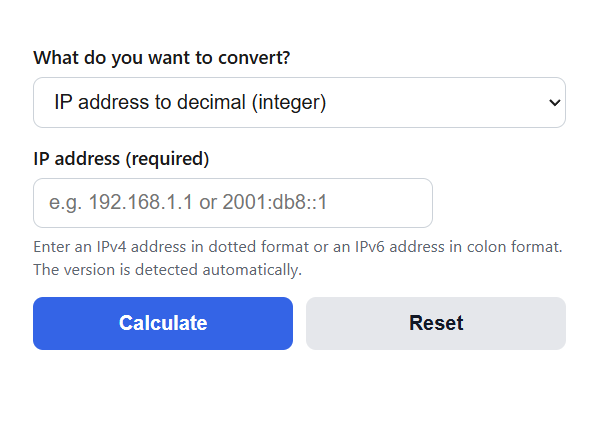
Convert any IPv4 or IPv6 address to its exact decimal (integer) value, or turn a decimal number back into an IP address, with hex and binary forms included.
IP Address to Decimal (Integer) Formula
An IPv4 address is a 32-bit number written as four octets separated by dots. To convert the address to a single decimal integer, multiply each octet by its positional weight and add the results:
D = a*16777216 + b*65536 + c*256 + d
To convert a decimal integer back into an IPv4 address, pull each octet out with integer division and a remainder:
octet_i = floor(D / 256^(3-i)) mod 256
Variables:
- D is the decimal (integer) form of the address, from 0 to 4294967295 for IPv4
- a, b, c, d are the four octets read left to right, each from 0 to 255
- 16777216, 65536, 256, and 1 are the octet weights, equal to 256^3, 256^2, 256^1, and 256^0
- i is the octet position from 0 (leftmost) to 3 (rightmost)
An IPv6 address works the same way but uses eight hexadecimal groups in base 65536, so its integer form is a 128-bit value:
D = g1*65536^7 + g2*65536^6 + ... + g8*65536^0
The calculator applies these formulas in both directions. In the default mode you enter an IPv4 or IPv6 address and get its decimal integer along with the signed 32-bit form, hexadecimal, binary, the IPv6-mapped version, and an octet-by-octet breakdown of the multiplication. Switch the selector to go the other way and turn a decimal value back into an address. In that mode the tool also accepts negative numbers pulled from signed database columns and converts them to the correct address automatically. IPv6 results include the upper and lower 64-bit halves of the integer, which is a common way to store 128-bit addresses in two BIGINT columns.
Decimal Values of Common IP Address Ranges
The table below lists the decimal boundaries of frequently checked IPv4 blocks. It is useful when you store addresses as integers and want to test membership with a simple BETWEEN query instead of parsing strings.
| Block | Purpose | Decimal start | Decimal end |
|---|---|---|---|
| 10.0.0.0/8 | Private | 167772160 | 184549375 |
| 100.64.0.0/10 | Carrier-grade NAT | 1681915904 | 1686110207 |
| 127.0.0.0/8 | Loopback | 2130706432 | 2147483647 |
| 169.254.0.0/16 | Link-local | 2851995648 | 2852061183 |
| 172.16.0.0/12 | Private | 2886729728 | 2887778303 |
| 192.168.0.0/16 | Private | 3232235520 | 3232301055 |
| 224.0.0.0/4 | Multicast | 3758096384 | 4026531839 |
Note that the loopback block ends exactly at 2147483647, the ceiling of a signed 32-bit integer. Every address from 128.0.0.0 upward overflows a signed INT column, which is why storage choice matters. The second table shows which integer types fit each address family.
| Address type | Size | Integer range | Storage that fits |
|---|---|---|---|
| IPv4 | 32-bit | 0 to 4294967295 | INT UNSIGNED or BIGINT |
| IPv6 | 128-bit | 0 to 2^128 – 1 (up to 39 digits) | DECIMAL(39,0), BINARY(16), or two BIGINT columns |
Example Problems
Example 1: Convert 192.168.1.1 to its decimal integer. Multiply each octet by its weight: 192 * 16777216 = 3221225472, then 168 * 65536 = 11010048, then 1 * 256 = 256, then 1 * 1 = 1. Add the products: 3221225472 + 11010048 + 256 + 1 = 3232235777. So 192.168.1.1 equals 3232235777 as an integer.
Example 2: Convert the decimal value 167772161 back into an IPv4 address. Divide by 16777216 to get 10 with a remainder of 1, so the first octet is 10. The remainder 1 divided by 65536 gives 0, so the second octet is 0. Dividing 1 by 256 also gives 0 for the third octet. The final remainder is 1, so the last octet is 1. The address is 10.0.0.1.
Frequently Asked Questions
Why store IP addresses as integers instead of text? An integer takes 4 bytes for IPv4 instead of up to 15 characters, compares faster, sorts in true network order, and makes range checks simple. To find every address inside 192.168.0.0/16 you query WHERE ip BETWEEN 3232235520 AND 3232301055, which is far cheaper than pattern matching on strings.
Why does my converted IP show up as a negative number? Any address above 127.255.255.255 has a decimal value larger than 2147483647, which overflows a signed 32-bit integer and wraps to a negative number. The value itself is not wrong, it is the same 32 bits read with a sign. Store addresses in an unsigned or 64-bit column, or use the calculator’s decimal to IP mode, which accepts negative signed values and recovers the correct address.
Does the conversion work for IPv6 addresses? Yes, the math is identical but the number is much larger. An IPv6 address is a 128-bit integer, so its decimal form can reach 39 digits. Standard 64-bit database columns cannot hold it, which is why IPv6 integers are usually stored as DECIMAL(39,0), as 16 raw bytes in BINARY(16), or split into upper and lower 64-bit halves across two BIGINT columns, values the calculator reports for every IPv6 result.