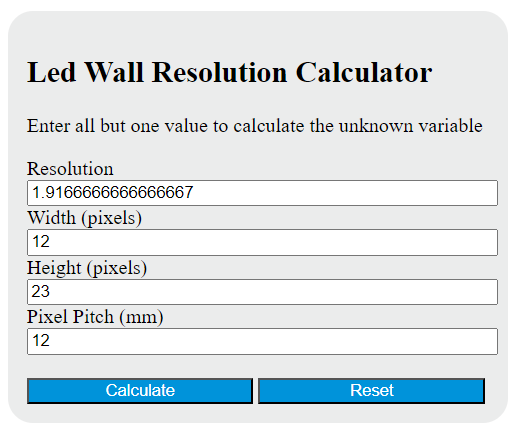
Calculate LED wall pixel resolution from physical dimensions and pixel pitch, or find the wall size required for a target pixel canvas.
Related Calculators
- Bits Per Pixel Calculator
- Resolution Calculator
- DPI Calculator (PPI)
- Pixel Size Calculator
- Pixels Per Degree to Resolution Calculator
- Viewing Angle Calculator
- All Unit Converters
LED Wall Resolution Formula
LED wall resolution is the total number of addressable pixels on the display. To calculate it correctly, the wall width, wall height, and pixel pitch must all be in the same unit system before any division is performed.
Where:
- R = total pixel count
- W = physical wall width
- H = physical wall height
- P = pixel pitch
Because resolution is normally communicated as horizontal pixels by vertical pixels, it is often useful to calculate each dimension first and then multiply them.
In this form:
- X = horizontal pixel count
- Y = vertical pixel count
- R = total pixels, sometimes reported in megapixels
Rearranged Forms
If you know three values and need the fourth, these forms are useful:
| Missing Value | Formula | Use |
|---|---|---|
| Pixel Pitch | P = √((W × H) / (R)) |
Find pitch needed for a target total resolution |
| Width | W = (R × P²) / (H) |
Find required display width when height, pitch, and total pixels are known |
| Height | H = (R × P²) / (W) |
Find required display height when width, pitch, and total pixels are known |
| Megapixels | MP = (R) / (1,000,000) |
Convert total pixels to millions of pixels |
How to Calculate LED Wall Resolution
- Measure the width and height of the LED wall.
- Identify the pixel pitch, which is the center-to-center spacing between adjacent pixels.
- Convert every value into the same unit.
- Divide width by pitch to get horizontal pixels.
- Divide height by pitch to get vertical pixels.
- Multiply the horizontal and vertical pixel counts to get the total resolution.
Common unit conversions when a wall is measured in meters or feet but pitch is listed in millimeters:
Example
Suppose an LED wall is 3.84 m wide, 2.16 m high, and uses a 2 mm pixel pitch. First convert the physical dimensions into millimeters:
Now calculate the pixel dimensions:
Then multiply to get total pixels:
So this wall has a native resolution of 1920 × 1080, or about 2.07 megapixels.
Why Pixel Pitch Matters
Pixel pitch controls pixel density. A smaller pitch places pixels closer together, which increases the number of pixels that fit into the same physical area. For a fixed wall size:
- Smaller pitch = more pixels = higher resolution
- Larger pitch = fewer pixels = lower resolution
That relationship is squared in the total-pixel formula, so small pitch changes can have a large effect on final resolution.
This means cutting pitch in half increases the total pixel count by about four times when wall size stays the same.
Resolution vs. Physical Size
Total pixels alone do not tell the whole story. Two walls can have the same total pixel count but very different sharpness if one wall is much larger than the other. In practice, image quality depends on both:
- Physical dimensions of the wall
- Pixel pitch and resulting pixel density
It is also helpful to preserve the intended content shape by checking the pixel dimensions rather than only the total pixel count. The display aspect is determined by the ratio of horizontal to vertical pixels.
If your content is designed for 16:9, matching the wall’s pixel proportions helps avoid scaling artifacts, cropping, or unused screen area.
Practical Design Notes
- Always use the same units for width, height, and pitch before calculating.
- If W ÷ P or H ÷ P is not a whole number, the proposed size and pitch do not map cleanly to an integer pixel grid.
- When planning a wall from cabinets or modules, final dimensions are often constrained by cabinet counts, not just raw physical measurements.
- Report resolution as horizontal × vertical whenever possible; total pixels alone hides the display shape.
- If comparing candidate designs, megapixels are useful for quick comparison, but pixel dimensions are more informative for content compatibility.
Common Mistakes
- Mixing meters and millimeters in the same equation
- Confusing pitch with resolution; pitch is spacing, resolution is pixel count
- Using only total pixels without checking horizontal and vertical values
- Ignoring aspect ratio when preparing video or graphic content
- Rounding too early before verifying exact pixel dimensions
Frequently Asked Questions
What does LED wall resolution mean?
It is the number of pixels available across the width and height of the display. It is commonly written as X × Y, such as 1920 × 1080.
Is pixel pitch the same as resolution?
No. Pixel pitch is the physical spacing between pixels, while resolution is the resulting number of pixels across the full wall.
Why can two LED walls have the same resolution but different sizes?
Because the same number of pixels can be distributed across different physical areas. A larger wall with the same pixel count has lower pixel density.
Should I use total pixels or pixel dimensions?
Use both. Total pixels are good for estimating overall display capacity, while horizontal and vertical pixel counts are essential for matching content formats and aspect ratio.
What if my result is not a whole number of pixels?
That usually means the chosen wall dimensions and pixel pitch do not align exactly. In real builds, designers typically adjust dimensions, pitch, or cabinet count to land on whole-pixel values.