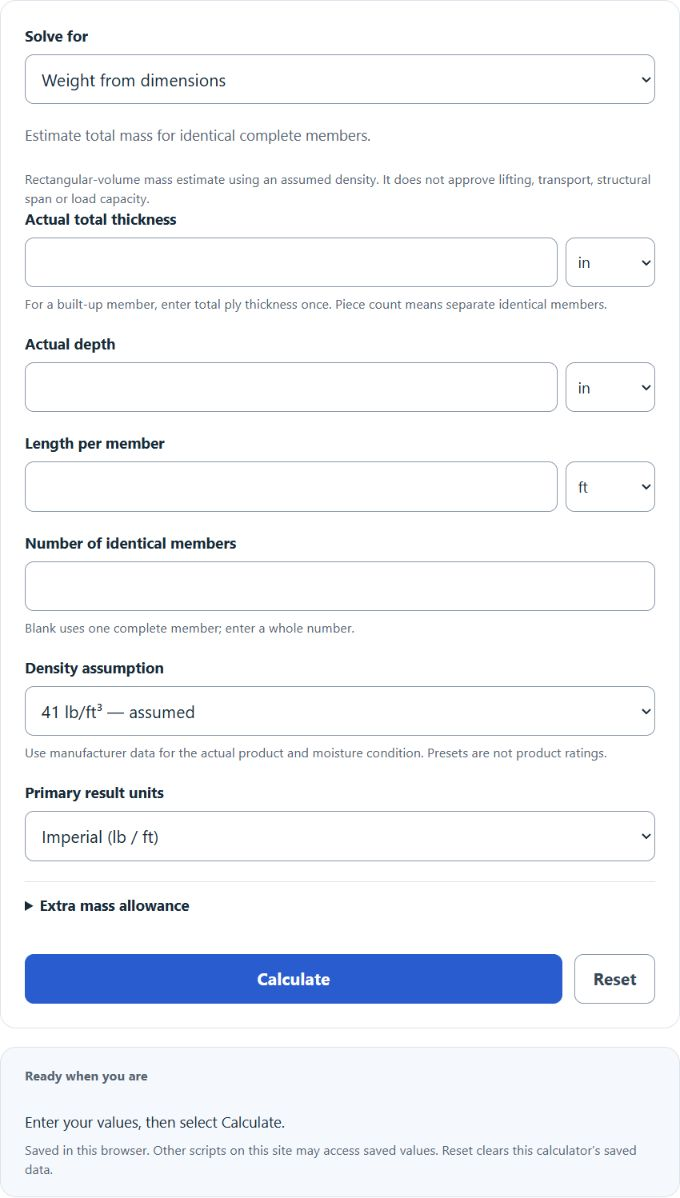
Estimate LVL mass from actual thickness, depth, length and an assumed density, including separate identical members and an optional extra-mass allowance. The second mode finds one member’s length corresponding to an entered mass; it does not approve a structural span or a safe lifting length.
- All Construction Calculators
- All Weight Calculators
- Laminate Flooring Installation Cost Calculator
- Tree Log Weight Calculator
- Green Log Weight Calculator
Understanding LVL Weight
The LVL weight calculator estimates the mass of a rectangular laminated veneer lumber member from volume and an assumed density. Use product-specific data for the actual material and moisture condition. For example, Weyerhaeuser publishes product-specific self-weight information. This calculator does not assess handling procedures, equipment capacity, connections, stability or structural strength.
In these imperial formulas, L is one member’s length in feet, b is its depth in feet, t is total thickness in inches, ρ is assumed density in lb/ft³, and a is extra mass allowance in percent. The fraction t / 12 converts inches to feet. The displayed 41 lb/ft³ is an illustrative preset, not a universal LVL density; 38 and 34 lb/ft³ are alternative assumptions, not guaranteed conservative choices. Blank allowance adds no mass.
Variable Guide
| Variable | Meaning | Typical Unit | Important Note |
|---|---|---|---|
| L | LVL length | ft | Use the full installed or handled length. |
| b | LVL width/depth | ft | If your size is listed in inches, convert to feet or use the calculator’s unit selector. |
| t | LVL thickness | in | Use actual thickness, not a rounded nominal description. |
| W | Estimated total weight | lb or kg | Two modes: mass from dimensions, or one-member length from a target mass and known section. |
Shortcut for Weight Per Linear Foot
If both actual cross-sectional dimensions are in inches, calculate pounds per linear foot using the selected density and allowance:
Here, bi and ti are actual section dimensions in inches, and wf is mass per linear foot. One member’s mass is wfL; multiply by the whole number n of separate identical members for total mass. For a built-up member, enter total ply thickness once and do not also count those plies as separate complete members. The inverse mode uses one member: L = Wpiece/wf.
Example
Assuming 41 lb/ft³ and no extra allowance, one 16 ft member with actual dimensions 11.875 in by 1.75 in has mass per foot approximately 5.91688368 lb/ft and total mass approximately 94.67013889 lb (94.67 lb to two decimals).
Approximate LVL Weights Per Linear Foot
The table below illustrates actual cross-sections with assumed density 41 lb/ft3 and no extra allowance. All eight values are rounded to two decimals. They are model estimates, not manufacturer product weights or structural ratings.
| Actual Thickness | Actual Depth | Approx. Weight per Foot |
|---|---|---|
| 1.75 in | 9.25 in | 4.61 lb/ft |
| 1.75 in | 11.875 in | 5.92 lb/ft |
| 1.75 in | 14 in | 6.98 lb/ft |
| 1.75 in | 16 in | 7.97 lb/ft |
| 1.75 in | 18 in | 8.97 lb/ft |
| 3.5 in | 11.875 in | 11.83 lb/ft |
| 3.5 in | 14 in | 13.95 lb/ft |
| 3.5 in | 16 in | 15.94 lb/ft |
What Changes the Actual Weight?
- Moisture content: moisture affects density and mass; use product data appropriate to the actual condition. The optional extra-mass percentage is an assumption, not a conversion from moisture-content percentage.
- Manufacturer differences: veneer species, resin content, and product line can shift density.
- Treatment or coatings: fire treatment, preservatives, or finishes can add mass.
- Actual vs nominal dimensions: always measure or confirm the real section size before estimating.
- Field cuts and notches: trimming, holes, and cutbacks reduce total weight.
Practical Tips for Using the Calculator
- Enter actual dimensions whenever possible.
- Use the actual units for each input. Changing an input’s unit converts its value; the primary result-unit selection changes the output display.
- Use the result as an estimate for planning, not as a substitute for product-specific handling data.
- For crane picks, rigging plans, or transport-critical work, verify the exact member weight from project documents or supplier data.
Common Questions
Does a longer LVL always weigh more? In this rectangular-volume model, mass is proportional to length when section, density, allowance and member count remain unchanged.
Why is thickness often entered in inches? Because structural wood products are commonly specified by actual thickness in inches, even when overall length is entered in feet.
Which quantities can this calculator solve? Its two modes estimate mass from dimensions and density, or the one-member length corresponding to an entered mass and cross-section. It does not solve for missing thickness, depth or density. A calculated length does not establish a safe handling limit or structural span.
Should I use nominal beam sizes? No. Use actual dimensions for the best estimate, since even small dimension differences can noticeably change the final weight.