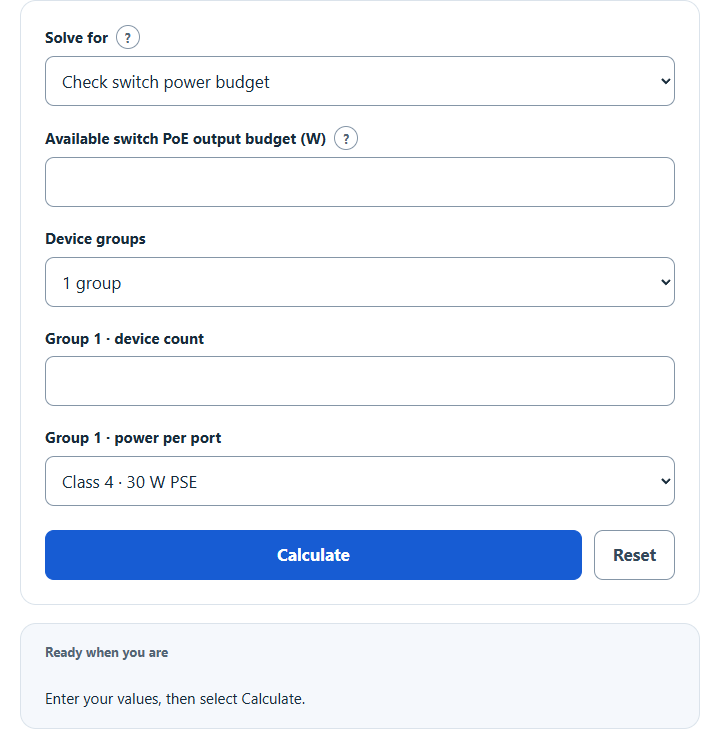
Calculate a PoE power budget: add up devices by PoE class to check a switch’s budget, size a budget with headroom, or estimate cable power loss.
PoE Power Budget Formula
The calculator has three modes. Budget check sums switch-side allocations for up to three device groups and compares the total with the usable PoE output budget:
The second mode adds your selected planning reserve. The default 20% is an editable assumption, not an IEEE requirement or a guarantee against startup or peak-load problems:
The third mode uses a constant device-input power model. It solves the low-current, high-voltage branch of Ppd = (V – I*Rloop)*I rather than approximating current as Ppd/V:
- Ptotal: total power the switch must source, in watts.
- ni: number of devices of type i.
- Wi: switch-side (PSE) watts allocated to one device of type i.
- Pswitch: the total PoE budget printed on your switch or injector, in watts.
- Headroom: usable switch budget minus the planned switch-side allocation, in watts.
- Prec: calculated switch budget including your selected planning reserve.
- H: selected planning reserve, as a percent; not a certified safety factor.
- Ploss: power lost in the cable, in watts.
- I: current on the run, in amps.
- Ppd: constant power required at the powered-device input, in watts. Ppse is the corresponding source-port power; D is the quadratic discriminant.
- V: supply voltage at the switch, in volts.
- Rloop: effective power-channel loop resistance. Enter the effective two-pair loop resistance per unit length from cable/channel data or measurement, including relevant connections. Multiply by one-way channel length; equal-sharing four-pair delivery halves this two-pair value once.
- Vpd: voltage remaining at the powered device.
Budget fit addresses aggregate allocation only. Check available ports, per-port power, negotiated class/LLDP, device input voltage/current and actual cable limits separately. A negative discriminant gives no real steady point in this model; equality is the maximum-transfer boundary, not evidence of stable or safe operation. The model omits unequal current sharing, heating and contact/transformer/bridge losses unless included in the entered resistance.
PoE Standards and Cable Loss Reference
PSE means power sourcing equipment; PD means powered device. In class-based allocation, the switch-side allowance already includes the channel-loss allowance. Do not add estimated cable loss to those class watts again. Custom PSE watts are already source-side; custom PD watts require their own per-device loss calculation. Actual switch allocation policies may also use LLDP or other supported mechanisms. See TI TIDA-050045, Table 2-2 and the Analog Devices MAXREFDES1266 PoE reference. The PD column below is available after the channel allowance, not before cable loss.
| Standard | Class | PSE watts (budget) | PD watts (device) |
|---|---|---|---|
| 802.3af (PoE) | 1 | 4 | 3.84 |
| 802.3af (PoE) | 2 | 7 | 6.49 |
| 802.3af (PoE) | 0 or 3 | 15.4 | 12.95 |
| 802.3at (PoE+) | 4 | 30 | 25.5 |
| 802.3bt Type 3 | 5 to 6 | 45 to 60 | 40 to 51 |
| 802.3bt Type 4 | 7 to 8 | 75 to 90 | 62 to 71.3 |
The following is a hypothetical DC arithmetic example with constant 25.5 W at the PD input, a 48 V source and two-pair power. The two resistance values are entered assumptions, not Cat5e or Cat6 specifications. Cable category alone does not fix resistance; conductor gauge/material, construction, temperature and connections matter. These figures do not certify a PoE+ channel or its voltage limits.
| Run length | Loss at 0.125 Ω/m | Loss at 0.090 Ω/m |
|---|---|---|
| 30 m (98 ft) | 1.16 W | 0.81 W |
| 60 m (197 ft) | 2.56 W | 1.74 W |
| 90 m (295 ft) | 4.35 W | 2.82 W |
For custom PD demands, solve each distinct per-device power and channel resistance separately, then multiply its source requirement by its group count. Loss is proportional to current squared, so squaring an average device power is not equivalent for mixed loads. Do not add these losses again to already allocated PSE class watts. Four-pair estimates assume two identical power pairsets sharing equally.
Example Problems
Example 1: Budget check. A switch has a usable 130 W PoE budget and six ports each allocated 30 W. Total allocation is 6 × 30 = 180 W, so the budget is short by 50 W. Four such allocations total 120 W; moving two devices can fit this aggregate arithmetic, but port capability, startup behavior, negotiation and operational reserve still require separate checks.
Example 2: Cable-loss arithmetic. For a hypothetical constant 25.5 W PD input, 48 V source and two-pair effective loop resistance of 0.125 Ω/m over 90 m, Rloop = 11.25 Ω. The corrected model gives I = 0.621895 A, cable loss = 4.350982 W, Vpd = 41.003676 V and Ppse = 29.850982 W. The delivered input remains 25.5 W. This numerical solution does not prove a standards-compliant or operable PoE+ link; use the actual source and PD limits.
FAQ
What is a PoE power budget? It is the total wattage a switch or injector can deliver across all of its PoE ports at once, not the amount available to any single port. A switch might advertise 30 W per port yet only have a 130 W total budget, which caps how many high-power devices you can run before ports stop delivering power.
Should I add headroom to the budget? Additional reserve is a planning choice based on measured demand, device startup/peak requirements, switch policy and future additions. The editable 20% default is an assumption. No universal 20–30% margin guarantees operation, and class-based PSE allocations already include their cable allowance.
Do I budget the device watts or the class watts? Use the actual switch-side allocation policy and usable PoE output budget. For class-based planning use the PSE allowance, for example 30 W for Class 4, which provides up to 25.5 W at the PD under its specified conditions. A 25.5 W product label alone does not establish the negotiated class. If using custom device-input demand instead, include its modeled channel loss once and check all per-port limits separately.