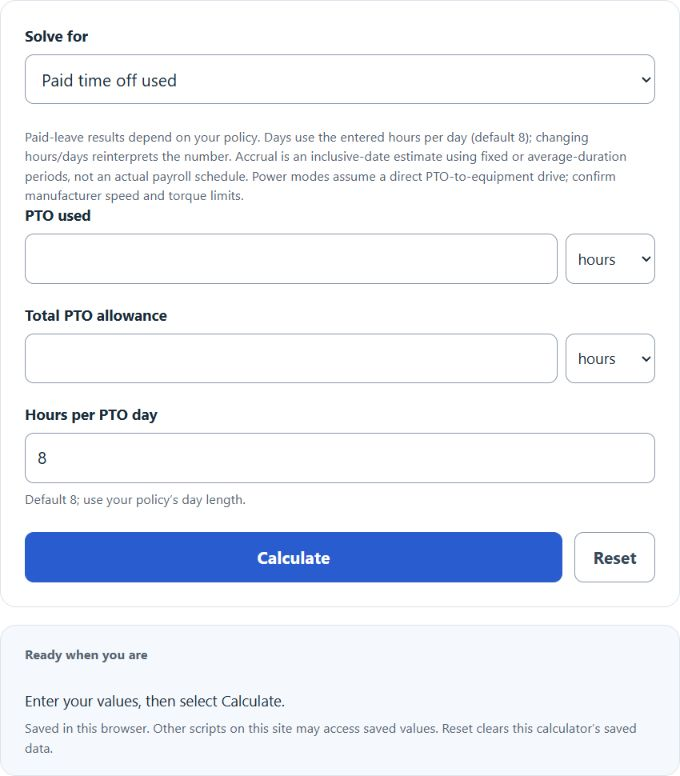
Calculate PTO percentage for paid time off used, projected balance by date, or power take-off speed ratio from hours, days, and RPM.
Related Calculators
- PTO Calculator: Accrual Rate & Balance by Date
- Annual Merit Increase Calculator
- Salary Range Penetration Calculator
- Percentage Variance Calculator
- Appraisal Hike Percentage Calculator
- All Business Calculators
PTO Percentage Formula
Select the paid-leave calculation or a mechanical/hydraulic power take-off calculation.
Paid time off used:
PTO balance by date:
Power take-off speed percentage:
For hydraulic mode, the driven RPM is calculated first:
Variables:
- PTO used: hours or days of paid time off already taken
- Total PTO allowance: total hours or days available for the period
- Starting balance: hours carried into the accrual period
- Annual allowance: full-year PTO grant
- Periods elapsed: completed accrual periods between the start and balance dates
- Engine RPM: engine speed while the PTO is engaged
- Driven RPM: required speed at the driven shaft or pump
- GPM: target hydraulic flow in US liquid gallons per minute
- Displacement: pump volume per revolution in cubic inches
- Efficiency: pump volumetric efficiency as a decimal
Paid leave used divides used hours by the allowance. Balance by date uses both dates inclusively: daily accrual divides the annual allowance by 365; weekly and biweekly count complete 7- and 14-day periods at 52 and 26 credits per year. Semi-monthly and monthly use complete average durations of 15.21875 and 30.4375 days at 24 and 12 credits per year, not actual payroll dates. Power modes assume a direct drive and compare required shaft rpm with engine rpm; hydraulic mode first calculates pump rpm.
Reference Tables
Illustrative PTO allowances, not surveyed tenure entitlements; hours assume an 8-hour day. Your policy controls:
| Tenure | Days/year | Hours/year | Accrual per biweekly period |
|---|---|---|---|
| Under 1 year | 10 | 80 | 3.08 hr |
| 1 to 5 years | 15 | 120 | 4.62 hr |
| 5 to 10 years | 20 | 160 | 6.15 hr |
| 10+ years | 25 | 200 | 7.69 hr |
Illustrative speed-ratio arithmetic for hypothetical equipment requirements; these are not safe operating ranges or model-selection recommendations:
| Application | Illustrative PTO % | Example at 1500 engine RPM |
|---|---|---|
| Dump truck hoist | 70 to 80% | 1050 to 1200 RPM |
| Refuse packer | 85 to 100% | 1275 to 1500 RPM |
| Aerial lift | 100 to 125% | 1500 to 1875 RPM |
| Vacuum truck blower | 125 to 150% | 1875 to 2250 RPM |
Examples and FAQ
Example 1: Paid time off used. You have a 120-hour annual PTO allowance and have taken 6 days at 8 hours per day. Used hours = 48. Percentage = 48 / 120 × 100 = 40%. You have 72 hours, or 9 days, remaining.
Example 2: PTO speed ratio. A hydraulic pump needs 12 GPM. The pump displaces 2.0 cubic inches per revolution at 90% efficiency. Pump RPM = 12 × 231 / 2.0 / 0.90 = 1540 RPM. With the engine at 1400 RPM, the PTO percentage = 1540 / 1400 × 100 = 110%.
Does the calculator account for holidays in accrual? No. The estimate counts inclusive calendar days or completed model periods, not actual payroll periods. Enter only leave charged to PTO; do not subtract holidays from PTO used unless your policy actually charges them.
What hours per day should you use? Use the value your employer applies when converting a PTO day to hours. The calculator starts with an editable 8-hour assumption. Changing hours/days reinterprets the number using this day length.
Why is my PTO speed ratio above 100%? The driven equipment runs faster than the engine. This is normal for pumps and blowers that need high shaft speed. Confirm your PTO model supports the ratio and torque at that speed.
What if used PTO exceeds the allowance? The result will show over 100%. It only means the entered usage exceeds the entered allowance. Check the inputs and ask payroll how any overage is handled.