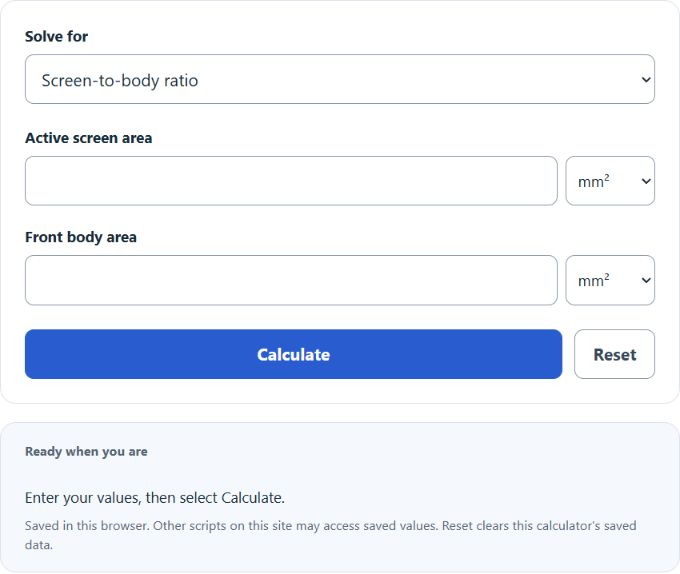
Select screen-to-body ratio, screen area, or front body area as the quantity to solve. Enter the two known values; area units are converted automatically, and results show both the percentage and decimal ratio where relevant.
Screen-to-Body Ratio Formula
The screen-to-body ratio measures how much of a device’s front surface is active display area. It is usually shown as a percentage. A higher percentage means more screen space is packed into the same overall device footprint.
- SBR = screen-to-body ratio as a percentage
- SA = total screen area
- BA = total body area
If you want the result as a raw ratio instead of a percentage, use the same calculation without multiplying by 100.
How to Calculate Screen-to-Body Ratio
- Measure or enter the total visible screen area.
- Measure or enter the total front body area of the device.
- Divide the screen area by the body area.
- Multiply by 100 to convert the result to a percentage.
Both areas must use the same measurement basis. The calculator converts independently selected area units to mm² before dividing, so mixed input units are supported.
Calculating the Areas First
If you only know width and height, calculate each area before finding the ratio.
- Ws = screen width
- Hs = screen height
- Wb = body width
- Hb = body height
Rearranged Screen-to-Body Ratio Equations
If you know any two values, you can solve for the third.
| Unknown | Formula | Use Case |
|---|---|---|
| Screen-to-Body Ratio |
SBR = (SA) / (BA) × 100 |
Use when screen area and body area are known. |
| Screen Area |
SA = (SBR) / (100) × BA |
Use when the target percentage and body area are known. |
| Body Area |
BA = (SA × 100) / (SBR) |
Use when screen area and ratio percentage are known. |
Example Calculation
If a device has a screen area of 400 mm² and a body area of 500 mm², the screen-to-body ratio is:
An 80% result means 80% of the device’s front face is screen and 20% is occupied by bezels, frame material, sensors, speakers, hinges, or other non-display elements.
How to Interpret the Result
| Result | Interpretation |
|---|---|
| Lower percentage | More of the front face is taken up by bezels or non-screen structure. |
| Higher percentage | More of the front face is usable display area. |
| 100% | The screen area equals the full body area, which is usually a theoretical maximum. |
| Greater than 100% | This normally indicates incorrect measurements, inconsistent units, or a data-entry error. |
Common Mistakes
- Mixing units: Do not combine mm² with cm² or in² unless the values are converted first.
- Using screen diagonal instead of screen area: Diagonal size alone is not enough to calculate area.
- Using total device thickness or side surfaces: Screen-to-body ratio is typically based on the front face only.
- Confusing ratio and percentage: A ratio of 0.80 is the same as 80%.
Why Screen-to-Body Ratio Matters
- Helps compare display efficiency between devices of different sizes.
- Shows how effectively a design minimizes bezel space.
- Useful for phones, tablets, laptops, monitors, handheld gaming devices, and embedded displays.
- Makes it easier to judge how much usable screen area you get for a given product footprint.
Quick Reference
| Question | What to Do |
|---|---|
| Know screen area and body area? | Calculate the percentage directly. |
| Know width and height only? | Find each area first, then compute the ratio. |
| Comparing two devices? | The higher percentage has more screen relative to its front size. |
| Need the decimal form? | Use the raw ratio before multiplying by 100. |