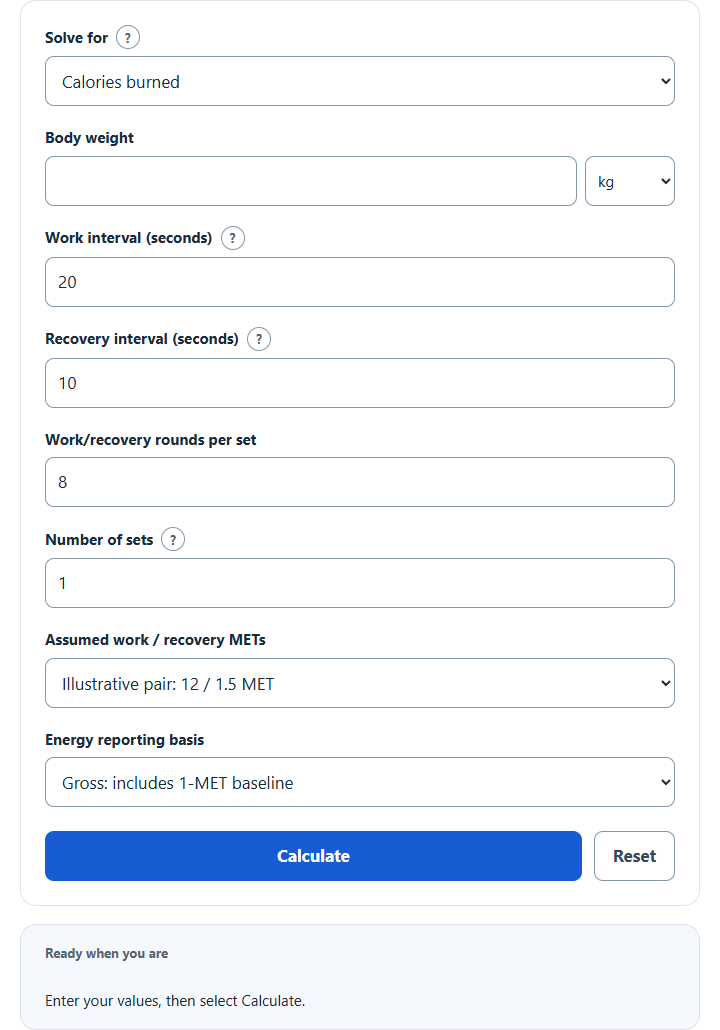
Estimate Tabata calories burned from your weight and number of sets using standard 20:10 intervals, or find how many sets reach a calorie goal.
Related Calculators
Tabata Calories Burned Formula
All three modes use your entered interval plan. Work and recovery phases are modeled separately with body mass converted to kilograms (1 lb = 0.45359237 kg).
Gross kcal = 3.5 × weight(kg) / 200 × (work MET × work minutes + recovery MET × recovery minutes)
Modeled minutes = (work seconds + recovery seconds) × intervals per set × sets / 60
Recovery is included after every work interval, including the final one. The model adds no separate between-set rest, warm-up, cool-down or post-exercise energy expenditure (EPOC).
Gross energy includes the 1-MET reference during the modeled time. Net energy subtracts that reference from both phase MET values:
Net kcal = 3.5 × weight(kg) / 200 × ((work MET – 1) × work minutes + (recovery MET – 1) × recovery minutes)
| Scenario | Work MET | Recovery MET |
|---|---|---|
| Illustrative A | 8 | 1.5 |
| Illustrative B | 12 | 1.5 |
| Illustrative C | 15 | 2 |
The phase pairs above are illustrative assumptions, not validated moderate, hard or all-out profiles for short Tabata intervals. The conversion follows the Compendium MET unit convention; its published conditioning-activity entries do not supply these separate work/recovery profiles. A standard MET estimate is not a precise personal energy measurement.
Reference example: at 150 lb, three sets of eight complete 20-second work / 10-second recovery cycles, using 12 work MET and 1.5 recovery MET, give an estimated 121.4493570675 gross kcal, or 121.45 kcal rounded to two decimals, across 12 modeled minutes. This is a model output, not a measured personal burn.
What Is Tabata?
The original 1996 Tabata study used cycle ergometry and seven to eight exhaustive 20-second bouts with 10-second rests between bouts. This calculator’s four-minute reference set instead counts eight complete 20-second work / 10-second recovery cycles, including recovery after the final work interval. That explicit timing convention is not a claim to replicate the original study or guarantee an individual calorie expenditure.
- 1 modeled reference set = 8 complete work–recovery cycles
- Work time per reference set = 2 minutes 40 seconds
- Recovery time per reference set = 1 minute 20 seconds
- 3 reference sets = 12 modeled minutes
- 5 reference sets = 20 modeled minutes
Illustrative Gross Calories for the 12 / 1.5 MET Scenario
This table holds the assumptions fixed: gross energy, 12 work MET / 1.5 recovery MET, and eight complete 20:10 cycles per set. Each reference set is four modeled minutes; changing the timing, reporting basis or MET assumptions changes the results.
| Body Weight | 1 Set | 3 Sets | 5 Sets |
|---|---|---|---|
| 120 lb | 32.39 kcal | 97.16 kcal | 161.93 kcal |
| 150 lb | 40.48 kcal | 121.45 kcal | 202.42 kcal |
| 180 lb | 48.58 kcal | 145.74 kcal | 242.90 kcal |
| 200 lb | 53.98 kcal | 161.93 kcal | 269.89 kcal |
Target mode computes the smallest whole set count meeting the entered goal in this model: ceil(target kcal / selected-basis kcal per set). A zero net result is valid in forward mode, but a positive goal is unreachable when net kcal per set is zero. This count is an arithmetic scenario, not a workout prescription.
How to Use the Calculator
- Choose calories from a plan, whole sets for a target, or a per-set scenario comparison; enter body weight in kilograms or pounds.
- Enter positive work seconds, nonnegative recovery seconds, and a positive whole number of intervals per set. Calories mode also requires a positive whole set count; target mode requires a positive kcal goal.
- Choose gross or net-above-1-MET reporting. For calories or target mode, choose an illustrative MET pair or enter both custom phase METs, each at least 1. Compare mode reports the three illustrative pairs per set.
- Select Calculate to see the modeled time, selected-basis energy, or arithmetic set threshold. Required numeric inputs start blank.
- Click Reset to clear the calculator and start over.