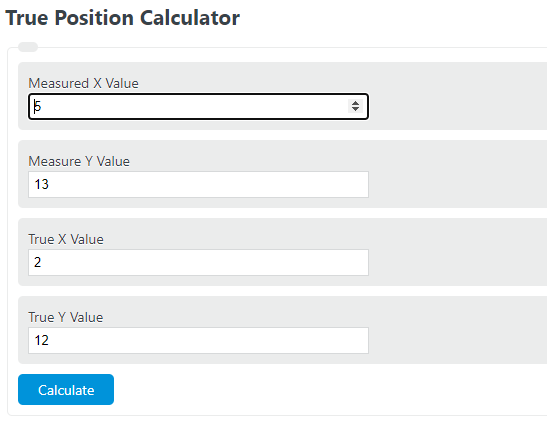
Calculate diametrical true position from deviations or coordinates, apply RFS/MMC/LMC bonus correctly, and plan remaining axis tolerance.
How the True Position Calculator Works
The true position calculator finds how far an actual feature location is from its theoretically exact location using measured X and Y coordinates versus true X and Y coordinates. In practical GD&T use, this is helpful for checking the location of holes, pins, bores, and similar features on a 2D plane.
This calculator reports a true position value, which is the diametral positional error corresponding to the measured offset from the nominal point.
True Position Formula
The calculation starts with the straight-line offset between the measured center and the true center:
The true position result is then found by doubling that radial offset:
Combined into one expression:
Variable Definitions
| Variable | Meaning |
|---|---|
| Measured X Value | The actual X-coordinate of the inspected feature center. |
| Measured Y Value | The actual Y-coordinate of the inspected feature center. |
| True X Value | The nominal or basic X-coordinate from the design. |
| True Y Value | The nominal or basic Y-coordinate from the design. |
| True Position Variance | The calculated positional error, expressed as a diameter-style value. |
Why the Formula Multiplies by 2
The coordinate difference between the measured point and the true point is a radial distance. Positional tolerance is commonly interpreted as the diameter of the allowable zone, so the radial offset is multiplied by 2 to convert the center-to-center distance into the reported true position value.
How to Calculate True Position Manually
- Measure the actual feature location and record the X and Y coordinates.
- Identify the true X and Y coordinates from the drawing or design model.
- Subtract the true coordinates from the measured coordinates to get the X and Y deviations.
- Square each deviation.
- Add the squared deviations together.
- Take the square root to find the radial offset.
- Multiply that value by 2 to get the true position result.
Example Calculation
If a feature is measured at X = 10.04 and Y = 5.03, and the true location is X = 10.00 and Y = 5.00, then the radial offset is:
The true position value becomes:
If the allowable positional tolerance is 0.20 in the same units, the feature is within tolerance because 0.10 does not exceed 0.20.
How to Interpret the Result
| Result | Interpretation |
|---|---|
| 0 | The measured center is exactly at the true location. |
| Small positive value | The feature is slightly offset from nominal and may still pass if it is within the allowed tolerance. |
| Greater than the drawing tolerance | The feature location is out of position. |
Tips for Accurate Use
- Use the same unit system for every input value.
- Enter the feature center coordinates, not edge distances.
- Remember that positive and negative coordinate deviations both contribute to the result because the deviations are squared.
- The output cannot be negative.
- If you need only the center offset rather than the diametral true position value, divide the calculator result by 2.
Common Questions
Is true position the same as X deviation or Y deviation?
No. True position combines both coordinate errors into a single location error, so it gives a more complete picture than checking either axis alone.
Can true position ever be negative?
No. Because the calculation is based on squared deviations and a square root, the result is always zero or positive.
What does a larger true position value mean?
A larger value means the actual feature center is farther from the intended location.
Does this calculator work for 3D location checks?
This version is intended for two-coordinate position checks in an X-Y plane. Three-dimensional inspection requires additional geometry beyond this formula.