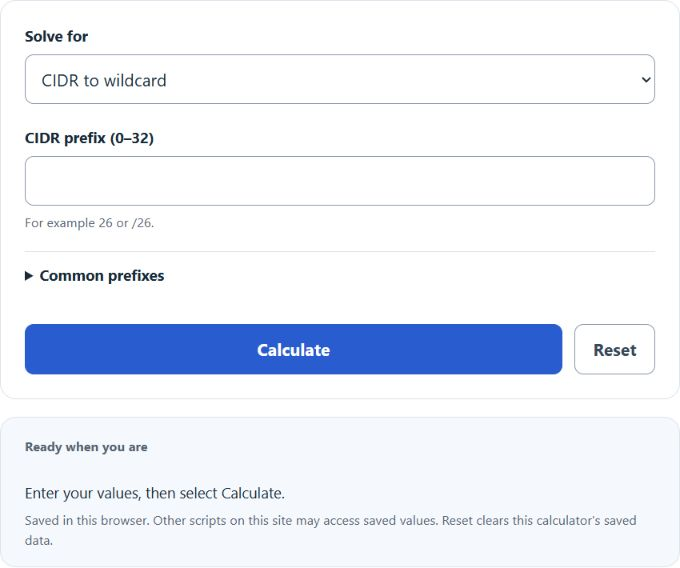
Convert a subnet mask or CIDR prefix to a wildcard mask and back, see the exact range an ACL matches, and inspect Cisco IOS ACL and OSPF syntax examples. Verify the full policy and platform before use.
Wildcard Mask Formula
A wildcard mask is the bitwise inverse of a subnet mask. Where a subnet mask marks the network bits with ones, a wildcard mask marks the bits that are free to vary with ones. A 0 bit in the wildcard means the address bit must match the rule exactly, and a 1 bit means any value is accepted. For a contiguous subnet mask, the conversion is a simple per-octet subtraction; a non-contiguous wildcard has no single CIDR subnet equivalent:
W = 255.255.255.255 - M
To go straight from a CIDR prefix length to the wildcard mask, treat the mask as a 32-bit number:
W = 2^(32 - n) - 1
The number of addresses a wildcard rule matches depends only on how many one bits the mask contains:
Matched = 2^b
For a contiguous wildcard mask, the boundaries of the matched range come from two bitwise operations:
First = IP AND (NOT W)
 Last = First OR W
Variables:
- W is the wildcard mask in dotted decimal
- M is the subnet mask in dotted decimal
- n is the CIDR prefix length, from 0 to 32
- b is the number of one bits in the wildcard mask
- First and Last are the lowest and highest addresses the rule matches
- AND, OR, and NOT are bitwise operations applied to each of the 32 bits
The calculator applies these formulas in three directions. The convert mode takes a CIDR prefix, a subnet mask, or a wildcard mask and returns the other two forms along with address counts, binary breakdowns, and sample Cisco commands. The IP + wildcard mode shows the lowest and highest matches and address count. For non-contiguous masks it shows sample members; addresses between the bounds may not match. Such masks have no single CIDR equivalent. The IP range mode works backward: enter the first and last address you want to cover and it returns the exact wildcard mask, or the smallest single-line match when the range does not line up with an aligned power-of-two block.
Subnet Mask to Wildcard Mask Conversion Chart
The chart below covers the prefix lengths you will meet most often. To confirm any row, subtract each subnet mask octet from 255.
| CIDR | Subnet mask | Wildcard mask | Total addresses |
|---|---|---|---|
| /8 | 255.0.0.0 | 0.255.255.255 | 16,777,216 |
| /16 | 255.255.0.0 | 0.0.255.255 | 65,536 |
| /20 | 255.255.240.0 | 0.0.15.255 | 4,096 |
| /22 | 255.255.252.0 | 0.0.3.255 | 1,024 |
| /23 | 255.255.254.0 | 0.0.1.255 | 512 |
| /24 | 255.255.255.0 | 0.0.0.255 | 256 |
| /25 | 255.255.255.128 | 0.0.0.127 | 128 |
| /26 | 255.255.255.192 | 0.0.0.63 | 64 |
| /27 | 255.255.255.224 | 0.0.0.31 | 32 |
| /28 | 255.255.255.240 | 0.0.0.15 | 16 |
| /29 | 255.255.255.248 | 0.0.0.7 | 8 |
| /30 | 255.255.255.252 | 0.0.0.3 | 4 |
| /31 | 255.255.255.254 | 0.0.0.1 | 2 |
| /32 | 255.255.255.255 | 0.0.0.0 | 1 |
Contiguous and Non-Contiguous Wildcard Patterns
Because a wildcard mask is checked bit by bit, the one bits do not have to sit together. That lets a single ACL line match patterns no subnet mask can describe. Cisco IOS ACLs support such patterns; availability depends on the feature and platform. The table shows practical patterns and the number of addresses each line matches:
| ACL entry | What it matches | Addresses |
|---|---|---|
| 10.1.10.0 0.0.1.255 | Two consecutive subnets, 10.1.10.0/24 and 10.1.11.0/24, in one line | 512 |
| 10.1.0.1 0.0.255.0 | The .1 host in every 10.1.x.0/24 subnet, such as every VLAN gateway | 256 |
| 192.168.0.0 0.0.254.255 | Every even-numbered /24 inside 192.168.0.0/16 | 32,768 |
| 10.1.1.0 0.0.0.254 | Every even host address in 10.1.1.0/24 | 128 |
| 172.16.0.10 0.15.0.0 | The same host address across the 16 networks 172.16.0.0/16 through 172.31.0.0/16 | 16 |
Non-contiguous masks are compact but hard to read during an audit, so most teams reserve them for cases like matching the same gateway address across many VLANs or pairing adjacent subnets. The IP + wildcard mode of the calculator lists sample matches for any of these masks so you can verify the pattern before deploying it.
Example Problems
Example 1: Wildcard mask for a /26 subnet
Find the wildcard mask for 192.168.10.64/26 and the range its ACL entry matches.
First convert the prefix to a subnet mask. A /26 has 26 one bits, which gives 255.255.255.192. Then subtract each octet from 255: 255 – 255 = 0, 255 – 255 = 0, 255 – 255 = 0, and 255 – 192 = 63. The wildcard mask is 0.0.0.63.
The mask has 6 one bits, so the rule matches 2^6 = 64 addresses. Applying First = IP AND (NOT W) to 192.168.10.64 leaves the address unchanged, and Last = First OR W gives 192.168.10.127. The finished entry is: access-list 10 permit 192.168.10.64 0.0.0.63
Example 2: One ACL line for 172.16.32.0 through 172.16.47.255
Count the addresses first: the range spans 16 third-octet values (32 through 47) of 256 addresses each, which is 4,096 addresses, or 2^12. The count is a power of two, and the starting address sits on a 4,096 address boundary because 32 divides evenly by 16. A single line can therefore match the range exactly.
A wildcard with 12 one bits is 0.0.15.255, so the entry is: access-list 10 permit 172.16.32.0 0.0.15.255. In CIDR terms this is 172.16.32.0/20 with subnet mask 255.255.240.0.
Frequently Asked Questions
Why do Cisco ACLs use wildcard masks instead of subnet masks?
The ACL match engine tests each address bit only where the mask has a 0, so the mask directly encodes which bits to check rather than where the network boundary sits. That convention is more flexible than a subnet mask: it allows non-contiguous patterns like matching every even subnet, which no subnet mask can express. Some routing network statements also use wildcard syntax. OSPF network statements select interfaces and areas; they do not act as packet-filtering ACLs.
Do all Cisco platforms use wildcard masks?
No, and this is a common source of copy-paste errors. IOS and IOS XE use wildcard masks in numbered and named ACLs and in OSPF and EIGRP network statements. ASA firewalls use regular subnet masks in their ACLs, so the same rule that reads 0.0.0.255 on a router reads 255.255.255.0 on an ASA. Syntax varies by platform, feature and software release, including IOS XR features that support wildcard masks. Check the applicable command reference. A non-contiguous pattern cannot in general be converted to one CIDR prefix, and address normalization must preserve the matched set.
What is the wildcard mask for a single host?
Use 0.0.0.0, which forces all 32 bits to match one exact address. Cisco IOS offers the shortcut keyword host, so access-list 10 permit host 10.1.1.5 equals access-list 10 permit 10.1.1.5 0.0.0.0. The opposite extreme is 255.255.255.255, which ignores every bit and matches all addresses, and it has its own keyword: any.