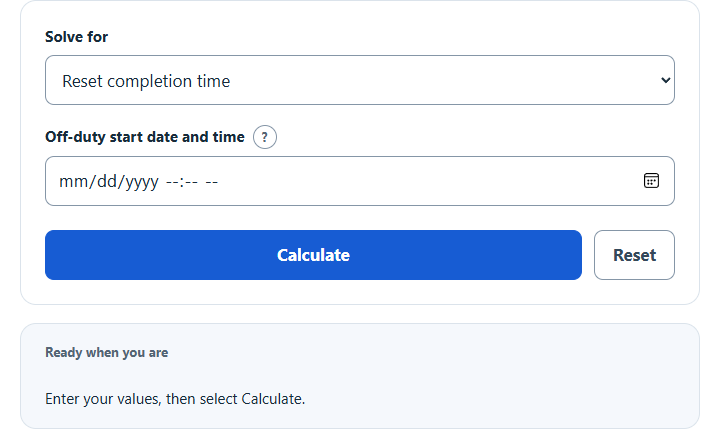
How do I use this calculator?
Choose completion time, latest start time, or time remaining. Enter date-times in the device time zone.
Calculator Operations:
- Choose Reset completion time and enter when the consecutive off-duty period began.
- Choose Latest reset start time and enter the desired completion date and time.
- Choose Time remaining and enter the off-duty start and the date-time to check.
The calculator adds or subtracts 34 elapsed hours, including daylight-saving changes. A remaining-time result is fixed at the entered check time. This timing tool does not establish legal driving eligibility.
Use the calculate button when all known values have been entered and use the reset button when you want to clear the values from the calculator.
Calculate when a 34-hour FMCSA restart for property-carrying drivers ends, find the latest reset start time, or check remaining consecutive off-duty time.
- Every Day Life And Education Calculators
- 12 Hour Time Calculator
- Hours of Service Calculator
- Break Time Calculator
- Subtract Time Calculator
- Fraction of an Hour Calculator
- Hours to Decimal Calculator
Calculator Functions
| Function | What it does | What it requires |
|---|---|---|
| Reset completion time | Finds the date and time a 34-hour reset ends | Requires the date and time the off-duty period began |
| Latest reset start time | Finds the latest time a reset can begin and still be complete by a chosen time | Requires the date and time the reset must be complete |
| Time remaining | Finds how much of the 34 hours is left at a chosen moment | Requires the date and time the off-duty period began and the date and time to check |
Dates and times are read in the time zone of the device. Every result also lists the off-duty start, the completion time and the time zone used.
34-Hour Reset Formulas
| End | Date and time the reset is complete |
| Start | Date and time the off-duty period began |
| 34 | Consecutive off-duty hours that end a 7-day or 8-day period [1] |
A driver of a property-carrying commercial vehicle may not drive after 60 on-duty hours in 7 consecutive days, or 70 hours in 8 consecutive days. Either period may end with the start of an off-duty period of 34 or more consecutive hours, which is why the reset restarts the weekly count [1].
Reset completion time
The calculator adds 34 elapsed hours to the start. A reset that begins on Friday at 6:00 PM is complete on Sunday at 4:00 AM.
Latest reset start time
To be ready to drive on Monday at 5:00 AM, the off-duty period has to begin by Saturday at 7:00 PM.
Time remaining
The check time must be at or after the start. Twelve and a half hours into a reset, 21 hours 30 minutes remain. Once the 34 hours have passed, the result is zero. It is a fixed check for the time entered, not a running countdown.
Daylight saving time
The 34 hours are counted as elapsed time, not as clock time. Across a change to or from daylight saving time, the completion reads 33 or 35 hours later on the clock. A reset that begins at 6:00 PM on the Saturday before clocks go back ends at 3:00 AM on Monday.
Limits of This Estimate
- The 34 hours must be consecutive and entirely off duty. Any on-duty time in between starts the count again.
- The reset applies to the 60-hour and 70-hour limits for property-carrying drivers. It does not replace the daily rules, such as 10 consecutive hours off duty before driving, the 14-hour period and the 11 hours of driving [1].
- Times follow the time zone set on the device. Check that setting, and check the electronic logging device and all hours-of-service limits before driving.
Sources
- Code of Federal Regulations, 49 CFR 395.3, Maximum driving time for property-carrying vehicles: the 60-hour and 70-hour limits, the 34-hour off-duty period that ends them, and the daily limits