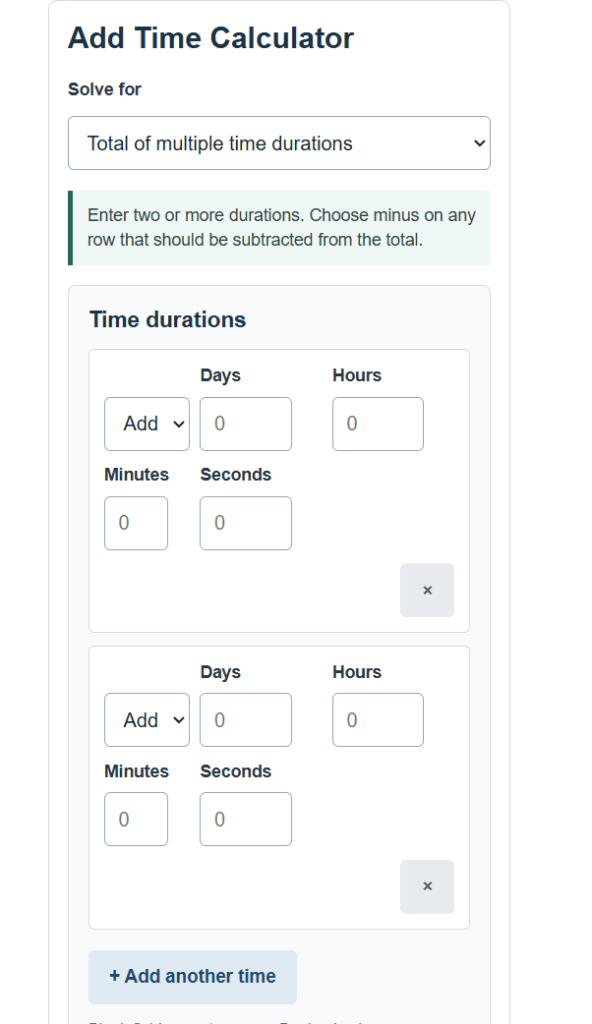
Calculate the total of multiple time durations, or find a new date and time by adding or subtracting days, hours, minutes, and seconds.
Add Time Formula
This calculator works in two modes. The first adds and subtracts time durations and reports the total. The second adds or subtracts a duration to a starting date and time and reports the resulting date and time.
To total several durations, each duration is first converted to seconds and then summed:
T = Sum of [ s * ( (D * 86400) + (H * 3600) + (M * 60) + S ) ]
The total seconds T is then broken back down into days, hours, minutes, and seconds:
Days = floor(T / 86400) ; Hours = floor((T mod 86400) / 3600) ; Minutes = floor((T mod 3600) / 60) ; Seconds = T mod 60
To find a new clock time, the starting time is converted to seconds since midnight, the duration in seconds is added or subtracted, and the result is wrapped across days:
New = Start +/- ( (D * 86400) + (H * 3600) + (M * 60) + S )
- T = total time, measured in seconds before it is normalized
- s = sign of each row, +1 when the duration is added and -1 when it is subtracted
- D = days entered
- H = hours entered
- M = minutes entered
- S = seconds entered
- Start = starting date and time, in seconds
- New = resulting date and time after the duration is applied
The 86400, 3600, and 60 constants are the number of seconds in a day, an hour, and a minute. Converting every value to seconds first means days, hours, minutes, and seconds can be mixed on the same row without manual carrying. Choosing minus on a row subtracts that duration from the running total. In date and time mode the calendar rollover is handled for you, so crossing midnight or month boundaries moves the date forward or back automatically.
Time Unit Conversions
Every input is reduced to seconds before any math happens. These are the conversion factors the calculator uses.
| Unit | Seconds | Minutes | Hours |
|---|---|---|---|
| 1 minute | 60 | 1 | 0.0167 |
| 1 hour | 3,600 | 60 | 1 |
| 1 day | 86,400 | 1,440 | 24 |
| 1 week | 604,800 | 10,080 | 168 |
Decimal entries are allowed. The table below shows how common decimal hours convert to minutes, which is useful when a duration is recorded as a decimal instead of hours and minutes.
| Decimal hours | Hours and minutes |
|---|---|
| 0.25 h | 0 h 15 min |
| 0.50 h | 0 h 30 min |
| 1.75 h | 1 h 45 min |
| 2.10 h | 2 h 6 min |
Example Problems
Example 1: Totaling durations. You work three shifts and want the combined time. The shifts are 3 hours 45 minutes, 5 hours 30 minutes, and 2 hours 50 minutes. Convert each to seconds and add them: 13,500 + 19,800 + 10,200 = 43,500 seconds. Normalizing 43,500 seconds gives 12 hours, 5 minutes, and 0 seconds. So the three shifts total 12 hours 5 minutes.
Example 2: New time after adding a duration. A process starts at 9:30:00 on a given day and runs for 1 day, 18 hours, and 45 minutes. The duration is 1 x 86,400 + 18 x 3,600 + 45 x 60 = 154,500 seconds. Adding that to the start moves the clock to 4:15:00 and advances the date by two days, because the 18 hours 45 minutes pushes past midnight on the day after the start.
Frequently Asked Questions
Can I subtract time instead of only adding it? Yes. In total mode, set the operation on any row to minus and that duration is taken away from the running total. In date and time mode, choose subtract to move the clock and calendar backward. A total can come out negative if you subtract more than you add, and the result keeps the sign.
What happens if I leave a field blank? Blank fields are treated as zero, so you only need to fill the units that matter. You can enter just minutes, just hours and minutes, or any combination of days, hours, minutes, and seconds.
Does adding time roll the date over correctly? Yes. When you use date and time mode, crossing midnight moves the date forward by a day, and the same logic applies across month and year boundaries. Subtracting past midnight moves the date backward in the same way.