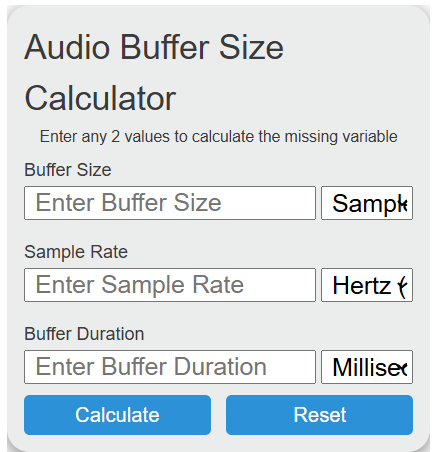
Calculate audio buffer size, sample rate, or buffer duration by entering any two values, with support for samples, Hz, kHz, ms, and seconds.
Related Calculators
- Samples Per Second To Hertz Calculator
- BPM to MS Calculator
- Notes Per Second Calculator
- Bps To Hz Calculator
- All Unit Converters
Audio Buffer Size Formula
The audio buffer size relationship uses buffer size in samples, sample rate in hertz, and buffer duration in milliseconds.
- BD = buffer duration in milliseconds
- BS = buffer size in samples
- SR = sample rate in hertz
The calculator lets you enter any two values and solves for the missing third value.
- To calculate buffer duration: enter buffer size and sample rate. The result tells you how many milliseconds of audio fit in one buffer.
- To calculate buffer size: enter sample rate and buffer duration. The result tells you how many samples are needed for that duration.
- To calculate sample rate: enter buffer size and buffer duration. The result tells you the sample rate that makes those two values match.
Common Sample Rates and Buffer Durations
These values show the approximate one-way buffer duration for common sample rates and buffer sizes. Actual audio latency can be higher because drivers, converters, plugins, and software processing can add extra delay.
| Buffer Size | 44.1 kHz | 48 kHz | 96 kHz |
|---|---|---|---|
| 64 samples | 1.451 ms | 1.333 ms | 0.667 ms |
| 128 samples | 2.902 ms | 2.667 ms | 1.333 ms |
| 256 samples | 5.805 ms | 5.333 ms | 2.667 ms |
| 512 samples | 11.610 ms | 10.667 ms | 5.333 ms |
| 1024 samples | 23.220 ms | 21.333 ms | 10.667 ms |
Typical Buffer Size Uses
| Buffer Size Range | Typical Use | Tradeoff |
|---|---|---|
| 32 to 128 samples | Live monitoring, recording vocals or instruments | Lower delay, higher CPU load |
| 256 to 512 samples | General recording, editing, light mixing | Balanced latency and stability |
| 1024 samples or higher | Mixing large sessions, mastering, playback | Higher delay, lower CPU stress |
Audio Buffer Size Examples
Example 1: Find buffer duration
You have a buffer size of 256 samples and a sample rate of 48 kHz.
The buffer duration is about 5.3333 milliseconds.
Example 2: Find buffer size
You want a buffer duration of 10 milliseconds at a sample rate of 44.1 kHz.
The required buffer size is 441 samples.
FAQ
What is audio buffer size?
Audio buffer size is the number of samples processed in one block by your audio system. A smaller buffer usually gives lower monitoring delay, but it requires the computer to process audio more often. A larger buffer gives the system more time to process audio, which can improve stability but increases delay.
Does a higher sample rate reduce buffer duration?
Yes, if the buffer size stays the same. For example, 256 samples at 48 kHz lasts 5.333 ms, while 256 samples at 96 kHz lasts 2.667 ms. The same number of samples passes faster at a higher sample rate.
Why is my real latency higher than the buffer duration?
The calculated buffer duration is only the time represented by one buffer. Real audio latency can also include input buffering, output buffering, audio interface conversion time, driver safety buffers, plugin delay, and processing inside the audio application.