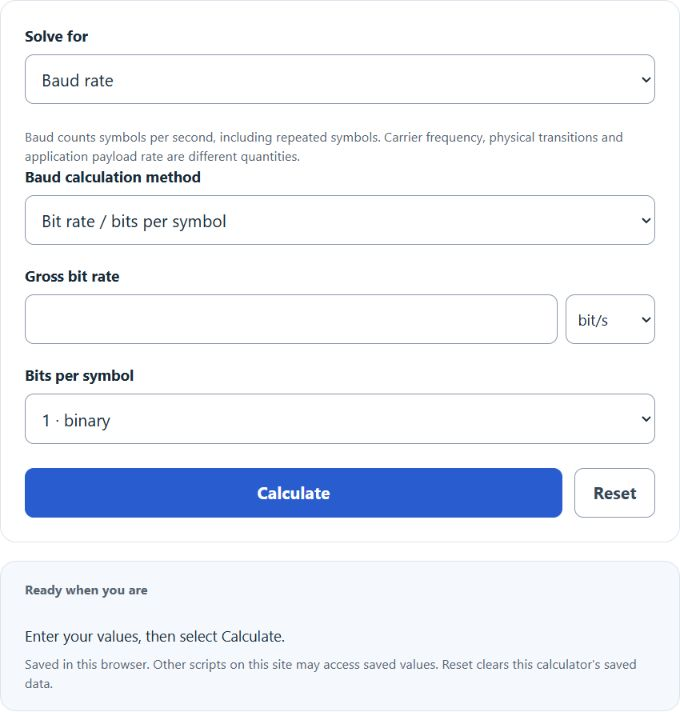
Calculate baud rate from bit rate and bits per symbol, plus serial throughput, transfer time, UART UBRR divisor and baud rate error from your clock.
Related Calculators
- Symbol Rate Calculator
- Crystal Oscillator Load Capacitance Calculator
- Bits Per Second Calculator
- Hertz to Bits Per Second Calculator
- Bits Per Second to Mbps Calculator
- Channel Capacity Calculator
- Shannon-Hartley Theorem Calculator
- All Unit Converters
Baud Rate Formula
The following formula is used to calculate a baud rate.
- Where BR is the baud rate (Bd, or symbols/s)
- BIR is the bit rate (bits/s)
- BPB is the number of bits per baud
To calculate baud rate, divide the bit rate by the number of bits per baud.
What is Baud Rate
Baud rate counts transmitted symbol intervals per second. Consecutive symbols can repeat without a physical state transition. One baud (Bd) equals one symbol per second; a carrier frequency or transition count is not automatically the symbol rate.
In binary serial communication such as UART, RS-232, RS-485, and SPI, each symbol carries exactly one bit, so baud rate and bit rate are numerically identical. In multi-level modulation schemes like QAM and PSK, each symbol encodes two or more bits, meaning the bit rate exceeds the baud rate by a factor equal to the bits per symbol. This distinction matters in RF, DSL, and cable systems but is irrelevant in the context of microcontroller serial interfaces, where baud rate and bit rate can be treated as synonymous.
Baud Rate vs Bit Rate
The relationship between baud rate and bit rate depends entirely on the modulation scheme in use. With binary modulation (one bit per symbol), the two values are equal. With more advanced modulation, bit rate is a multiple of baud rate. The table below shows how different modulation schemes multiply bit rate relative to baud rate.
| Modulation | Bits per Symbol | Bit Rate at 1,200 Baud | Example Use |
|---|---|---|---|
| Binary (OOK/BPSK) | 1 | 1,200 bps | UART, RS-232, RS-485 |
| QPSK | 2 | 2,400 bps | Illustrative QPSK mapping |
| 8-PSK | 3 | 3,600 bps | GSM EDGE radio |
| 16-QAM | 4 | 4,800 bps | LTE MCS tables |
| 64-QAM | 6 | 7,200 bps | Cable modems, 802.11n WiFi |
| 256-QAM | 8 | 9,600 bps | DOCSIS 3.0, 802.11ac WiFi |
| 1024-QAM | 10 | 12,000 bps | DOCSIS 3.1, 802.11ax (Wi-Fi 6) |
ITU V.22bis specifies 600 Bd with 16-state quadrature amplitude modulation for its 2,400 bit/s mode: four bits per symbol. As a separate mathematical example, uncoded 1024-QAM maps ten bits per symbol, so 5,000 Bd corresponds to 50,000 gross bit/s before coding and protocol overhead.
Standard Baud Rates
Many UART devices offer conventional rates such as 9,600, 19,200 and 115,200 Bd, while available custom rates depend on their clock and baud-generator design. This calculator’s register mode specifically models AVR UBRR: baud = fosc / [S × (UBRR + 1)]. The permitted clock mismatch depends on the actual device, oversampling, frame length and timing budget at both ends. The editable percentage criterion is not a guaranteed receiver limit.
| Baud Rate | Bit Period | Typical Application |
|---|---|---|
| 300 | 3,333 µs | Teletype, early acoustic modems |
| 1,200 | 833 µs | Legacy dial-up, utility meter reading |
| 2,400 | 417 µs | GPS NMEA (some configurations) |
| 4,800 | 208 µs | GPS NMEA standard, legacy RS-232 |
| 9,600 | 104 µs | Arduino default, RS-232, GSM modules, industrial sensors |
| 19,200 | 52 µs | RS-232 higher speed, Modbus RTU |
| 38,400 | 26 µs | Bluetooth SPP, some GPS receivers |
| 57,600 | 17.4 µs | Microcontroller data logging, some IMUs |
| 115,200 | 8.68 µs | ESP32/ESP8266 default, USB-UART bridges, firmware debug |
| 230,400 | 4.34 µs | IMU sensors, fast telemetry |
| 460,800 | 2.17 µs | Firmware flashing (ESP-IDF), high-speed UART |
| 921,600 | 1.09 µs | LiDAR sensors, industrial UART |
| 1,000,000 | 1.00 µs | OpenMV camera, high-speed ESP-IDF applications |
| 2,000,000 | 0.50 µs | Example high-rate setting; verify device and link |
Maximum usable rate and cable length depend on the transceiver, cabling, termination, noise and timing budget. Check the actual device and physical-link specifications; this arithmetic calculator does not establish a reliable distance/rate limit.
Serial Framing and Actual Throughput
Asynchronous serial protocols wrap every data byte in a frame consisting of a start bit, data bits, an optional parity bit, and one or more stop bits. This framing overhead directly reduces the proportion of transmitted bits that carry payload data. The most common configuration, 8N1 (8 data bits, no parity, 1 stop bit), transmits 10 bits for every 8 bits of payload, yielding 80% efficiency. A common misconception is equating baud rate directly with bytes per second: at 9,600 baud with 8N1 framing, the maximum payload throughput is 960 bytes per second, not 9,600.
| Frame Format | Bits per Frame | Payload Efficiency | Equivalent B/s at 9,600 Bd | Equivalent B/s at 115,200 Bd |
|---|---|---|---|---|
| 8N1 | 10 | 80.0% | 960 | 11,520 |
| 8N2 | 11 | 72.7% | 873 | 10,473 |
| 8E1 | 11 | 72.7% | 873 | 10,473 |
| 8O1 | 11 | 72.7% | 873 | 10,473 |
| 7E1 | 10 | 70.0% | 840 | 10,080 |
Application-layer protocols add further overhead beyond the serial frame. A Modbus RTU message on a 9,600 baud link includes device address (1 byte), function code (1 byte), data payload (variable), and CRC (2 bytes), so a response carrying 10 registers includes a byte-count field and consumes 25 bytes total for 20 bytes of register data. Actual useful throughput also depends on addressing, request/response timing and inter-frame delays. For non-eight-bit frames, equivalent B/s assumes packed payload bits; character-oriented transfers can use a different number of frames. The calculator rounds transfer time up to complete frames.
FAQ
A baud rate is the number of transmitted symbol intervals per second; repeated symbols need not cause a physical state change. Named after Emile Baudot, it measures the symbol rate of a transmitter. In binary serial communication (UART, RS-232), one symbol equals one bit, so baud rate and bit rate are numerically equal. In multi-level modulation schemes (QAM, PSK), each symbol carries multiple bits, making the bit rate higher than the baud rate.
Baud rate counts symbol intervals per second; bit rate counts bits per second. They are equal only when each symbol carries exactly one bit (binary modulation). In QPSK modulation, each symbol carries 2 bits, so the bit rate is double the baud rate. In 16-QAM, each symbol carries 4 bits, giving a bit rate four times the baud rate. For standard UART serial communication, the two values are identical because UART uses binary signaling.
Mismatched baud rates cause framing errors. The receiver samples at the wrong bit boundaries, producing corrupted data, framing error flags, or complete silence. UART hardware has no automatic rate negotiation; both ends must be manually configured to the same rate. The permitted mismatch depends on the device, frame format, oversampling and both clock tolerances. Consult the receiver datasheet; no single percentage guarantees error-free communication.
9,600 baud became the dominant default during the RS-232 era because it balanced speed and noise immunity on unshielded cables running several meters. The 104-microsecond bit period is long enough to survive significant cable capacitance and electromagnetic interference. The rate also divides cleanly from oscillator frequencies common in 1980s and 1990s hardware. Many industrial devices, GPS receivers, GSM modules, and legacy instruments still default to 9,600 baud to ensure maximum compatibility with older equipment in the field.
Maximum baud rate depends on the actual UART, transceiver, clock, framing, cable, termination and noise. Check the device and physical-link specifications rather than treating a generic rate/distance example as a guaranteed limit.