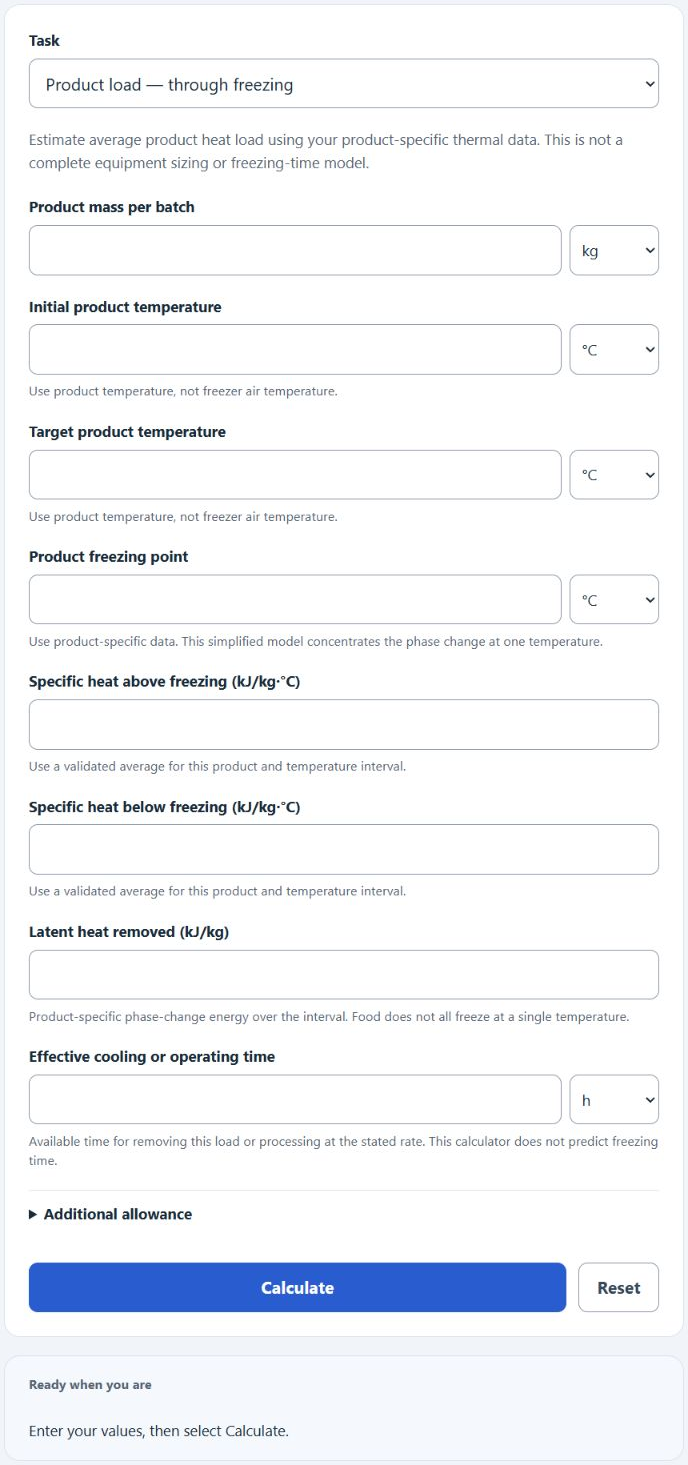
Estimate product heat load from mass, temperatures, product-specific properties and cooling time, or batch throughput from a known rate and time.
Related Calculators
- Holding Time Calculator
- Production Date Calculator
- Pasteurisation Units Calculator
- Moisture Ratio Calculator
- All Food and Cooking Calculators
Blast Freezer Capacity Formula
Choose product load through freezing, cooling unfrozen product, cooling already frozen product, or batch mass from a known rate.
Product load through freezing estimates average product heat load using constant specific heats and a single phase-change temperature. Start strictly above and finish strictly below that point. This does not predict achievable freezing time or total equipment capacity.
- m = product mass per batch (kg)
- Cp_above = specific heat above freezing (kJ/kg°C)
- Cp_below = specific heat below freezing (kJ/kg°C)
- L = latent heat of freezing (kJ/kg)
- Ti = initial product temperature (°C)
- Tf = final product temperature (°C)
- Tf_point = product freezing point (°C)
- t = effective available cooling time (hours)
- SF = safety factor or allowance (%)
Batch capacity mode multiplies a known freezing rate by a freezing time to give total throughput per cycle.
- Rate = freezing rate (kg/hour or lb/hour)
- Time = freezing time (hours)
Through-freezing mode adds three heat loads: sensible heat to cool the product to its freezing point, latent heat to convert water to ice, and sensible heat to bring the frozen product to the target. The result is divided by time and multiplied by the allowance to give kW. Cooling-only tasks omit latent heat and use the appropriate specific heat over the full entered interval; choose them only when no phase change occurs. Batch mode gives mass output at a verified constant rate.
Illustrative Product Properties and Allowances
The legacy values below are illustrative assumptions, not validated data for every food in each category. They are no longer calculator presets. Enter product-specific properties for the actual temperature interval; measured enthalpy data are preferable.
| Product | Cp above (kJ/kg°C) | Cp below (kJ/kg°C) | Latent (kJ/kg) | Freeze point (°C) |
|---|---|---|---|---|
| Meat / poultry | 3.2 | 1.7 | 250 | -1.5 |
| Fish / seafood | 3.6 | 1.9 | 270 | -1.0 |
| Vegetables / fruit | 3.8 | 1.9 | 300 | -1.0 |
| Bakery / prepared | 2.7 | 1.4 | 180 | -2.0 |
| Water / ice | 4.18 | 2.1 | 334 | 0 |
The output is product heat load plus your entered allowance (blank means zero). An allowance does not establish that omitted loads are covered. The percentages below illustrate margin sizes, not recommendations or guarantees for the listed conditions.
| Allowance | Illustrative percentage | Loads to assess separately |
|---|---|---|
| Light | 10% | Well-insulated room, infrequent door use |
| Standard | 15 to 20% | Fans, lights, packaging, normal door cycles |
| Heavy | 25 to 30% | Frequent loading, warm ambient, racks and trolleys |
Worked Example
For an arithmetic example, assume 500 kg of product from +5°C to −18°C in 8 available cooling hours, using the table’s illustrative meat properties and a 15% allowance. These assumptions must be validated for a real product.
Sensible heat above freezing: 500 × 3.2 × (5 − (−1.5)) = 10,400 kJ
Latent heat: 500 × 250 = 125,000 kJ
Sensible heat below freezing: 500 × 1.7 × (−1.5 − (−18)) = 14,025 kJ
Total heat removed: 149,425 kJ
Base capacity: 149,425 ÷ (8 × 3600) = 5.19 kW
With 15% allowance: 5.19 × 1.15 = 5.97 kW average product load with allowance.
FAQ
Why does the calculator split heat load into three parts?
Freezing is not a linear process. Removing sensible heat above the freezing point, removing latent heat to form ice crystals, and cooling the frozen mass each take different amounts of energy per degree. Latent heat is by far the largest of the three for most foods.
Does the result include room and infiltration loads?
No. The sizing output covers product load plus the safety factor you enter. Door openings, wall transmission, fans, lights, and people loads should be added separately for final equipment selection.
When should I use batch capacity mode instead?
Use batch mode when the manufacturer has given you a freezing rate in kg/hour or lb/hour and you want to know the total mass per cycle. Use a product-load task when you have suitable thermal-property data, mass, temperatures and available cooling time. A complete refrigeration load and heat-transfer assessment is still needed.
What freezing time should I use?
Use a validated process time for the product thickness, packaging, airflow, temperatures and equipment. Account for loading, unloading and defrost consistently. This calculator does not establish a safe freezing time or guarantee the target core temperature.