Count backward from a date by calendar or business days with inclusive or exclusive rules, configurable weekends, custom holidays, and an audit breakdown.
Related Calculators
- Date Calculator
- Days To End Of Year Calculator
- Hotel Days Calculator
- Length of Employment Calculator
- All Everyday Life and Education Calculators
Counting Back Days Formula
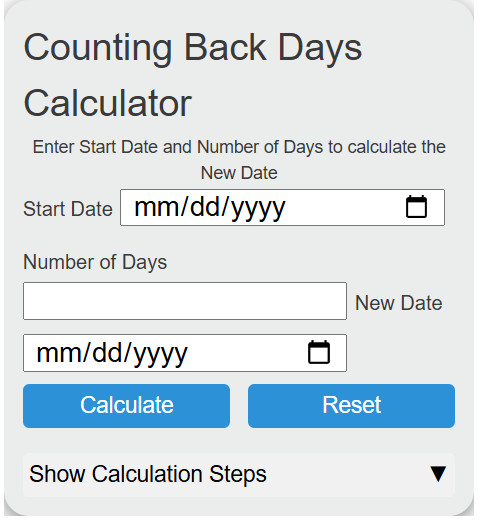
The calculator uses date arithmetic to count backward from a start date, find the original start date, or calculate the number of days between two dates. You should enter exactly two fields and leave the field you want to calculate blank.
- Start Date: The date you are counting backward from.
- Number of Days: The whole number of calendar days to count backward or between dates.
- New Date: The date that results after counting backward.
If you enter a start date and number of days, the calculator subtracts the days to find the new date. If you enter a new date and number of days, it adds the days back to find the start date. If you enter both dates, it calculates the absolute number of calendar days between them.
Common Day Counts for Counting Backward
| Days Counted Back | Common Use | Meaning |
|---|---|---|
| 1 day | Yesterday | Moves to the previous calendar date. |
| 7 days | One week ago | Same weekday in the previous week. |
| 14 days | Two weeks ago | Useful for two-week periods and deadlines. |
| 30 days | About one month ago | A fixed 30-day period, not always the same as one calendar month. |
| 365 days | One year ago in days | A fixed 365-day period. Leap years may affect the matching calendar date. |
Calendar Counting Notes
| Situation | How to Interpret It |
|---|---|
| Counting back 0 days | The new date is the same as the start date. |
| Counting back 1 day | The result is the date before the start date. |
| Crossing a month boundary | The calculator handles different month lengths automatically. |
| Crossing a leap day | February 29 is included when it falls within the counted range. |
Examples
Example 1: Count back from a start date
You enter a start date of 2026-06-19 and a number of days of 10.
The new date is 2026-06-09.
Example 2: Find the number of days between two dates
You enter a start date of 2026-06-19 and a new date of 2026-06-01.
The number of days is 18.
FAQ
Does the calculator include the start date as one of the counted days?
No. It subtracts the number of days from the start date. For example, counting back 1 day from June 19 gives June 18. Counting back 0 days gives June 19.
Can this be used across months and years?
Yes. The calculation works across month ends, year ends, and leap years. For example, counting back from January into December of the previous year is handled as normal calendar date arithmetic.
Why do I need to leave one field blank?
The calculator needs exactly two known values to calculate the third. Enter the start date and days to find the new date, enter the new date and days to find the start date, or enter both dates to find the number of days between them.