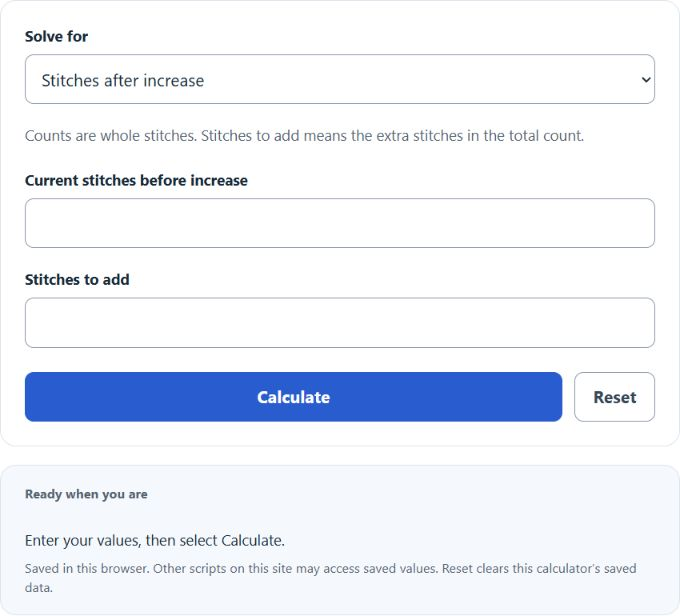
Calculate crochet increase by finding current stitches, stitches to add, or the new stitch count after increase from any two values.
Related Calculators
- Crochet Decrease Calculator
- Stitches Per Inch Calculator
- Grams to Yards Yarn Calculator
- Scarf Length Calculator
- Knitting Needle Size Calculator
- All Everyday Life and Education Calculators
Crochet Increase Formula
The crochet increase calculator uses the relationship between your current stitch count, the number of stitches you add, and the new stitch count after the increase.
- CI = new stitch count after the increase
- CS = current number of stitches
- IS = number of stitches to add
If you know the current stitch count and the number of stitches to add, the calculator finds the new stitch count:
If you know the new stitch count and the number of added stitches, the calculator finds the original current stitch count:
If you know the current stitch count and the new stitch count, the calculator finds how many stitches must be added:
Select the value you want to calculate, then enter the two known counts. Stitch counts must be whole numbers, since crochet stitches are counted individually.
Common Crochet Increase Counts
These examples show how adding a set number of stitches changes the total stitch count.
| Current Stitches | Stitches Added | New Stitch Count |
|---|---|---|
| 12 | 6 | 18 |
| 18 | 6 | 24 |
| 24 | 8 | 32 |
| 30 | 10 | 40 |
| 36 | 12 | 48 |
Increase Spacing Reference
For a positive number of single-stitch increases, divide the current stitch count by the number of increases to estimate spacing in the original stitches. The stitch receiving the increase is included in that interval. No spacing calculation is needed when no stitches are added. Follow the pattern for placement.
| Current Stitches | Increases Needed | Approximate Spacing |
|---|---|---|
| 24 | 6 | Increase about every 4 stitches |
| 30 | 6 | Increase about every 5 stitches |
| 36 | 9 | Increase about every 4 stitches |
| 40 | 8 | Increase about every 5 stitches |
Example Crochet Increase Calculations
Example 1: Find the new stitch count
You currently have 32 stitches and need to add 8 stitches.
The new stitch count is 40 stitches.
Example 2: Find how many stitches to add
You have 48 stitches and the pattern says the next round should have 60 stitches.
You need to add 12 stitches.
Crochet Increase Calculator FAQ
What does “increase” mean in crochet?
An increase means you add stitches to a row or round. This is usually done by working more than one stitch into the same stitch or space. For example, making 2 single crochet stitches into one stitch adds 1 extra stitch.
Can this calculator tell me where to place the increases?
This calculator finds the number of stitches before or after increasing. It does not automatically place the increases in a pattern. To space increases evenly, divide your current stitch count by the number of increases you need, then spread them as evenly as possible across the row or round.
Why did the calculator give a negative result warning?
A negative result means the numbers do not work for an increase. For example, if your current stitch count is greater than the new stitch count, you are decreasing, not increasing. Check that the final stitch count is larger than or equal to the current stitch count.