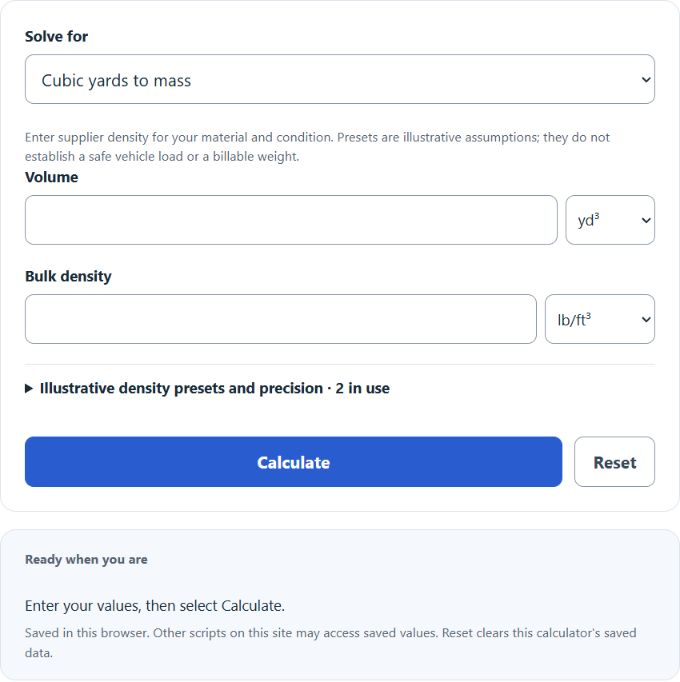
Calculate the weight in tons from any volume in cubic yards for gravel, sand, topsoil, concrete, and more using a supplied bulk density for the material and condition.
- All Unit Converters
- Cubic Feet To Cubic Inches Converter Calculator
- Cubic Feet To Cubic Yards Converter Calculator
- Cubic Feet To Feet Converter Calculator
- Cubic Feet To Gallons Converter Calculator
- Cubic Inches To Inches Converter Calculator
- Cubic Inches To Liters Converter Calculator
- Cubic Inches To Square Inches Converter Calculator
- Cubic Yards To Square Feet Converter Calculator
- Cubic Yards To Square Yards Converter Calculator
- Cubic Yards To Yards Converter Calculator
Cubic Yards to Tons Formula
Cubic yards measure volume and tons measure weight, so you cannot convert between them without knowing how heavy the material is. That weight per unit volume is the density. The calculator uses density to bridge the two units.
To go from volume to weight in US tons:
T = CY * D * 27 / 2000
To go from weight in US tons back to volume:
CY = T * 2000 / (D * 27)
For metric tonnes, convert pounds to kilograms with the exact factor 0.45359237, then divide by 1000:
MT = CY * D * 27 * 0.45359237 / 1000
- T = weight in US tons
- MT = weight in metric tonnes
- CY = volume in cubic yards
- D = material density in pounds per cubic foot (lb/ft3)
- 27 = cubic feet in one cubic yard
- 2000 = pounds in one US ton
- 1 metric tonne = 1000 kilograms; 1 pound = 0.45359237 kilograms exactly
The solve-for selector picks the direction. Choose cubic yards to tons when you know the volume and want the weight, or tons to cubic yards when you know the weight and want the volume. Enter D in pounds per cubic foot, kilograms per cubic meter, or US short tons per cubic yard. The optional preset menu supplies illustrative starting assumptions from the earlier calculator, not verified product densities. Choosing one fills the editable density; the value shown in that field is always used. The decimal option controls rounding only and does not change the math.
Material Density Reference
These are illustrative assumptions retained from the earlier calculator, including both dry and wet conditions. The entire preset table has not been validated as supplier data. Moisture, compaction and particle size change bulk density; enter a measured or supplier value for the actual product and condition. The US tons per cubic yard column is what you multiply your cubic yards by.
| Material | Density (lb/ft3) | US tons per cubic yard |
|---|---|---|
| Mulch (bark) | 18 | 0.24 |
| Dirt / fill | 75 | 1.01 |
| Gravel (loose, dry) | 85 | 1.15 |
| Sand (dry) | 90 | 1.22 |
| Topsoil | 100 | 1.35 |
| Gravel (dry, 1/4 to 2 in) | 105 | 1.42 |
| Sand (damp to wet) | 110 | 1.49 |
| Gravel (wet) | 125 | 1.69 |
| Concrete | 145 | 1.96 |
Example Problems
Example 1. You order 6 cubic yards of dry gravel at a density of 105 lb/ft3. Multiply 6 by 105 by 27 to get 17,010 pounds. Divide by 2000 and the load weighs about 8.51 US tons. Multiply the same 17,010 pounds by 0.45359237 and divide by 1000 to get about 7.72 metric tonnes.
Example 2. A supplier quotes you 4 tons of topsoil and you want to know the volume. Assume the supplier gives a bulk density of 100 lb/ft3, equivalent to 1.35 US short tons per cubic yard. Using the reverse formula, multiply 4 tons by 2000 to get 8,000 pounds, then divide by 100 times 27, which is 2,700. The result is about 2.96 cubic yards.
Frequently Asked Questions
Why do I need to pick a material? A cubic yard is a fixed volume, but different materials pack different amounts of mass into that space. A cubic yard of mulch weighs a few hundred pounds while a cubic yard of concrete weighs close to two tons. A material label alone does not establish its bulk density. Use the supplier value for what you are actually moving; presets are illustrative starting assumptions.
How accurate are the preset densities? They are illustrative legacy assumptions, not validated specifications. Actual bulk density changes with moisture, packing and particle size. Ask the supplier for the bulk density of the actual product and condition. Use actual weighing and appropriate professional checks for billing, loading or structural work.
Is a ton here a US ton or a metric tonne? The main result is shown in US short tons of 2000 pounds, with metric tonnes of exactly 1000 kilograms listed alongside it. When you convert from weight back to volume, use the weight unit selector to tell the calculator which ton you are starting from so the volume comes out right.