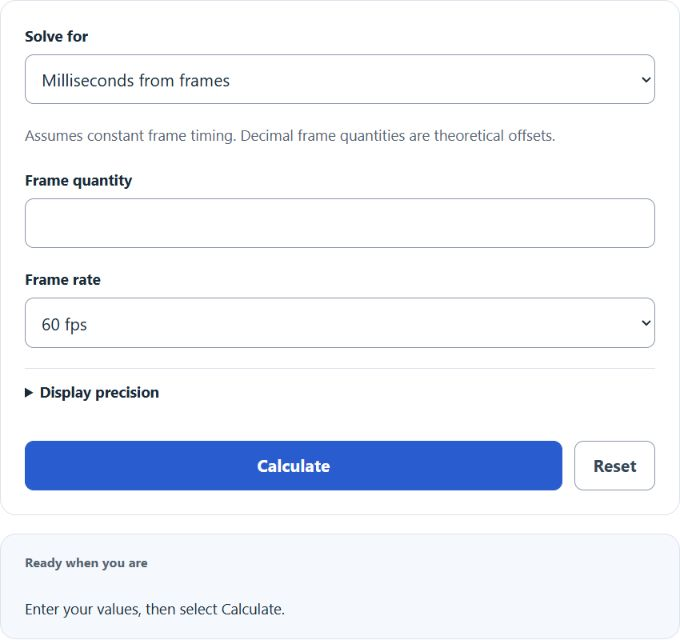
Calculate milliseconds from frames and constant FPS, or solve for frames or average FPS. Time inputs support milliseconds, seconds and minutes. Fractional presets use exact 1000/1001 rates; custom FPS is literal.
Frames to Milliseconds Formula
Where MS is the time in milliseconds, F is the number of frames, and FPS is the frame rate in frames per second. To reverse the conversion (milliseconds to frames), use F = (MS / 1000) * FPS.
Frame Time Reference for Common Frame Rates
At a constant frame rate, one frame spans 1000/FPS milliseconds. The table gives selected common rates and examples of use; it is not an exhaustive list of standards or device requirements.
| Frame Rate | ms per Frame | Frames in 1 s | Primary Use |
|---|---|---|---|
| 15 fps | 66.67 ms | 15 | Security cameras, low-bandwidth webcams |
| 23.976 fps | 41.71 ms | 23.976 | NTSC-compatible film transfer (3:2 pulldown) |
| 24 fps | 41.67 ms | 24 | Cinema worldwide, digital cinema (DCI) |
| 25 fps | 40.00 ms | 25 | PAL/SECAM broadcast (Europe, Asia, Africa) |
| 29.97 fps | 33.37 ms | 29.97 | NTSC broadcast television (North America, Japan) |
| 30 fps | 33.33 ms | 30 | Web video, streaming, mobile video |
| 48 fps | 20.83 ms | 48 | High frame rate cinema (HFR) |
| 50 fps | 20.00 ms | 50 | PAL slow-motion, European sports broadcast |
| 59.94 fps | 16.68 ms | 59.94 | NTSC high-definition broadcast |
| 60 fps | 16.67 ms | 60 | Console gaming, YouTube, streaming |
| 90 fps | 11.11 ms | 90 | VR headsets (one supported target) |
| 120 fps | 8.33 ms | 120 | Competitive gaming, VR, slow-motion capture |
| 144 fps | 6.94 ms | 144 | PC gaming monitors (144 Hz panels) |
| 165 fps | 6.06 ms | 165 | PC gaming monitors (165 Hz panels) |
| 240 fps | 4.17 ms | 240 | High-end esports monitors, smartphone slow-mo |
| 360 fps | 2.78 ms | 360 | Esports monitors (360 Hz panels) |
| 480 fps | 2.08 ms | 480 | Ultra-high-end competitive monitors |
| 960 fps | 1.04 ms | 960 | Smartphone super slow-motion (Samsung, Sony) |
Why Frame Rates Are Not Round Numbers
Rates like 23.976 and 29.97 fps exist because of the transition from black-and-white to color television in the 1950s. The original NTSC broadcast standard used exactly 30 fps, locked to the 60 Hz power grid in North America. When color information was added to the signal, engineers needed to avoid interference between the color subcarrier frequency and the audio carrier. The solution was to slow the frame rate by a factor of 1000/1001, turning 30 fps into 29.97 fps and 24 fps into 23.976 fps. This 0.1% difference means that 29.97 fps content runs about 3.6 seconds slower per hour compared to true 30 fps, a difference that matters when syncing timecode to wall-clock time.
PAL regions (Europe, most of Asia, Africa, and Australia) adopted 25 fps, locked directly to their 50 Hz power grid. Because 25 divides evenly into whole seconds, PAL never needed a drop-frame timecode workaround.
Drop Frame vs. Non-Drop Frame Timecode
At 29.97 fps, counting every frame sequentially causes the timecode to drift from real time by about 3.6 seconds per hour. Drop-frame timecode compensates by skipping frame numbers 00 and 01 at the start of every minute, except every tenth minute. No actual video frames are dropped; only the counter labels change. This keeps the timecode aligned with clock time to within a few frames over 24 hours. Non-drop timecode counts every frame number in order and is simpler for editing, but the displayed time will not match wall-clock duration. Drop-frame timecodes are written with semicolons (01:00:00;00) while non-drop uses colons (01:00:00:00).
| Frames to Time | Time to Frames |
|---|---|
| 1 frame = 33.33 ms | 0.5 s = 15 frames |
| 2 frames = 66.67 ms | 1 s = 30 frames |
| 3 frames = 100 ms | 2 s = 60 frames |
| 5 frames = 166.67 ms | 5 s = 150 frames |
| 10 frames = 333.33 ms | 10 s = 300 frames |
| 15 frames = 500 ms | 15 s = 450 frames |
| 30 frames = 1 s | 30 s = 900 frames |
| 60 frames = 2 s | 1 min = 1,800 frames |
| 150 frames = 5 s | 2 min = 3,600 frames |
| 300 frames = 10 s | 5 min = 9,000 frames |
| Formulas: Time (ms) = Frames / FPS x 1000; Frames = FPS x Time (s). Table assumes FPS = 30. | |
| Frames to Time | Time to Frames |
|---|---|
| 1 frame = 16.67 ms | 0.25 s = 15 frames |
| 2 frames = 33.33 ms | 0.5 s = 30 frames |
| 3 frames = 50 ms | 1 s = 60 frames |
| 5 frames = 83.33 ms | 2 s = 120 frames |
| 10 frames = 166.67 ms | 5 s = 300 frames |
| 30 frames = 500 ms | 10 s = 600 frames |
| 60 frames = 1 s | 30 s = 1,800 frames |
| 120 frames = 2 s | 1 min = 3,600 frames |
| 240 frames = 4 s | 2 min = 7,200 frames |
| 600 frames = 10 s | 5 min = 18,000 frames |
| Formulas: Time (ms) = Frames / FPS x 1000; Frames = FPS x Time (s). Table assumes FPS = 60. | |
Frame Time in Gaming and Input Lag
A game delivering frames evenly at60fps has a16.67ms frame interval; at144fps the interval is6.94ms, and at240fps it is4.17ms. End-to-end input latency also includes input sampling, simulation, render queues, display processing and scanout. These can overlap and vary by system; the calculator does not measure their combined delay.
Human response times vary with the task, stimulus and person. Converting a response interval to frames does not predict an individual player’s reaction time or competitive performance.
Frames to Milliseconds in Video Editing and Subtitles
Video editors commonly place cuts and keyframes on timeline frame boundaries. Subtitle formats such as SRT use millisecond timestamps, so frame-to-time conversion helps align cues. For example,2frames at30fps span about66.67ms. Whether an offset is noticeable depends on the material and viewing conditions.
Audio tools also measure time in samples: at48,000Hz one sample spans about0.02083ms. Video timelines count frames. Converting both to a common time unit helps synchronization, but the calculator does not assign a universal threshold of perceptible A/V offset.
Animation Timing and Frame Duration
Traditional hand-drawn animation is produced at 24 fps but not every frame is a unique drawing. Animating “on ones” means a new drawing every frame (41.67 ms per drawing). Animating “on twos” holds each drawing for 2 frames (83.33 ms per drawing), and “on threes” holds for 3 frames (125 ms). Most theatrical animation mixes these approaches: fast action scenes use ones for smooth motion, while slower scenes use twos to reduce workload without a visible quality loss. Modern digital animation in tools like Toon Boom Harmony, Adobe Animate, or Blender’s Grease Pencil still follows this convention.
In 3D animation and motion graphics rendered at 30 or 60 fps, frame duration directly controls the speed of easing curves. A 10-frame ease-in at 30 fps lasts 333 ms, producing a noticeably different feel than the same 10-frame ease-in at 60 fps (167 ms), which appears snappier. Animators converting projects between frame rates must scale their keyframe timing by the ratio of the new rate to the old rate to preserve the intended pacing.
VR and Motion Sickness Thresholds
VR frame-rate targets depend on the headset and application. Meta lists72,80,90 and120Hz for several Quest models, so90fps is not a universal minimum. Maintain consistent frame delivery at the selected target. Frame duration alone does not measure total motion-to-photon latency or guarantee comfort; fit, locomotion and visual-motion mismatch also matter. See Meta’s rendering guidance and comfort guidance.
Example Calculation
A video editor needs to place a subtitle 120 frames into a 29.97 fps timeline. The calculation: MS = (120 / (30000/1001)) x 1000 = 4,004.0 ms, or about 4.004 seconds. In an SRT subtitle file, this would be written as 00:00:04,004. If the same project were re-conformed to 25 fps for PAL broadcast, those 120 frames would land at (120 / 25) x 1000 = 4,800.0 ms, or 4.800 seconds, shifting the subtitle nearly 800 ms later in the timeline.