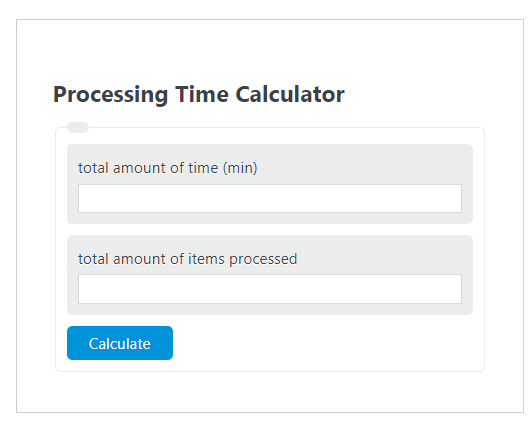
Calculate total processing time, items processed, or time per item from any two values in seconds, minutes, or hours, with results in selected units.
- All Math and Numbers Calculators
- Cycle Time Calculator
- Throughput Time Calculator
- Process Cycle Efficiency Calculator
Processing Time Formula and Meaning
Processing time is the average amount of time required to complete one item. This metric is useful in manufacturing, order fulfillment, packaging, data entry, document handling, claims processing, and other repetitive workflows where you know the total time spent and the total number of completed items.
- PT = processing time per item
- T = total processing time for the batch or period
- IP = total items processed
A lower processing time means each item is completed faster. A higher processing time means more time is required per item. For accurate results, the total time and item count must refer to the same batch, shift, or observation window.
Rearranged Formulas
If you already know the processing time per item, the relationship can be rearranged to find total time or total output.
This makes the calculator useful for three common planning tasks:
- Finding the average time needed for one item
- Estimating how long a known batch will take
- Estimating how many items can be processed in a fixed amount of time
How to Calculate Processing Time
- Measure the total active processing time.
- Count the total number of completed items during that same period.
- Make sure the time unit is consistent with the result you want, such as seconds, minutes, or hours per item.
- Divide total time by total items processed.
- Interpret the answer as average time per item, not necessarily the exact time for every individual item.
If your process includes setup, waiting, inspection, or downtime, decide in advance whether those activities should be included. Including them gives a broader “fully loaded” average; excluding them gives a pure active processing average. Either approach can be valid as long as it is applied consistently.
Unit Conversions
Processing time is usually expressed as seconds per item, minutes per item, or hours per item. Choose the unit that best matches the speed of the process.
| Process Type | Best Unit | Typical Reason |
|---|---|---|
| Fast repetitive tasks | Seconds per item | Easier to compare short task durations |
| Moderate workflows | Minutes per item | Useful for team, machine, or batch planning |
| Long-form processes | Hours per item | Helpful for large jobs or low-volume operations |
Examples
Example 1: A process runs for 40 minutes and completes 300 items.
The average processing time is 8 seconds per item.
Example 2: A team averages 12 seconds per item and needs to complete 500 items. Convert the processing time to minutes if you want the final answer in minutes.
The batch will require 100 minutes of processing time.
Example 3: A station operates for 3 hours and averages 15 seconds per item. First convert total time to seconds, then solve for output.
At that pace, the station can process 720 items in 3 hours.
Processing Time vs. Throughput
Processing time and throughput describe the same workflow from opposite directions. Processing time tells you how long one item takes. Throughput tells you how many items are completed in a unit of time.
When R is measured in items per minute, the reciprocal gives minutes per item. This is helpful when moving between production targets and time-per-item benchmarks.
Common Mistakes to Avoid
- Mixing units: dividing minutes by items and then interpreting the result as seconds per item without converting.
- Using the wrong time window: total time and item count must come from the same period.
- Counting planned items instead of completed items: the output value should reflect actual processed units.
- Ignoring downtime rules: include or exclude waiting, setup, and interruptions consistently.
- Dividing by zero: if no items were processed, processing time cannot be calculated.
Practical Uses of Processing Time
- Estimating staffing needs for a shift
- Comparing operator or machine performance
- Setting realistic production targets
- Identifying slow steps in a workflow
- Projecting completion time for incoming orders or batches
- Tracking efficiency improvements over time
Interpreting the Result
The result from the calculator is an average. If a process has high variability, some items may take much less time and others much more. For process improvement, it is often helpful to pair average processing time with defect rate, downtime, queue time, and throughput so you can see whether speed improvements are sustainable and whether they affect quality.
Frequently Asked Questions
Does processing time include waiting time?
If you want pure active processing time, exclude waiting. If you want a broader operational average, include waiting and delays. The key is to define the scope clearly and use the same rule every time.
Is lower processing time always better?
Usually yes, but only when quality, safety, and accuracy remain acceptable. A faster process that creates more rework may not be an improvement.
Can this calculator be used for services as well as physical products?
Yes. “Items” can represent orders, tickets, claims, forms, packages, transactions, or any countable unit of work.
What if multiple people or machines work in parallel?
You can still calculate average processing time for total output. Just make sure the total time and total items reflect the same combined operation.