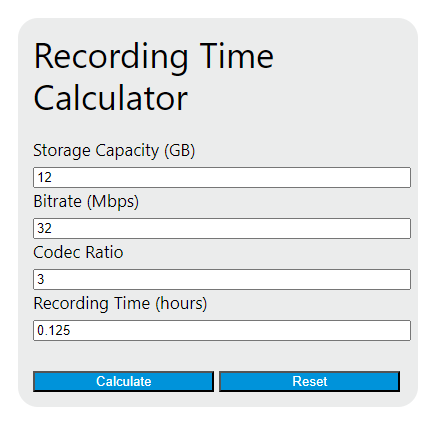
Calculate audio or video recording time from storage capacity and bitrate, or solve for required storage or bitrate with stream count, decimal and binary units, and usable-capacity planning.
- All Unit Converters
- Call Recording Storage Calculator
- Audio Delay Calculator
- Audio File Size Calculator
Recording Time Formula
The recording time calculator estimates how long a storage device can capture audio or video when you know the available capacity, the stream bitrate, and the codec ratio. This version uses decimal storage units, which means the capacity input is treated as manufacturer-rated gigabytes.
In this relationship, storage capacity is converted from gigabytes to megabits, then divided by the effective bitrate, and finally converted from seconds to hours.
| Variable | Description | Unit |
|---|---|---|
| RT | Total recording time available | hours |
| SC | Storage capacity of the card, drive, or media | GB |
| BR | Nominal recording bitrate | Mbps |
| CR | Codec ratio multiplier applied to the bitrate | dimensionless |
If you already know the actual stream bitrate for your recorder or camera, set the codec ratio to 1. A higher bitrate or higher codec ratio increases data use and reduces the total recording time.
Rearranged Forms
Because the calculator can solve for any one missing value, the same equation can be rearranged to find storage capacity, bitrate, or codec ratio.
How to Use the Calculator
- Enter the storage capacity in gigabytes.
- Enter the bitrate in megabits per second.
- Enter the codec ratio if you want to adjust the nominal bitrate; otherwise use 1.
- Leave the field you want solved blank.
- Calculate the result and interpret the answer in hours of continuous recording.
This is useful for SD cards, SSDs, DVR and NVR storage planning, podcast capture, body cameras, dash cams, field recorders, and long-form surveillance systems.
Quick Planning Shortcut
For one hour of recording, the required storage can be simplified into a compact planning formula.
This means each 1 Mbps of effective bitrate consumes 0.45 GB per hour. Multiply that hourly storage value by the number of hours you want to retain.
| Bitrate | Codec Ratio | Storage per Hour |
|---|---|---|
| 1 Mbps | 1.0 | 0.45 GB/hour |
| 5 Mbps | 1.0 | 2.25 GB/hour |
| 8 Mbps | 1.0 | 3.60 GB/hour |
| 10 Mbps | 1.0 | 4.50 GB/hour |
| 25 Mbps | 1.0 | 11.25 GB/hour |
| 50 Mbps | 1.0 | 22.50 GB/hour |
| 100 Mbps | 1.0 | 45.00 GB/hour |
Example Calculations
If a recorder has 256 GB of storage and captures at 8 Mbps with a codec ratio of 1, the expected recording time is:
If you need 6 hours of recording at 25 Mbps with a codec ratio of 1, the storage required is:
Important Notes
- Use the correct bitrate. Audio-only devices are often specified in kbps, not Mbps. Convert by dividing by 1000 before entering the value. For example, 128 kbps becomes 0.128 Mbps.
- Use total bitrate for multiple streams. If you are recording several cameras, tracks, or channels, add their bitrates together before calculating.
- Variable bitrate changes storage use. For VBR media, use the average bitrate for a typical estimate or a higher planning value for extra safety.
- Leave free space. Real systems may reserve some capacity for formatting, metadata, indexing, file system overhead, or loop-recording behavior.
- GB and GiB are not the same. A device sold as 128 GB can appear slightly smaller in an operating system that reports binary units, so real-world time may differ slightly from the estimate.
- Higher quality means shorter duration. Increasing resolution, frame rate, bit depth, or audio quality usually increases bitrate and reduces the total hours you can store.
Why Recording Time Changes
Recording duration is controlled by a simple tradeoff: more storage increases time, while more data per second decreases time. Small changes in bitrate can have a large effect on long recordings, which is why bitrate planning is important for event coverage, security retention targets, livestream backup, and portable media capture.
Use this calculator when you need a fast estimate for how long a card or drive will last, how large a drive should be for a target retention period, or what bitrate ceiling fits within a fixed storage budget.