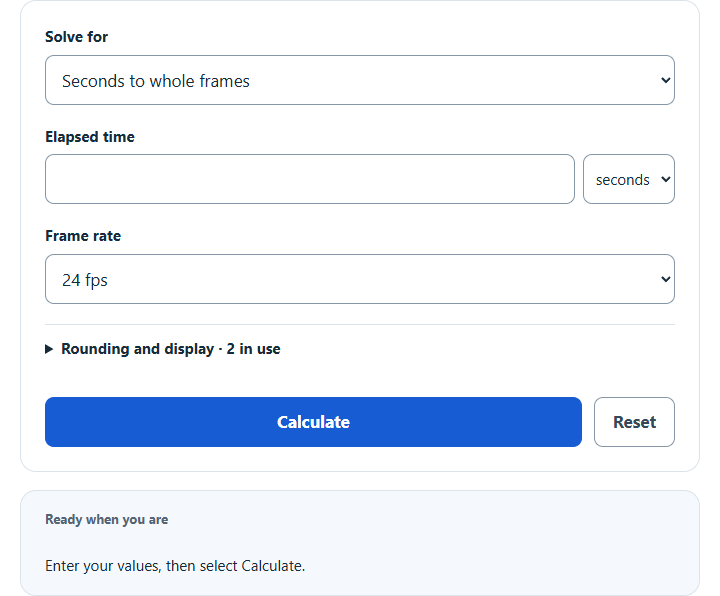
Convert seconds to frames at 24, 25, 30, 60 fps or any frame rate, or convert frames back to seconds. Enter time in seconds or minutes.
- All Unit Converters
- BPM to FPS Calculator
- Decimals To Time Calculator
- bps To Hz Calculator
- Unit Ratio Calculator
Seconds to Frames Formula
The following relations convert elapsed seconds to a frame amount, reverse a whole frame count to elapsed seconds, or solve an average frame rate. A fractional frame amount requires a rounding choice before it becomes a whole count.
F = S × FPS; S = F ÷ FPS; FPS = F ÷ S. Use a positive FPS for the first two relations and positive frames and seconds when solving FPS. This is elapsed wall-clock duration, not SMPTE drop-frame or non-drop-frame timecode numbering.
Variables:
- F is the unrounded frame amount when converting seconds, or an entered whole frame count for the inverse calculations
- S is the time in seconds
- FPS is the frame rate in frames per second
To calculate frames from seconds, multiply elapsed seconds by FPS. Choose nearest (an exact half rounds up), down or up for the whole count. Frames-to-seconds accepts zero frames; solving a positive FPS requires positive frames and seconds. The calculator accepts whole frame counts up to 9,007,199,254,740,991 and rejects unsupported numerical overflow or underflow.
What is Seconds to Frames Conversion?
Seconds to frames conversion translates elapsed time into a mathematical frame amount at a chosen constant or average rate. In video editing, animation, motion graphics, and other timeline-based workflows, timing is often measured in frames instead of seconds. The product need not be a whole number: the whole-frame rounding convention determines the count used for an edit point. This conversion does not decode timecode labels or recover individual frame timing from variable-rate media.
The calculator includes 24, 25, 30, 50, 60 and 120 fps, exact fractional presets 24000/1001, 30000/1001 and 60000/1001 fps, and a custom decimal rate. Short labels such as 23.976, 29.97 and 59.94 approximate those fractional presets; entering a custom 29.97 means exactly 2997/100 fps and gives a slightly different result from 30000/1001. Use the rate specified by the source media or timeline. FFmpeg’s official video-rate documentation identifies 24000/1001 and 30000/1001 presets, and Adobe’s XMP documentation represents 29.97 using the rational rate f30000s1001.
How to Calculate Seconds to Frames?
The following steps outline how to convert seconds to frames.
- Choose the conversion mode. For seconds to frames, enter elapsed seconds (S); for the inverse modes, enter a whole frame count and the other required value.
- For either fixed-rate conversion, choose the source FPS preset or enter its custom decimal rate. The default is 24 fps; it is a selectable convention, not a measurement of your media.
- Apply the relation for the selected mode. For seconds to whole frames, choose nearest, down or up in Rounding and display.
- Read the whole count or converted value together with the exact frame amount, elapsed clock display, frame time and expandable reference table. Display precision is 0–6 decimal places; it does not change the exact arithmetic. The clock independently rounds to milliseconds, with hours continuing past 24.
Seconds to Frames Conversion Table
The table below shows unrounded mathematical frame amounts for 10 elapsed seconds. The two fractional presets are shown as exact fractions with decimal approximations. At default nearest rounding, their whole counts are 300 and 599; using down gives 299 and 599, while up gives 300 and 600.
| Frame Rate | Seconds | Frames |
|---|---|---|
| 24 fps | 10 | 240 |
| 25 fps | 10 | 250 |
| 30000/1001 fps | 10 | 300000/1001 ≈ 299.700300 |
| 30 fps | 10 | 300 |
| 50 fps | 10 | 500 |
| 60000/1001 fps | 10 | 600000/1001 ≈ 599.400599 |
| 60 fps | 10 | 600 |
Understanding this conversion makes it easier to compare elapsed timing across editing software, animation tools, and playback systems. Use an exact fractional preset when that is the actual media rate, and distinguish the unrounded frame amount from the whole count. Drop-frame timecode changes the numbering convention; this calculator does not apply that separate convention.
Example Problem:
Use the following variables as an example problem to test your knowledge.
Time (S) = 10 seconds
Frame Rate (FPS) = 24 fps
Frames (F) = 240