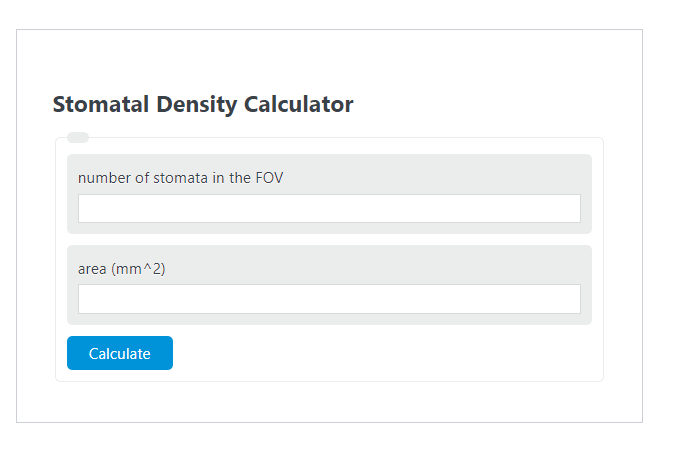
Calculate stomatal count, area, or density from two known values with unit conversions for mm², cm², m², in², and ft², plus step-by-step results.
- All Biology Calculators
- All Density Calculators
- Planting Density Calculator
- Field of View Calculator
Stomatal Density Formula
Stomatal density measures how many stomata are present within a known leaf area. If you know the stomata count and the sampled field-of-view area, density is found by dividing count by area.
| Symbol | Meaning | Practical Use |
|---|---|---|
| Ds | Stomatal density | Number of stomata per unit area |
| S | Stomata count | Total stomata counted in the field of view |
| A | Area | Measured area of the field of view |
This calculator can solve for any one of the three variables when the other two are known.
Rearranged Equations
Use these versions when you need to solve for stomata count or sampled area instead of density.
How to Use the Calculator
- Count the number of stomata visible in the microscope field of view.
- Enter the area for that same field of view.
- Select the correct area and density units.
- If one variable is unknown, enter the other two and calculate.
The most important rule is consistency: the count and area must come from the same image, magnification, and calibrated field of view.
Examples
Example 1: Solve for stomatal density
If 365 stomata are counted in an area of 3 mm2, then:
Example 2: Solve for stomata count
If stomatal density is 150 stomata/mm2 over an area of 4 mm2, then:
Example 3: Solve for sampled area
If 90 stomata are counted and density is 45 stomata/mm2, then:
How to Interpret the Result
- Higher density means more stomata are packed into the same area.
- Lower density means stomata are more widely spaced.
- The result is most useful when comparing leaves, surfaces, treatments, or microscope images measured the same way.
Accuracy Tips
- Use a calibrated field-of-view area rather than an estimate.
- Count multiple fields of view and average the densities for a more representative result.
- Apply the same counting rule for edge stomata in every image.
- Do not mix area units and density units without converting them consistently.
- Record magnification and image scale so results can be reproduced later.
Common Mistakes
- Entering total leaf area instead of the microscope field-of-view area.
- Using a stomata count taken from one image and an area taken from another.
- Forgetting to change units after switching from mm2 to cm2, m2, in2, or ft2.
- Rounding too early when comparing small differences between samples.
Why Stomatal Density Matters
Stomatal density is a simple but useful microscopy metric for describing leaf surface structure. It helps convert a raw count into a normalized value, making comparisons meaningful across different image sizes and sampling areas.
Frequently Asked Questions
What is a good number of fields of view to sample?
More than one field of view is usually better than relying on a single image, especially when stomata are unevenly distributed.
What if I only know density and area?
Enter those two values and the calculator can solve for the missing stomata count.
Can I use units other than mm2?
Yes. The calculator supports multiple area and density units, but the selected units should match the way you want the result reported.