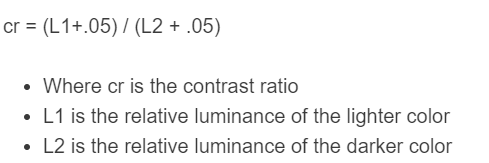
Calculate contrast ratio or missing relative luminance with this calculator from light and dark color values using (L1 + 0.05) / (L2 + 0.05).
- All Miscellaneous Calculators
- Scale Resolution Calculator (Resolution to Scale Conversion)
- Resolution Calculator
Contrast Ratio Formula
Contrast ratio compares two relative luminances using the WCAG definition. L1 is the lighter value and L2 is the darker value; both are dimensionless numbers from 0 to 1.
- CR = contrast ratio, written CR:1
- L1 = lighter relative luminance
- L2 = darker relative luminance
The same relationship can be solved for either luminance:
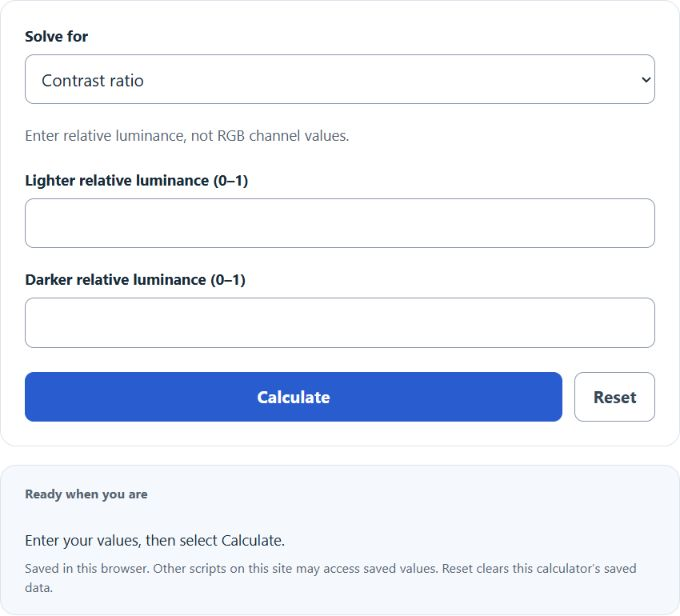
Choose the value to solve for and enter the other two. Relative luminance is not a raw RGB channel or a brightness percentage. Equal luminances produce 1:1; black and white produce the maximum 21:1.
Example Relative Luminance Values
| Darker luminance | Contrast ratio | |
|---|---|---|
| 0 | 0 | 1:1 |
| 0.05 | 0 | 2:1 |
| 0.175 | 0 | 4.5:1 |
| 0.3 | 0 | 7:1 |
| 1 | 0 | 21:1 |
How Inputs Affect Contrast
| Effect on result | |
|---|---|
| Increase lighter luminance | Raises contrast when darker luminance stays fixed |
| Increase darker luminance | Lowers contrast when lighter luminance stays fixed |
| Equal luminance values | Produces 1:1 contrast |
| Both luminances zero | Produces 1:1 contrast; the 0.05 offset prevents division by zero |
| Raise the requested ratio | May require a luminance outside the permitted 0–1 range |
Example Problems
Example 1: Calculate contrast ratio
The lighter luminance is 0.4 and the darker luminance is 0.05.
The contrast ratio is 4.5:1.
Example 2: Solve for lighter luminance
The desired ratio is 7:1 against a darker luminance of 0.
The required lighter relative luminance is 0.3.
FAQ
Why is an inverse luminance answer sometimes impossible?
Relative luminance cannot be negative or exceed 1. A chosen ratio may be impossible against the known luminance. Reduce the requested ratio or adjust the known luminance; the calculator reports the constraint instead of returning an invalid color value.
What contrast ratio does text need?
WCAG 2.2 generally uses 4.5:1 for AA text contrast and 3:1 for large text. Enhanced AAA text contrast generally uses 7:1 and 4.5:1 respectively. Exceptions and other accessibility requirements apply. Compare the unrounded result to the threshold; a ratio just below 4.5 does not qualify by rounding up.
Does this ratio certify a design as accessible?
No. This calculation checks supplied relative luminances only. Text size, exceptions, actual foreground and background colors, and other accessibility requirements still need review. Use the actual color values to obtain relative luminance before entering it here.