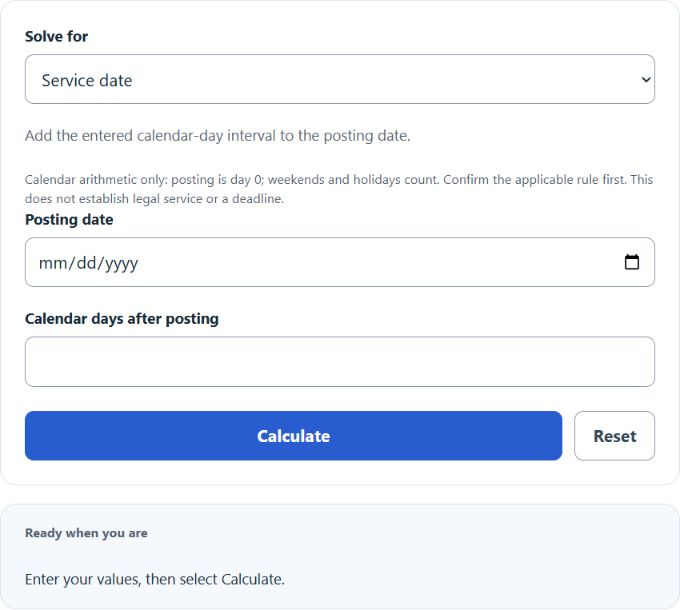
Perform calendar-day arithmetic from a posting date and entered interval, or find the posting date or interval between two dates. Confirm that this counting model matches the applicable rule; the result does not establish legal service or a deadline.
- All Miscellaneous Calculators
- Date Calculator
- Days From Today Calculator
- Contract Date Calculator
- Filing Date Calculator
- Days Overdue Calculator
Date Of Deemed Service Formula
This calculator uses simple calendar-day counting, not a jurisdiction-specific deemed-service rule. The posting date is day 0, and the model service date adds the entered calendar-day interval. It does not evaluate document type, service method, time cutoffs or court orders. For example, England and Wales CPR 6.14 uses the second business day for claim forms, while CPR 6.26 contains other method-specific rules.
- Ds = date of deemed service
- Dp = date of posting
- N = number of calendar days for service
The calculator can work in three directions:
- Find the date of deemed service: enter the date of posting and the number of days. The calculator adds the days to the posting date.
- Find the number of days for service: enter the date of posting and the deemed service date. The calculator counts the calendar days between them.
- Find the date of posting: enter the deemed service date and the number of days. The calculator subtracts the days from the deemed service date.
Calendar-Day Counting Reference
Use this table to check how the posting date is treated when the posting date is day 0.
| Posting Date | Days for Service | Counting Method | Deemed Service Date |
|---|---|---|---|
| 2026-01-01 | 0 | Same day | 2026-01-01 |
| 2026-01-01 | 1 | Next calendar day | 2026-01-02 |
| 2026-01-01 | 2 | Two calendar days after posting | 2026-01-03 |
| 2026-01-01 | 7 | Seven calendar days after posting | 2026-01-08 |
Different courts, tribunals, agencies, and contracts may use different rules for deemed service. Some rules count business days, exclude weekends or holidays, or apply special rules when service would fall on a non-working day.
| Rule Type | How It Affects the Date | Handled by This Calculator? |
|---|---|---|
| Calendar-day rule | Counts every day, including weekends and holidays. | Yes |
| Business-day rule | Counts only working days. | No |
| Weekend or holiday adjustment | May move the service date to the next working day. | No |
Example Calculations
Example 1: Find the date of deemed service
You post a document on 2026-03-10. The rule says service is deemed 2 calendar days after posting.
The date of deemed service is 2026-03-12.
Example 2: Find the number of days for service
The date of posting is 2026-04-05. The date of deemed service is 2026-04-08.
The number of days for service is 3 calendar days.
FAQs
Is the posting date counted as day 1?
No. This calculator treats the posting date as day 0. If you enter 2 days for service, the deemed service date is 2 calendar days after the posting date.
Does the calculator skip weekends or public holidays?
No. It counts every calendar day. Saturdays, Sundays and holidays remain included. Use the actual applicable rule to determine service; a manual shift of this arithmetic result may not reproduce a business-day or method-specific rule.
Can the deemed service date be before the posting date?
No. If you are calculating the number of days for service, the deemed service date must be the same as or later than the posting date. Otherwise, the result would be a negative number of days.