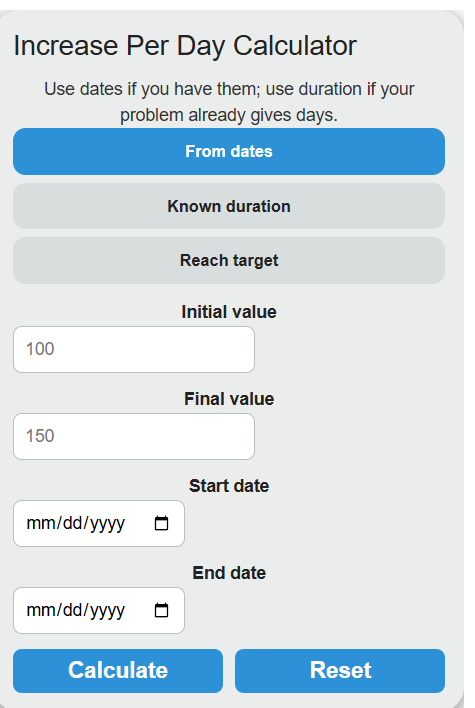
Calculate increase per day from two values and a date range or duration, days needed to reach a target, and the projected value after any number of days.
Related Calculators
- Net Change Calculator
- Average Slope Calculator
- Reverse Average Calculator
- Queries Per Second Calculator
- All Math and Numbers Calculators
Increase Per Day Formula
The calculator uses one of three formulas depending on the mode you pick.
From dates and known duration both compute the average daily change:
Reach target solves for the days needed at a fixed daily change:
The simple daily percent and the compound daily rate are also reported:
- Initial: starting value at the start date or day 0.
- Final: ending value at the end date or after the duration.
- Days: elapsed time in days. Weeks, months, and years are converted using 7, 30.4375, and 365.25.
- Target: value you want to reach.
- Current: value you are starting from.
- Daily increase: the per-day change you plan to apply.
The From dates tab counts days between the two calendar dates for you. The Known duration tab is for word problems where the time span is already given. The Reach target tab inverts the formula to tell you how long a known daily change takes to close the gap, and adds the projected date if you supply a start date.
Reference Tables
Use these to sanity check a result or convert between rates.
| Time span | Days used | Multiply daily by |
|---|---|---|
| 1 week | 7 | 7 |
| 1 month | 30.4375 | 30.44 |
| 1 quarter | 91.31 | 91.31 |
| 1 year | 365.25 | 365.25 |
| Initial | Final | Days | Per day | Simple % / day |
|---|---|---|---|---|
| 100 | 150 | 10 | +5 | +5% |
| 500 | 650 | 30 | +5 | +1% |
| 1,000 | 1,200 | 365 | +0.548 | +0.0548% |
| 200 | 170 | 15 | -2 | -1% |
Examples and FAQ
Example 1. A subscriber count goes from 4,200 on March 1 to 5,040 on March 31. That is 30 days. Increase per day = (5,040 – 4,200) / 30 = 28 subscribers per day. Simple percent per day = 28 / 4,200 = 0.667% per day.
Example 2. You weigh 180 lb and want to reach 200 lb at 0.25 lb per day. Days = (200 – 180) / 0.25 = 80 days. Starting today, the target date is 80 days out.
Should I use simple or compound daily rate? Use simple when the change is added in fixed amounts, like a steady daily gain. Use compound when the value grows on top of itself, like interest or population. The compound rate is only defined when both initial and final values are positive.
Why does the calculator use 30.4375 days for a month? That is the average month length over a 4 year cycle (365.25 / 12). It avoids bias from picking a 30 or 31 day month.
Can the increase be negative? Yes. If the final value is below the initial, the per-day result is negative and the status shows “Decreasing.” In the target tab, a negative daily change is valid only if your target is below the current value.
Does the date range include both endpoints? No. The day count is the difference between the two dates, so March 1 to March 31 is 30 days, not 31. If your problem counts both endpoints, add one day to the end date.