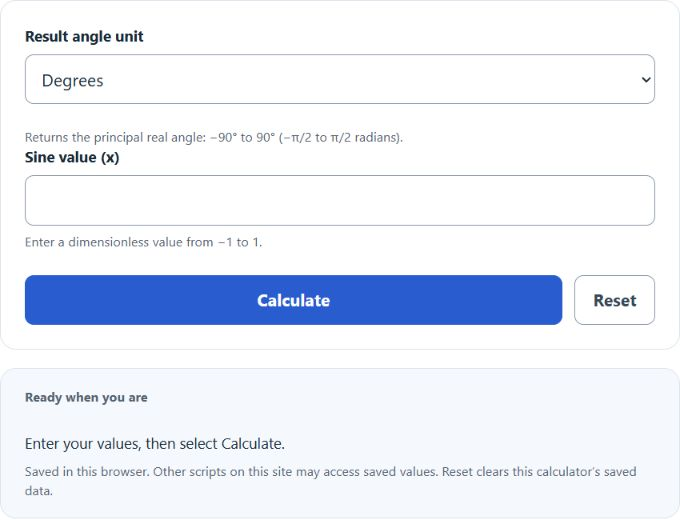
Calculate inverse sine (arcsin) from x values between -1 and 1 and get the result in degrees or radians, with calculation steps shown.
Understanding the Inverse Sine Calculator
The inverse sine calculator finds the angle that corresponds to a known sine value. Enter a number from -1 to 1, choose whether you want the answer in degrees or radians, and the calculator returns the principal angle.
This is useful when you know a ratio or sine result and need the original angle. In right-triangle terms, inverse sine is used when the opposite side and hypotenuse are known.
Quick Facts
| Item | Details |
|---|---|
| Accepted input | Any real number from -1 to 1 |
| Output in degrees | From -90° to 90° |
| Output in radians | From about -1.5708 to 1.5708 |
| What it returns | The principal angle whose sine equals the entered value |
| Typical uses | Triangle solving, physics, engineering, surveying, graphics |
How to Use the Calculator
- Enter a value between -1 and 1.
- Select degrees or radians.
- Click calculate.
- Read the returned principal angle.
If your input is outside the allowed range, there is no real inverse sine value.
Common Input Values
| Sine Value (approx.) | Angle (Degrees) | Angle (Radians) | Note |
|---|---|---|---|
| -1.0000 | -90° | -1.5708 | Lowest real output |
| -0.8660 | -60° | -1.0472 | Special-angle value |
| -0.7071 | -45° | -0.7854 | Special-angle value |
| -0.5000 | -30° | -0.5236 | Special-angle value |
| 0.0000 | 0° | 0.0000 | Center of the principal range |
| 0.5000 | 30° | 0.5236 | Special-angle value |
| 0.7071 | 45° | 0.7854 | Special-angle value |
| 0.8660 | 60° | 1.0472 | Special-angle value |
| 1.0000 | 90° | 1.5708 | Highest real output |
Why the Calculator Returns Only One Angle
Many different angles can share the same sine value, but inverse sine returns only the principal angle. For example, a sine value of 0.5 matches 30° and 150°, yet the inverse sine result is 30° because the standard output range is restricted to -90° through 90°.
Common Mistakes
| Mistake | What to Know |
|---|---|
| Entering a value greater than 1 or less than -1 | Inverse sine has no real result outside that interval |
| Confusing degrees and radians | Check the selected mode before reading the answer |
| Expecting every possible angle | The calculator returns only the principal angle |
| Confusing inverse sine with a reciprocal | Inverse sine finds an angle; it does not divide 1 by sine |
Where Inverse Sine Is Used
- Finding an angle in a right triangle from side measurements
- Calculating elevation or incline angles
- Resolving forces and motion in physics
- Surveying, navigation, and construction layout
- Computer graphics and geometry calculations
Helpful Notes
If you already know the opposite side and hypotenuse, first compute the ratio and then apply inverse sine. If you know adjacent and hypotenuse instead, cosine is usually the better starting point. If you know opposite and adjacent, tangent is often more direct.