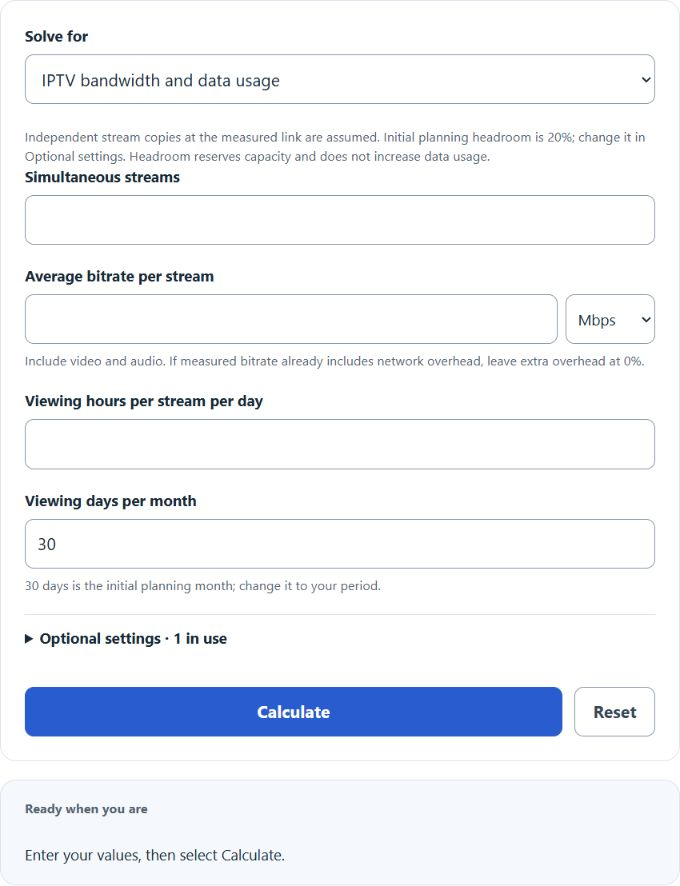
Use the IPTV Calculator to estimate the internet bandwidth and data required for Internet Protocol Television streaming. Calculate bandwidth for multiple simultaneous streams, monthly IPTV data usage, recommended connection capacity, or the maximum number of IPTV streams a connection can support.
- All Miscellaneous Calculators
- Video File Size Calculator
- Recording Time Calculator
- Bandwidth Per User Calculator
- Bandwidth Contention Ratio Calculator
- Bits Per Second Calculator
IPTV Bandwidth Formula
The bandwidth required for IPTV depends primarily on the bitrate of each stream and the number of streams being watched simultaneously.
- BT is the total IPTV media bitrate
- N is the number of simultaneous IPTV streams
- BS is the average bitrate of each stream
For example, three simultaneous streams averaging 8 Mbps each require a combined media bitrate of:
IPTV Bandwidth With Transfer Overhead
If an additional transfer-overhead allowance is included, multiply the media bitrate by one plus the overhead percentage expressed as a decimal.
- BO is the estimated transferred bandwidth
- BT is the total media bitrate
- O is the entered transfer-overhead percentage
If the bitrate supplied by the IPTV provider or measurement already represents the complete transferred stream, the overhead field can be left at 0%.
Recommended IPTV Connection Bandwidth
The calculator can optionally add bandwidth headroom above the estimated IPTV traffic. This does not represent additional IPTV data consumption. Instead, it provides extra connection capacity for bitrate variation, network fluctuations, and other traffic.
- BR is the recommended planning bandwidth
- BO is the estimated transferred IPTV bandwidth
- H is the selected bandwidth-headroom percentage
IPTV Data Usage Formula
Bitrate can also be converted into estimated data consumption. Since bitrate is measured in bits per second and file or data usage is normally measured in bytes, divide by 8 when converting bits to bytes.
For a bitrate expressed in Mbps, the approximate decimal gigabytes transferred per hour are:
This can be simplified to:
- DH is data transferred per hour in GB
- B is the transferred bitrate in Mbps
Therefore, an 8 Mbps IPTV stream uses approximately 3.6 GB per hour before adding any additional transfer-overhead allowance.
Monthly IPTV Data Usage Formula
To estimate monthly IPTV data consumption, multiply the hourly data rate by the number of streams, average viewing hours per day, and viewing days per month.
- DM is monthly IPTV data usage
- DH is hourly data usage for one stream
- N is the number of streams
- T is average viewing hours per stream per day
- D is viewing days per month
Maximum IPTV Streams Formula
If the available internet bandwidth is known, the calculator can estimate how many simultaneous IPTV streams can fit within that capacity.
- Nmax is the maximum number of whole simultaneous streams
- C is the available connection bandwidth
- BP is the planned bandwidth required per stream after the selected overhead and headroom settings
The result is rounded down because a connection must have enough planned capacity for the entire additional stream.
What Is IPTV?
IPTV stands for Internet Protocol Television. It refers to television and related multimedia services delivered using IP-based networks rather than being transmitted solely through traditional terrestrial broadcast, satellite, or conventional cable television systems.
IPTV can include live television channels, video-on-demand, audio, interactive services, and other multimedia content. From a network-planning perspective, an IPTV stream behaves as a continuous flow of digital data with a bitrate that determines how much network capacity and data transfer it requires.
How to Use the IPTV Calculator
The calculator has two primary modes.
Calculate IPTV Bandwidth and Data Usage
- Choose IPTV bandwidth and data usage.
- Enter the maximum number of IPTV streams that may play simultaneously.
- Enter the average bitrate of one stream.
- Enter the average viewing hours per stream per day.
- Enter the number of viewing days per month.
- Optionally adjust transfer overhead, bandwidth headroom, or add a monthly data cap.
- Click Calculate to estimate required bandwidth and data consumption.
Calculate Maximum Simultaneous IPTV Streams
- Choose Maximum simultaneous IPTV streams.
- Enter the average bitrate of one IPTV stream.
- Enter the bandwidth available to IPTV.
- Adjust the optional overhead and headroom settings if desired.
- Click Calculate to estimate the maximum number of complete streams the connection can support.
IPTV Calculation Example
Suppose a household wants to run three IPTV streams simultaneously, with each stream averaging 8 Mbps.
The combined media bitrate is:
If no additional transfer overhead is entered, the IPTV traffic is approximately 24 Mbps.
If 20% bandwidth headroom is selected, the planning estimate for the internet connection becomes:
Therefore, the calculator would suggest planning for at least 28.8 Mbps of connection capacity for those three streams under the selected assumptions.
At 8 Mbps, one stream transfers approximately:
If all three streams average five viewing hours per day for 30 days, the estimated monthly data usage is:
This is approximately 1.62 TB per month.
How Bitrate Affects IPTV Bandwidth
Bitrate measures how much digital information is transmitted each second. A higher IPTV bitrate directly increases both the instantaneous bandwidth requirement and the amount of data transferred during viewing.
For example, doubling a stream from 5 Mbps to 10 Mbps doubles its theoretical network bandwidth and approximately doubles the amount of data transferred over the same viewing period.
Resolution alone does not determine bitrate. The actual bitrate can also depend on the codec, frame rate, compression settings, image complexity, audio bitrate, provider configuration, and whether the service uses constant or variable bitrate encoding.
IPTV Data Usage Per Hour
The following table shows the theoretical decimal data usage produced by several example constant bitrates before any additional transfer overhead is added.
| Stream Bitrate | Approx. Data Per Hour | Approx. Data Per 5 Hours |
|---|---|---|
| 2 Mbps | 0.90 GB | 4.50 GB |
| 5 Mbps | 2.25 GB | 11.25 GB |
| 8 Mbps | 3.60 GB | 18.00 GB |
| 10 Mbps | 4.50 GB | 22.50 GB |
| 15 Mbps | 6.75 GB | 33.75 GB |
| 25 Mbps | 11.25 GB | 56.25 GB |
These values are mathematical bitrate conversions rather than recommended bitrates for particular resolutions. The actual bitrate used by an IPTV service should be entered whenever it is known.
IPTV Bandwidth vs. Internet Speed
IPTV bandwidth is the portion of network capacity being consumed by the television streams. Internet connection speed describes the total capacity available to IPTV and every other application sharing the connection.
A household may therefore have enough theoretical bandwidth for IPTV while still experiencing problems when other devices are downloading files, participating in video calls, gaming, backing up data, or performing other bandwidth-intensive activities.
The calculator’s optional headroom setting can be used to plan for extra connection capacity beyond the calculated IPTV stream load.
Why Actual IPTV Data Usage Can Vary
The calculator assumes the bitrate entered by the user represents the average bitrate over the viewing period. Actual IPTV traffic can vary because many modern video systems do not transmit at one perfectly constant bitrate.
Factors that can change the actual bandwidth or data consumed include:
- Adaptive bitrate streaming
- Variable bitrate encoding
- Video codec and compression efficiency
- Video resolution and frame rate
- Audio bitrate
- Transport and protocol overhead
- Retransmitted data caused by network problems
- Provider-specific encoding and delivery methods
Unicast vs. Multicast IPTV Bandwidth
The calculator is most directly useful for household, subscriber-link, unicast, and endpoint capacity planning where each simultaneously received stream requires its own stream bandwidth at the point being evaluated.
Managed IPTV networks can also use multicast delivery. With multicast, multiple viewers requesting the same channel can share a single stream across portions of the provider network instead of requiring a completely separate copy of that stream across every shared link.
Because of this, a simple number-of-viewers multiplied by bitrate formula should not automatically be used to size every part of a large multicast IPTV distribution network. Network topology, channel concurrency, multicast groups, redundancy, and provider architecture can materially change the required capacity.
IPTV and Monthly Data Caps
IPTV can account for a significant amount of monthly internet data when several streams are watched for many hours each day. If an internet plan has a monthly data allowance, enter it in Optional settings. Leave it blank to omit the comparison; zero means no allowance.
The calculator compares estimated monthly IPTV data usage with the entered data cap and reports the percentage of the allowance consumed, the estimated amount remaining, or the amount by which usage would exceed the cap.
FAQ
What does IPTV stand for?
IPTV stands for Internet Protocol Television. It describes television and related multimedia services delivered using IP-based networks.
How do you calculate IPTV bandwidth?
Multiply the average bitrate per stream by the number of simultaneous streams. For example, three 8 Mbps streams have a combined media bitrate of 24 Mbps.
How much data does 1 Mbps of IPTV use per hour?
At a constant 1 Mbps, the mathematical data transfer is approximately 0.45 GB per hour using decimal units. Actual traffic can differ depending on the bitrate behavior and additional overhead.
How much data does an 8 Mbps IPTV stream use?
A constant 8 Mbps stream transfers approximately 3.6 GB per hour before any additional transfer overhead is included.
Do two IPTV streams require twice the bandwidth?
At the subscriber connection, two separate streams with the same bitrate generally require twice the stream bandwidth. Provider-side multicast networks can behave differently because viewers of the same multicast stream may share delivery across portions of the network.
Why should I leave extra bandwidth above the IPTV requirement?
Other devices and applications can share the internet connection, and real-world throughput can fluctuate. Additional capacity can therefore provide more room for other traffic and bitrate variation. The calculator lets you choose the amount of planning headroom rather than assuming one universal value.
Does 4K IPTV always use the same bitrate?
No. Bitrate can differ substantially between providers and streams depending on codec, compression, frame rate, image complexity, audio settings, and other encoding choices. Enter the actual or expected stream bitrate when possible.
Does IPTV use data when the TV is not streaming?
The calculator estimates video-stream data only for the viewing time entered. A device or service may still exchange smaller amounts of background data for menus, guides, updates, authentication, telemetry, or other functions.
Can this calculator estimate IPTV server or CDN bandwidth?
It can provide a basic unicast bandwidth estimate by treating each simultaneous stream as a separate bitrate load. Large IPTV or CDN deployments can require more detailed modeling for adaptive bitrate ladders, multicast delivery, peak concurrency, redundancy, cache behavior, regional distribution, and network overhead.