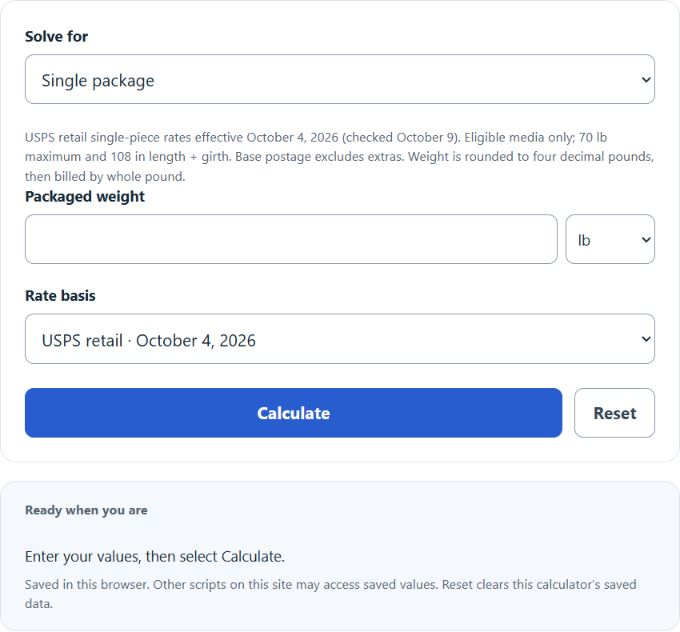
Calculate USPS retail Media Mail base postage from packaged weight, identical packages, or a one-package budget using the table effective October 4, 2026. Custom base and added-pound estimates remain available.
Related Calculators
- Stamps Per Weight Calculator
- Shipping Cost Per Pound Calculator
- Package Girth Calculator
- Chargeable Weight Calculator
- Label Size Calculator
- All Everyday Life and Education Calculators
Media Mail Formula
The default calculator uses the USPS retail single-piece Media Mail table effective October 4, 2026, verified October 9, 2026. Official tier increments are not constant. For a custom estimate only, use a base price plus an added price for each billable pound after the first. Base postage excludes extras; contents and size must qualify.
| Symbol | Meaning | Units |
|---|---|---|
| C | Base postage (official table or custom estimate) | dollars |
| W | Total packaged weight | pounds |
| B | Price for a shipment up to 1 lb | dollars |
| A | Custom added price per billable pound after the first | dollars per pound |
Weight is expressed in pounds rounded to four decimals, then charged at the next whole-pound tier, with a one-pound minimum. Packages must physically weigh no more than 70 lb. Official postage uses the tier table; the custom model uses the entered base and added-pound prices.
Reverse Formula for Estimating Weight
If you know the mailing cost and want to estimate the shipment weight instead, the same model can be rearranged:
This gives the maximum whole-pound billable tier within a custom budget, not a unique measured weight. For official rates, select the largest table tier whose price fits the budget. Below minimum postage no positive-weight package is funded; a zero custom increment permits up to 70 lb when the base price is affordable.
How to Use the Calculator
- Select the official USPS table or the explicitly labeled custom estimate.
- For a custom estimate, enter the base and added-pound prices.
- Select single package, identical packages, or maximum weight within a one-package budget, then enter the requested values.
- Select or type the weight in the unit you have available: pounds, ounces, kilograms, or grams.
- Review the result as an estimate and confirm the final postage using your current mailing rules and accepted package contents.
Weight Conversion Reference
If your scale does not report pounds directly, convert the measured value before applying the formula.
These conversions are especially helpful when the package is weighed on a kitchen scale, postal scale, or digital shipping scale that uses metric units.
Example Estimate
Using sample rate inputs, suppose the base price is $3.00 and the additional charge is $0.60 per pound above 1 pound. If the packaged shipment weighs 6.5 lb, the estimate is:
The package bills at 7 lb. Six added-pound increments cost $3.60, giving a custom total of $6.60. This sample is not the current USPS table.
What Generally Qualifies as Media Mail
Media Mail is intended for eligible educational and recorded media rather than ordinary merchandise. Typical qualifying categories include the following:
- Books and other bound reading material that meet the printed-page requirement
- Printed music and sheet music
- Sound recordings such as CDs or records
- Prerecorded video media such as DVDs and similar formats
- Other prerecorded informational or instructional media that fits the service rules
Items That Commonly Cause Eligibility Problems
- General merchandise packed with the media item
- Blank recording media or empty storage media
- Advertising or promotional inserts beyond limited incidental content
- Non-media accessories, gifts, or bundled add-ons
Because content eligibility affects whether a package can be mailed at the Media Mail rate, it is important to check that the shipment truly fits the service category before relying on the estimate.
Tips for More Accurate Estimates
- Weigh the entire packaged shipment, including the box, filler, tape, and label.
- Check the effective date of the official table before mailing; custom rate inputs do not automatically update it.
- Use one weight unit consistently to reduce conversion mistakes.
- Enter measured packaged weight. The calculator applies four-decimal-pound rounding and whole-pound billing.
- For multiple packages, enter a whole count of identical-weight pieces; otherwise calculate each piece separately.
Common Questions
What happens if the package weighs less than 1 lb?
The estimate stays at the base-price value because the shipment has not exceeded the first-pound threshold.
Why can the calculator estimate weight from cost?
The budget mode selects an affordable whole-pound tier. Official prices come from a table; a postage amount does not determine one unique actual weight.
Why might the final postage differ from the estimate?
Differences usually come from outdated rate inputs, packaging weight, rounding rules, or contents that do not qualify for the mailing category.