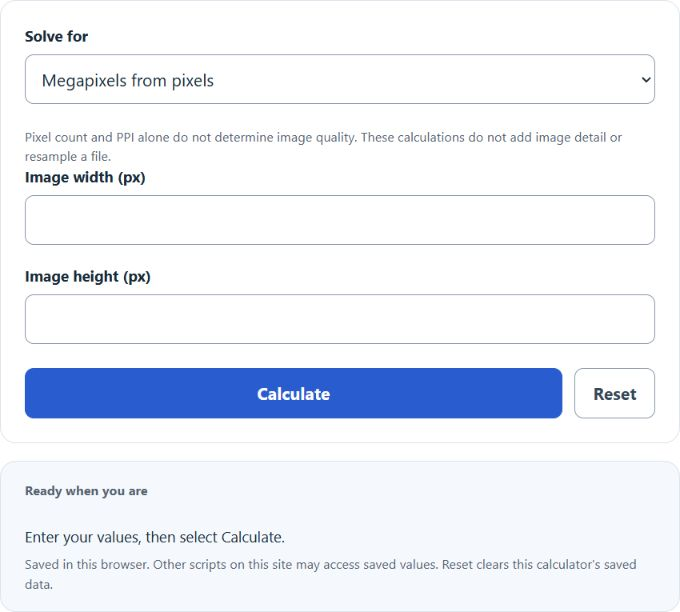
Calculate megapixels from image dimensions, find pixel dimensions from megapixels and aspect ratio, or convert pixels and PPI to print size.
Megapixel Formula
The megapixel value of an image, screen, camera sensor, or video frame is the total number of pixels divided by 1,000,000. This is useful when comparing resolutions, estimating image detail, and understanding how many total pixels are available for cropping, printing, or display.
- MP = megapixels
- L = image length or width in pixels
- W = image height in pixels
If you know the megapixels and one pixel dimension, you can solve for the other dimension by rearranging the formula:
One megapixel is exactly 1,000,000 pixels, so megapixels are simply a compact way to describe total pixel count.
How to Use the Megapixel Calculator
- Select Megapixels from pixels.
- Enter the image width and height as whole positive pixel counts.
- Select Calculate to multiply the dimensions and divide by 1,000,000.
For the calculator’s reverse mode, select Pixels from megapixels and enter the target megapixels plus a preset or custom width-to-height aspect ratio. The ideal width and height are rounded independently to whole pixels, so the actual megapixels and aspect ratio shown can differ from the target.
What Megapixels Actually Tell You
Megapixels measure quantity of image information, not overall image quality. A higher megapixel count usually means more detail is available, but image quality also depends on the sensor, lens, lighting, compression, focus, noise control, and image processing.
- More megapixels can improve cropping flexibility.
- More megapixels can allow larger prints at the same print density.
- More megapixels do not automatically mean better color, sharpness, or low-light performance.
- Display megapixels describe how many pixels are on a screen, while camera megapixels describe how many pixels are captured in an image.
Common Resolutions and Their Megapixel Values
| Resolution | Total Pixels | Megapixels | Common Use |
|---|---|---|---|
| 1280 × 720 | 921,600 | 0.92 MP | HD video |
| 1920 × 1080 | 2,073,600 | 2.07 MP | Full HD displays and video |
| 2560 × 1440 | 3,686,400 | 3.69 MP | QHD monitors |
| 3840 × 2160 | 8,294,400 | 8.29 MP | 4K UHD displays and video |
| 6000 × 4000 | 24,000,000 | 24.00 MP | Common still camera resolution |
| 7680 × 4320 | 33,177,600 | 33.18 MP | 8K UHD displays and video |
Example Calculation
If an image is 4000 pixels wide and 3000 pixels high, the megapixel count is:
That means the image has 12 megapixels.
Megapixels and Aspect Ratio
Megapixels tell you the total number of pixels, but they do not tell you the image shape. That shape is determined by the aspect ratio. Two images can have the same megapixel count and still have different dimensions if their aspect ratios are different.
- 4:3 is common in many cameras and older displays.
- 3:2 is common in DSLR and mirrorless photography.
- 16:9 is common for monitors, TVs, and video.
If the total megapixels and aspect ratio a:b are known, the dimensions can be estimated with:
Megapixels and Print Size
Megapixels describe how much image data exists. Print size depends on pixel dimensions and print density, usually measured in pixels per inch (PPI).
- PW = print width in inches
- PH = print height in inches
- PPI = pixels per inch
For example, an image that is 3000 × 2400 pixels corresponds to 10 × 8 inches at 300 PPI. More pixels permit a larger print at the same PPI, but PPI alone does not guarantee sharpness. In Pixels needed for a print mode, each calculated dimension rounds up to meet the requested PPI at the entered size.
Frequently Asked Questions
Is a higher megapixel count always better?
No. Higher megapixels increase potential detail, but overall image quality still depends heavily on lens quality, sensor size, lighting, focus accuracy, and compression.
What is the difference between resolution and megapixels?
Resolution is the full pixel dimension, such as 1920 × 1080. Megapixels are the total pixels expressed in millions. Resolution describes the shape and size; megapixels summarize the total pixel count.
Why is 4K only about 8.3 megapixels?
Because 4K UHD resolution is 3840 × 2160, which equals 8,294,400 pixels total. Dividing by 1,000,000 gives about 8.29 megapixels.
Can two cameras have the same megapixels but different image quality?
Yes. Two 24 MP cameras may produce very different results depending on sensor technology, lens sharpness, autofocus performance, dynamic range, and image processing.