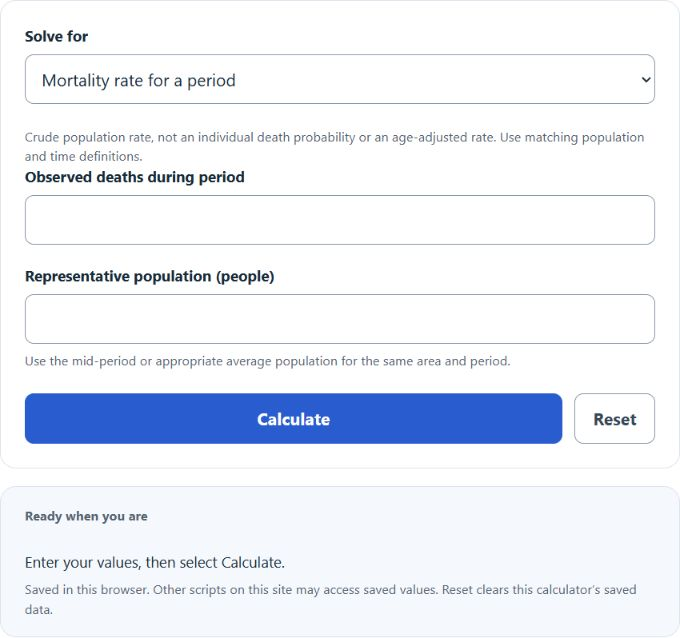
Calculate mortality rate, deaths, or population at risk from any two values, or annualize deaths per 1,000 from a period in months.
- All Health and Medical Calculators
- All Rate Calculators
- Crime Rate Calculator
- Rate Per 1000 Calculator
- Related Rate Calculator
- Crude Birth Rate Calculator
Mortality Rate Formula
The mortality rate measures how many deaths occur in a population during a defined time period. In this calculator, the result is expressed as deaths per 1,000 people, which makes it easier to compare populations of different sizes.
Where:
- MOR = mortality rate in deaths per 1,000 people
- D = total number of deaths during the period
- P = mid-period or appropriate average population for the same area and period
For the result to be meaningful, the deaths and the population must refer to the same place and the same time window. For example, if deaths are counted for one calendar year, the population should also represent that same year.
Rearranged Formula
If you know the mortality rate and need to solve for deaths or population, the equation can be rearranged as follows:
Choose Mortality rate, Expected deaths or Population denominator, then enter the two known values. Annualized mode multiplies the period rate by 12 / observation months and assumes the observed pace continues for a year.
How to Calculate Mortality Rate
- Determine the total number of deaths in the population during the selected period.
- Determine the total population at risk during that same period.
- Divide deaths by population.
- Multiply the result by 1,000.
The final value tells you how many deaths occurred for every 1,000 people in the population.
Example
If a community records 500 deaths in a population of 100,000 people, the mortality rate is:
That means the mortality rate is 5 deaths per 1,000 people for the period being measured.
How to Interpret the Result
A higher mortality rate means deaths are occurring more frequently relative to the size of the population. A lower mortality rate means deaths are less frequent. The number should always be interpreted in context, especially when comparing different regions, age groups, or years.
- Same time frame: compare annual rates with annual rates, not annual with monthly.
- Same population definition: compare total population with total population, or the same subgroup with the same subgroup.
- Same rate basis: a rate per 1,000 should not be directly compared to a rate per 100,000 unless converted first.
Per 1,000 vs. Per 100,000
This calculator uses a multiplier of 1,000, but some health and demographic reports use 100,000 instead. If you need a mortality rate per 100,000 people, use:
Choose the scale that matches your reporting standard so comparisons stay consistent.
Common Uses of Mortality Rate
- Public health reporting
- Population and demographic analysis
- Hospital and healthcare system planning
- Insurance and actuarial review
- Comparing health outcomes across locations or time periods
Mortality Rate vs. Related Measures
| Measure | What It Describes |
|---|---|
| Mortality rate | Deaths in an entire population during a specified period |
| Case fatality rate | Deaths among people who already have a specific disease or condition |
| Incidence rate | New cases of a disease or event, not deaths |
| Prevalence | Total existing cases in a population at a point in time or over a period |
Tips for Using the Calculator Correctly
- Use raw counts for deaths and population, not percentages.
- Make sure the population is the population at risk for the event being studied.
- If the population changes a lot during the year, use a representative average population if appropriate for your analysis.
- Check whether your report needs deaths per 1,000 or per 100,000 before presenting the result.
- Keep rounding reasonable so small differences are not overstated.
Why Standardizing the Rate Matters
Using a rate instead of a raw death count accounts for population size, but crude rates can still reflect different age distributions. For example, 200 deaths in a town of 20,000 is very different from 200 deaths in a city of 2,000,000. Scaling by population size shows the relative burden rather than just the raw total; it does not perform age standardization or estimate an individual’s death probability.