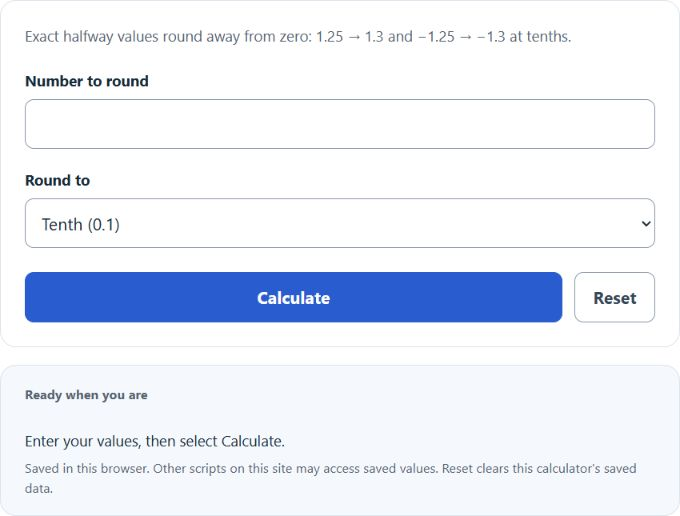
Calculate rounded numbers to the nearest tenth, hundredth, thousandth, or smaller by entering a value and choosing the decimal place.
How to Round to the Nearest Tenth
Rounding to the nearest tenth means writing a number to one decimal place. To do that, keep your eyes on two digits only: the tenths digit and the hundredths digit. The hundredths digit tells you whether the tenths digit stays the same or increases by 1.
In practical terms, multiply the number by 10, round to the nearest whole number, and then divide by 10. Exact halfway cases round away from zero: 1.25 becomes 1.3 and −1.25 becomes −1.3. The calculator rounds the entered decimal digits exactly, without adding an epsilon.
That means rounding to the nearest tenth changes a value by no more than five hundredths.
Step-by-Step Rounding Rule
- Find the tenths place, which is the first digit to the right of the decimal.
- Look at the hundredths place, which is the second digit to the right of the decimal.
- If the hundredths digit is 0, 1, 2, 3, or 4, keep the tenths digit the same.
- If the hundredths digit is 5, 6, 7, 8, or 9, increase the tenths digit by 1.
- Remove all digits to the right of the tenths place.
Quick Reference Table
| Original Number | Hundredths Digit | Rounded to Nearest Tenth | Why |
|---|---|---|---|
| 5.1234567 | 2 | 5.1 | The hundredths digit is less than 5, so the tenths digit stays the same. |
| 7.86 | 6 | 7.9 | The hundredths digit is 5 or more, so the tenths digit increases. |
| 12.04 | 4 | 12.0 | The hundredths digit is less than 5, so the value rounds down. |
| 2.96 | 6 | 3.0 | Rounding up causes a carry from the tenths place into the whole number. |
| 19.99 | 9 | 20.0 | The carry continues through the decimal and increases the whole number. |
| -8.27 | 7 | -8.3 | Negative numbers follow the same place-value rule. |
Place Value Reminder
In the number 48.372, the digit 3 is in the tenths place, 7 is in the hundredths place, and 2 is in the thousandths place. When rounding to the nearest tenth, only the hundredths digit determines whether the tenths digit changes. Digits farther to the right do not matter once the hundredths digit is known.
Common Mistakes
- Checking the wrong digit: For nearest tenth rounding, always inspect the hundredths place.
- Truncating instead of rounding: Simply cutting off digits can give the wrong answer.
- Forgetting carries: Numbers like 2.96 and 19.99 can change the whole-number part.
- Dropping the trailing zero: A result such as 3.0 clearly shows the number was rounded to tenths.
When Rounding to the Nearest Tenth Is Useful
- Measurement data such as length, weight, speed, and temperature
- Summaries of averages where one decimal place is enough precision
- Graphs, tables, and reports that need cleaner values
- Mental math and quick estimation
Using the Calculator
Enter the number you want to round, select the tenths place, and calculate. The calculator returns the closest value with one digit after the decimal. If you need more or less precision, choose a different place value such as whole numbers, hundredths, or thousandths.