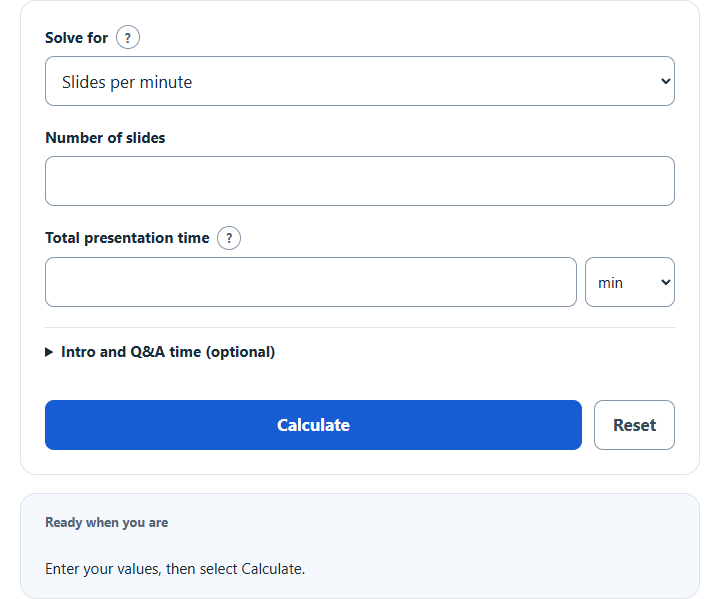
Calculate slides per minute or time per slide for a presentation, total presentation time from slide count and pace, or how many slides fit your time.
Related Calculators
- Speech Rate Calculator
- Speech Length Calculator
- Presentation Time Calculator
- Words to Minutes Calculator
- Pages to Minutes Calculator
- Syllables Per Second Calculator
- All Everyday Life and Education Calculators
Slides Per Minute Formula
The basic relationship is:
To find the number of slides:
To find slide-delivery time, before adding reserved minutes:
- SPM = slides per minute
- S = total number of slides
- T = available slide-delivery minutes: total session minutes minus reserved introduction and Q&A/closing minutes
Choose an explicit output mode and enter its two required source quantities. For rate or slide count, first subtract separate introduction and Q&A/closing reserves from the entered total time. Total time must exceed the combined reserves. For total time, compute slide-delivery minutes as S / SPM, then add those same reserves.
- From slide count and total time, it divides count by available slide-delivery minutes and reports slides per minute.
- From rate and slide count, it computes slide-delivery time and adds reserved minutes to report total presentation time.
- From total time and rate, it multiplies rate by available slide-delivery minutes and reports the whole slides that fit (rounded down), with the unrounded estimate beside it.
The calculator converts total-time inputs between seconds, minutes and hours, and rates between slides per second, minute and hour or time per slide in seconds or minutes. Optional reserves always use minutes and should not overlap time already counted as slide delivery. Main time results use decimal minutes; the secondary clock is an approximate nearest-second display. Numeric inputs start blank. A successful Calculate saves a structured input snapshot in this browser; returning recomputes it, and unsaved edits preserve the previous successful snapshot. Other scripts on this site may access saved values. Reset clears this calculator’s saved data.
Illustrative Presentation Pacing Averages
These are arithmetic planning examples, not measured population norms or universal recommendations. The content descriptions are illustrative possibilities; rehearse your actual slides to choose a suitable pace.
| Pace | Slides Per Minute | Approx. Time Per Slide | Illustrative content context |
|---|---|---|---|
| Slow | 0.25 to 0.5 | 2 to 4 minutes | Detailed teaching, data-heavy slides, technical explanation |
| Moderate | 0.5 to 1 | 1 to 2 minutes | Classroom, business or meeting content, depending on complexity and delivery |
| Fast | 1 to 2 | 30 to 60 seconds | Quick updates, image-heavy decks, short pitches |
| Very fast | More than 2 | Less than 30 seconds | Rapid-fire formats or slide shows with little spoken detail |
Slide Count Estimates by Presentation Length
This table assumes the listed time is entirely available for slide delivery, with zero reserved minutes. Counts are continuous arithmetic estimates, so fractional values are retained rather than presented as counts of physical slides.
| Presentation Length | At 0.5 Slides/Minute | At 1 Slide/Minute | At 2 Slides/Minute |
|---|---|---|---|
| 5 minutes | 2.5 slides | 5 slides | 10 slides |
| 10 minutes | 5 slides | 10 slides | 20 slides |
| 30 minutes | 15 slides | 30 slides | 60 slides |
| 1 hour | 30 slides | 60 slides | 120 slides |
Example Problems
Example 1: Find slides per minute
You have 20 slides and 25 minutes available for slide delivery, with no separate introduction or Q&A/closing reserve.
Your pace is 0.8 slides per minute. That is about 1 slide every 1.25 minutes.
Example 2: Find presentation time
You have 36 slides and choose a planning rate of 1.2 slides per minute, with zero reserved introduction or Q&A/closing minutes.
The arithmetic gives 30 minutes of slide delivery and total time when reserves are zero. Any entered reserved minutes would be added to this total.
FAQ
How many slides per minute is normal?
There is no universal normal pace established by this calculator. For illustration, 0.5 to 1 slide per minute corresponds arithmetically to 1 to 2 minutes per slide. Actual timing depends on content, speaking style, audience and questions. Rehearse individual slides and the complete presentation rather than treating these examples as recommendations.
How do I calculate slides per minute?
Subtract reserved introduction and Q&A/closing minutes from total session minutes, then divide slides by the remaining slide-delivery minutes. With no reserves, 15 slides in 10 minutes gives 15 / 10 = 1.5 slides per minute. If 2 of those 10 minutes are reserved, the same 15 slides require 15 / 8 = 1.875 slides per minute.
Should every slide take the same amount of time?
No. Slides per minute is an average. Some slides may take only a few seconds, while others may take several minutes. Use the result as a planning comparison and rehearse the actual presentation. Microsoft’s presentation-rehearsal guidance describes recording both individual-slide and whole-presentation timing; it does not establish a universal slides-per-minute target.