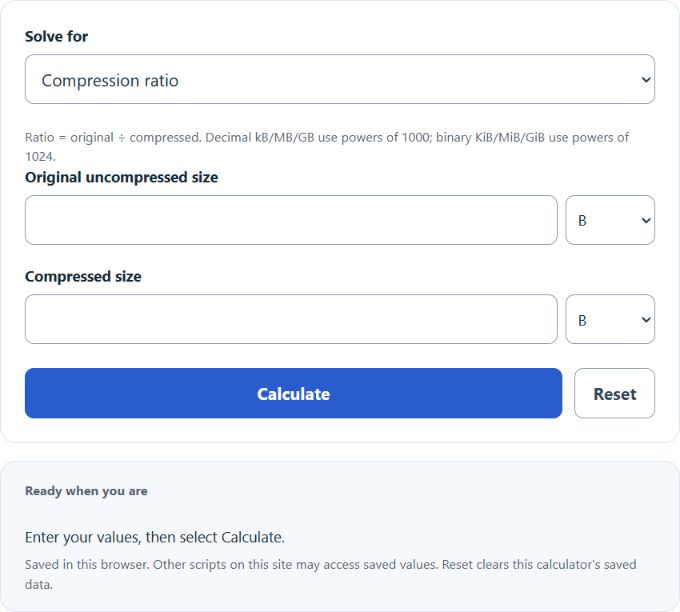
Calculate text compression ratio, compressed size, or uncompressed size from any two values, with byte, KB, MB, and GB unit options for files.
Related Calculators
- Audio Buffer Size Calculator
- Mbps To Hz Calculator
- MHz to ns Converter
- FPS Per Dollar Calculator
- All Unit Converters
Text Compression Ratio Explained
The text compression ratio shows how efficiently a text file was reduced in size during compression. It compares the original file size to the compressed file size. A larger ratio means better compression. For example, 2:1 means the file was cut to half its original size, while 4:1 means it was reduced to one-quarter of its original size.
Compression Ratio Formula
US = uncompressed size, CS = compressed size, and TCR = text compression ratio.
| Find | Formula |
|---|---|
| Compression Ratio | TCR = (US) / (CS) |
| Compressed Size | CS = (US) / (TCR) |
| Uncompressed Size | US = TCR × CS |
Percent Space Saved
Compression ratio and percentage reduction are related, but they are not the same value. A finite ratio requires positive compressed size. Zero original size with positive compressed size gives a ratio of 0:1, but percentage saved is undefined because its denominator is zero.
| Ratio | Meaning | Space Saved |
|---|---|---|
| 1:1 | No change in size | 0% |
| 1.5:1 | Compressed file is 66.7% of the original | 33.3% |
| 2:1 | Compressed file is half the original size | 50% |
| 4:1 | Compressed file is one-quarter of the original size | 75% |
| 10:1 | Compressed file is one-tenth of the original size | 90% |
| Below 1:1 | Compressed file is larger than the original | Negative savings |
Worked Example
If the original text file is 800 KB and the compressed file is 200 KB, then:
The compression ratio is 4:1. That means the compressed file is only 25% of the original size.
How to Use the Calculator Correctly
- Select the value to solve for and enter the two known quantities.
- Match each size to its selected unit. Decimal kB/MB/GB use powers of 1000; binary KiB/MiB/GiB use powers of 1024.
- Mixed selected units are converted automatically. The previous widget’s binary KB/MB/GB convention is now labeled KiB/MiB/GiB.
- Read the result as a ratio such as 3:1, 4:1, or 8:1.
What Affects Text Compression Ratio?
| Factor | Effect on Compression |
|---|---|
| Repeated words or patterns | Usually improves compression and raises the ratio |
| Plain text, logs, CSV, or markup-heavy files | Often compress well because of repeated structures |
| Very small files | May compress poorly because metadata and headers add overhead |
| Already compressed or highly random content | Usually produces a lower ratio and may even expand slightly |
| Compression method and settings | Different algorithms can produce different ratios on the same text |
Common Mistakes
- Reversing the formula: use original size divided by compressed size, not the other way around.
- Confusing ratio with percent saved: a 4:1 ratio means 75% saved, not 400%.
- Mixing units carelessly: compare sizes consistently before interpreting the result.
- Ignoring ratios below 1: if the result is less than 1:1, the file became larger after compression.
Why This Metric Matters
Text compression ratio is useful for estimating storage savings, reducing transfer time, comparing compression tools, and measuring how efficiently large text datasets such as logs, source code, reports, and exported data can be stored or transmitted.