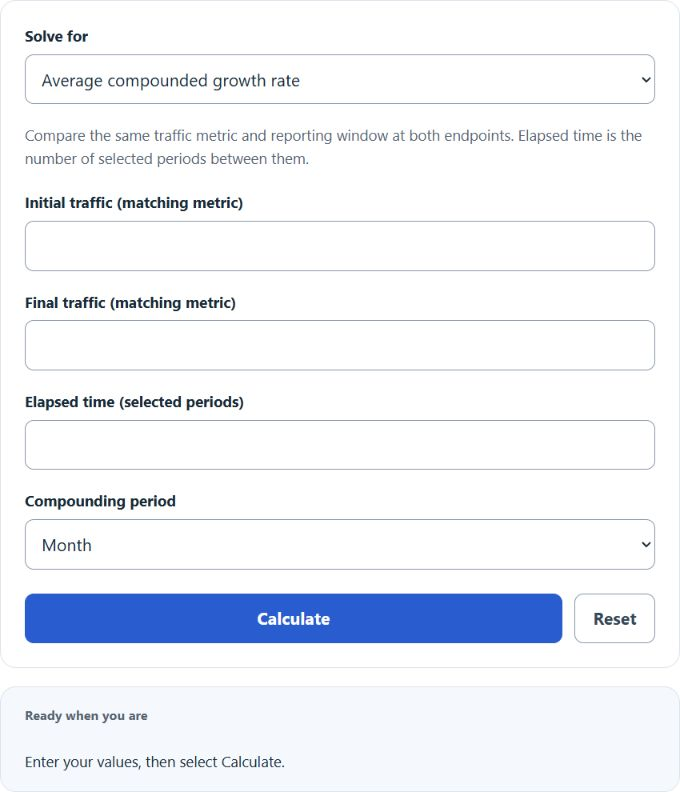
Choose growth rate, final traffic, initial traffic, or elapsed time, then enter the three known values. Use the same traffic metric and reporting window at both endpoints and select the compounding period.
Traffic Growth Rate Formula
The traffic growth rate calculator estimates the average compounded growth rate of traffic over a defined time period. When the time period is entered in months, the result is the average monthly traffic growth rate.
| Variable | Meaning |
|---|---|
| GR | Traffic growth rate as a percentage per time period |
| FT | Final traffic at the end of the period |
| IT | Initial traffic at the start of the period |
| TP | Number of time periods, typically months |
This formula is useful because it smooths growth into a single rate, even when real traffic fluctuates from one period to the next. In practice, it functions much like a compounded average growth rate for traffic.
What This Calculator Measures
Traffic growth rate shows how fast website or network traffic is growing from one point in time to another. It can be used for:
- website visitors or users
- sessions or pageviews
- app traffic or active users
- network usage or system load
- channel-level traffic such as organic, paid, referral, or social
As long as the initial and final traffic values use the same unit, the calculation remains valid.
Total Growth vs. Average Periodic Growth
Many people confuse total change with the average compounded growth rate. They are related, but they are not the same.
Total growth measures the overall percentage increase across the full interval. Traffic growth rate measures the average compounded increase per period. If you are comparing performance across months, quarters, or campaigns of different lengths, the compounded rate is usually the more meaningful benchmark.
How to Use the Traffic Growth Rate Calculator
- Select the quantity to solve for.
- Enter the three known values.
- Select the compounding period; changing its label does not convert entered values.
- Select Calculate to show the answer and expandable details.
If the calculator is used to solve for a different missing variable, the same relationship can be rearranged as follows.
Final Traffic
Initial Traffic
Time Period
Example
Suppose traffic increases from 500 users per month to 800 users per month over 6 months.
The result is an average traffic growth rate of 8.15% per month. Over the entire 6-month period, the total increase is 60%, but the monthly compounded growth rate is lower because it represents the average rate per month rather than the full-period change.
How to Interpret the Result
- Positive GR: traffic increased over time.
- Zero GR: traffic stayed flat.
- Negative GR: traffic declined over the period.
- Larger GR values: indicate faster average growth per period.
If TP is measured in months, then the result is a monthly growth rate. If TP is measured in weeks, the result becomes a weekly growth rate. The time unit controls how the percentage should be interpreted.
Best Uses for a Traffic Growth Rate Calculation
- tracking SEO growth from one month to another
- measuring campaign lift after paid acquisition efforts
- comparing traffic performance across different channels
- forecasting future traffic using a known historical growth rate
- evaluating whether growth targets are being met consistently
Important Notes and Assumptions
- Initial traffic must be greater than zero. If the starting value is zero, the growth rate is undefined because division by zero is not possible.
- Use matching units. Do not compare daily traffic to monthly traffic unless one is first converted.
- The result is an average. It does not show volatility, seasonality, or traffic spikes inside the period.
- Declines are valid. Final traffic of zero gives −100% growth; a −100% projection gives zero. Recovering positive initial traffic or elapsed time requires a rate above −100%. Solving time also requires positive endpoints and a nonzero rate consistent with their direction. Flat traffic at 0% has no unique time.
Common Mistakes
- using different traffic definitions for the start and end values
- mixing time units, such as weeks for one value and months for another
- treating total growth as if it were the same as average periodic growth
- using a short time window that is heavily distorted by a one-time traffic spike
Traffic Growth Rate FAQ
Is this the same as simple percentage increase?
No. Simple percentage increase describes the total change from start to finish. Traffic growth rate here represents the average compounded rate per period.
Can I use sessions instead of users?
Yes. The calculator works with users, sessions, visits, pageviews, or similar traffic metrics as long as both traffic inputs use the same unit.
Why is my result negative?
A negative result means final traffic is lower than initial traffic, so traffic declined over the measured period.
Why does the time period matter so much?
The same total increase produces a different growth rate depending on how long it took. Reaching the same final traffic in fewer months implies faster average growth.